
Best Application Security Tools
2026: 230 Compared
Top picks across the 12 application security tool categories with quick takes per tool, open-source and commercial options, and links into every category's full comparison.

- 230 application security tools compared across 12 categories: SAST, SCA, DAST, IAST, RASP, AI Security, API Security, IaC Security, ASPM, Mobile, Container Security, and Secret Scanning.
- Each category targets a different SDLC phase — SAST and SCA shift left into development, DAST tests running applications, RASP protects in production, and ASPM correlates findings across all phases.
- Production-grade open-source options exist for every core category: Semgrep CE (SAST), Trivy (SCA and containers), OWASP ZAP (DAST), Checkov (IaC), and DefectDojo (ASPM).
- No single tool covers all security testing needs — mature AppSec programs combine at least SAST, SCA, and DAST as a minimum baseline, then layer specialized tools as the program grows.
What Are Application Security Tools?
Application security tools find, fix, and prevent security vulnerabilities across the software development lifecycle. They cover every phase — from scanning source code in the IDE to blocking attacks on running applications in production.
Three categories form the baseline of any AppSec program: SAST reads source code, DAST probes running apps, and SCA scans open-source dependencies against vulnerability databases.
Nine more categories cover specialized risks — IAST , RASP , API , IaC , container , mobile , AI , secret , and ASPM — each addressing a class of vulnerability the three foundational scans miss.
AppSec Tool Categories at a Glance
| Category | What It Tests |
|---|---|
| SAST | Source code |
| SCA | Dependencies |
| DAST | Running app |
| IAST | Instrumented app |
| RASP | Runtime behavior |
| AI Security | AI/ML models & LLMs |
| API Security | APIs & endpoints |
| IaC Security | Infrastructure configs |
| ASPM | All scanner findings |
| Mobile | iOS & Android apps |
| Container | Images & K8s configs |
For a deeper comparison of SAST, DAST, and IAST side by side, see SAST vs DAST vs IAST .
Static Application Security Testing
Find vulnerabilities in source code before deployment.
- Full code coverage — scans 100% of source
- Fast — doesn't require a running application
- Pinpoints exact location (file & line number)
- Shifts security left — catches issues early in SDLC
- Integrates into CI/CD pipelines for automated checks
- Language dependent — must support your stack
- False positives can be noisy without proper tuning
- Framework/library rule coverage varies per tool
- Cannot detect runtime or configuration issues
- May miss business logic flaws
SemgrepLGPL-2.1 (CE) / Commercial (Platform)
Pattern-based static analysis built for fast CI feedback. Custom rules use a syntax that looks like the code itself, so security engineers can write detection logic without learning a query DSL.
The community edition is free and self-hosted; the commercial Semgrep Pro layer adds cross-file taint analysis, AI-assisted triage, and centralized policy across teams.

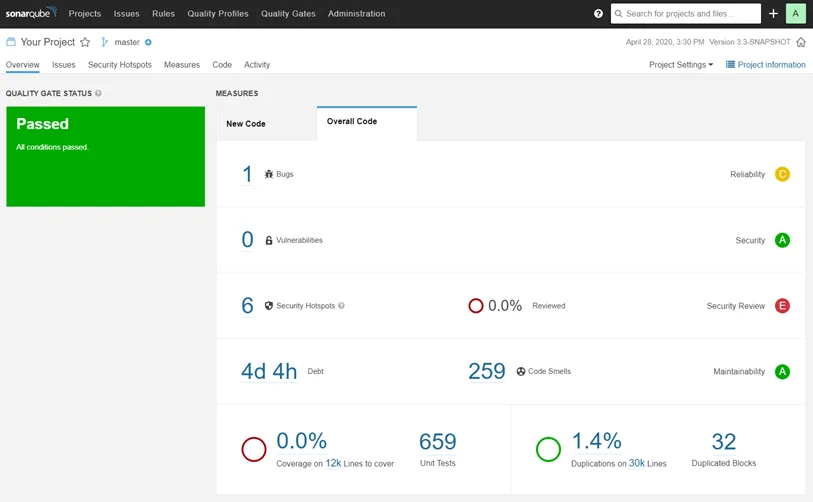
SonarQubeCommercial (with Free Community Build)
Best known as a code-quality platform that grew into SAST. Community Edition covers 30+ languages and integrates with every major CI system through the SonarScanner CLI.
Commercial editions add taint analysis, branch and pull-request analysis, and enterprise reporting. The differentiator is a single dashboard that combines security findings with code quality metrics like coverage and duplication.
| Tool | License |
|---|---|
| Semgrep | LGPL-2.1 (CE) / Commercial (Platform) |
| Checkmarx | Commercial |
| Veracode | Commercial |
| GitHub CodeQL | Free for open-source, Commercial for private repos |
| SonarQube | Commercial (with Free Community Build) |
| OpenText Fortify | Commercial |
Software Composition Analysis
Detect risks across your dependency graph.
- Less dependency on language — works with manifest files
- Fast — scans run in seconds, not minutes
- Easy to adopt — minimal configuration needed
- License compliance checking built in
- Auto-remediation PRs save manual effort
- Limited surface — only covers third-party dependencies
- Unknown impact — not all reported CVEs are exploitable
- Cannot detect zero-day or unreported vulnerabilities
- Alert fatigue from transitive dependency noise
- Does not scan your own code (that is what SAST does)
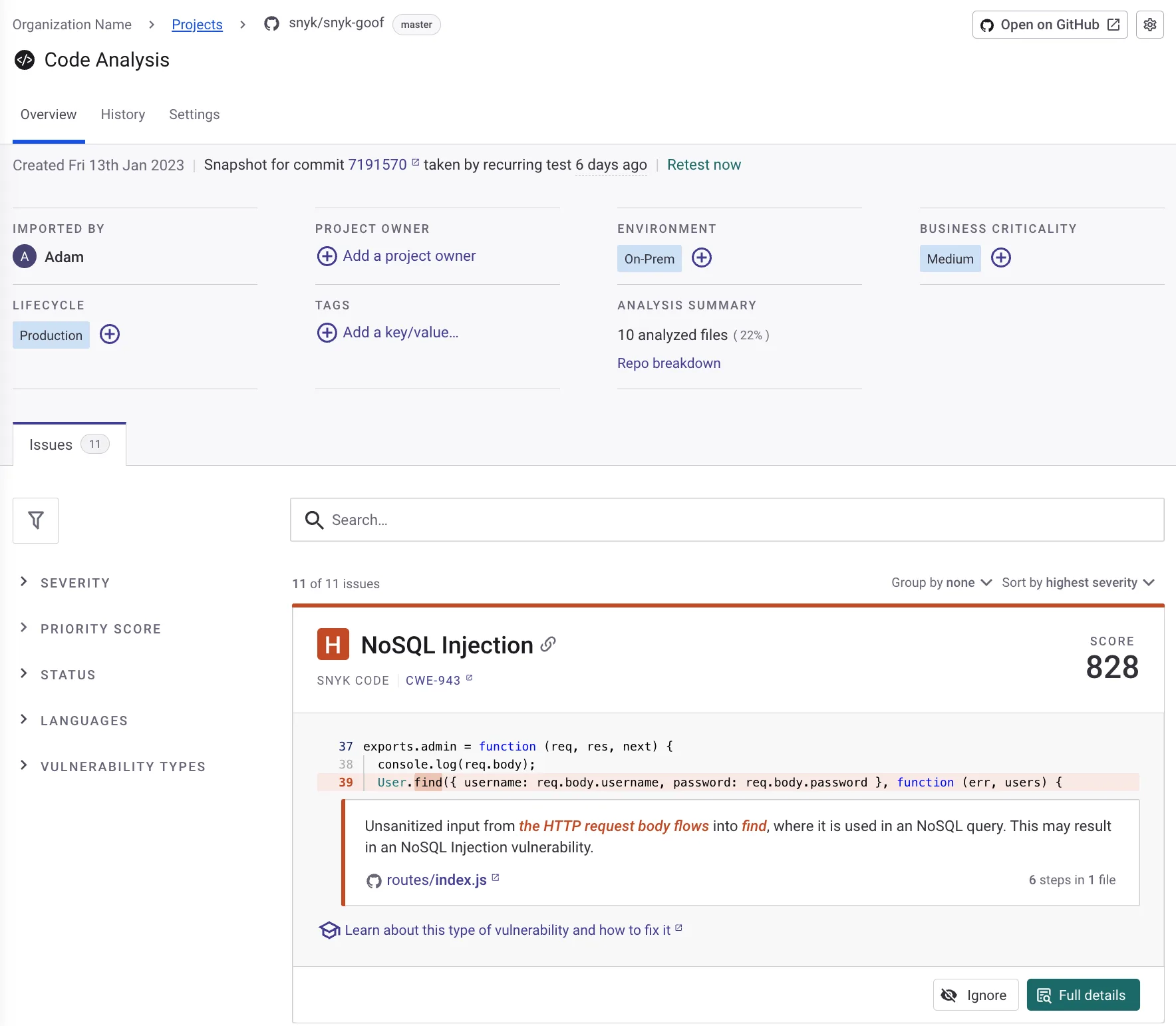
SnykFreemium
A developer-first platform that combines SCA, SAST, container scanning, and IaC under one product. Snyk Open Source matches dependencies against its own vulnerability database, which often flags issues before they reach the NVD.
The free tier is generous for individual developers; paid plans scale by contributing developers, with private vulnerability data and SBOM export at higher tiers.
MendCommercial
Enterprise-grade SCA with deep reachability analysis — it traces whether a vulnerable function in a dependency is actually called by your code, cutting noise significantly. Strong on license compliance and policy automation.
Acquired the Renovate dependency-update project, so Mend bundles automated remediation pull requests directly with vulnerability scanning. Commercial only.

| Tool | License |
|---|---|
| Snyk | Freemium |
| Mend | Commercial |
| Black Duck | Commercial |
| OWASP Dependency-Track | Free (Open-Source, Apache 2.0) |
| Renovate | Free (Open-Source, AGPL-3.0) |
Dynamic Application Security Testing
Test running applications for security flaws.
- Language independent — no need to support your stack
- Lower false positive rate than SAST
- Tests the application in its real-life deployed state
- Easy to adopt — does not require source code access
- Catches runtime and configuration issues
- Coverage is not guaranteed — may miss some pages
- Slower than SAST (hours vs minutes)
- Cannot pinpoint exact code location of issues
- Requires a running application or staging environment
- SPA coverage varies between tools
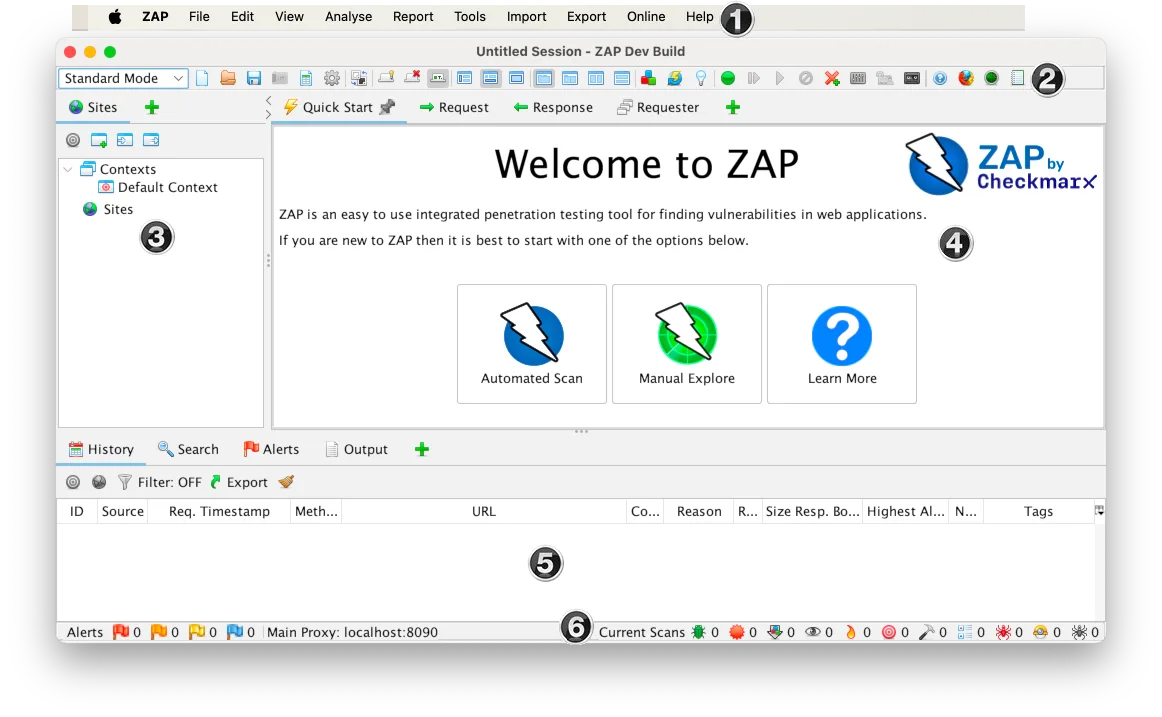
ZAPFree (Open-Source, Apache 2.0)
The reference open-source DAST scanner. Originally an OWASP project, ZAP joined Checkmarx in September 2024 while remaining free and Apache 2.0 licensed.
ZAP runs as a desktop GUI, a headless daemon, or a CI container — the same tool fits manual pentesting and automated pipelines. Active scanner rules cover the OWASP Top 10, extensible through scripts and add-ons.
Burp SuiteFreemium
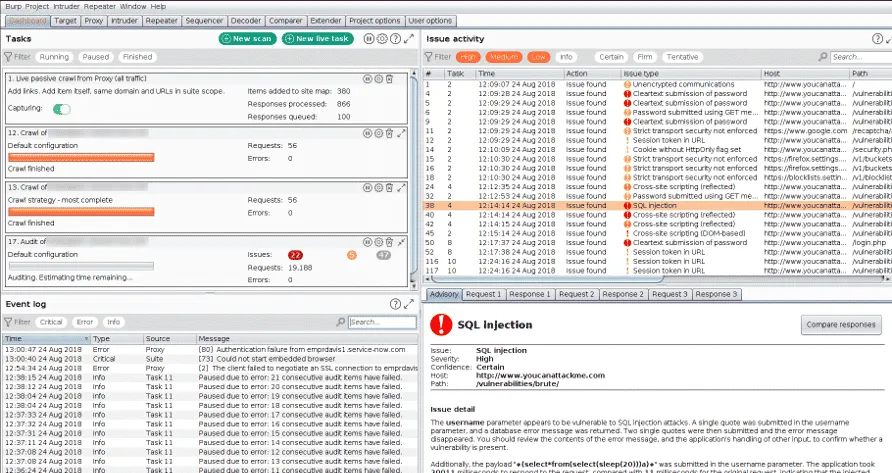
The de facto manual web pentesting tool. Burp Suite Professional is what most application security testers reach for when they need an intercepting proxy plus an active scanner.
The Community Edition is free but disables the scanner and rate-limits the intruder. PortSwigger keeps the commercial editions ahead of competitors on protocol coverage, particularly for HTTP/2, WebSockets, and modern auth flows.
| Tool | License |
|---|---|
| ZAP | Free (Open-Source, Apache 2.0) |
| Burp Suite | Freemium |
| Invicti | Commercial |
| Rapid7 InsightAppSec | Commercial |
| Qualys WAS | Commercial |
| Fortify WebInspect | Commercial |
Interactive Application Security Testing
Detect vulnerabilities during application testing.
- Combines source code and runtime context
- Very low false positive rate
- Pinpoints exact code location of vulnerabilities
- Works during QA testing
- No separate scan needed — runs during tests
- Hard to deploy in cloud-native environments
- Requires test automation for best results
- Language dependent (agent support varies)
- Only sees code paths that tests trigger
- Additional performance overhead
Contrast SecurityCommercial
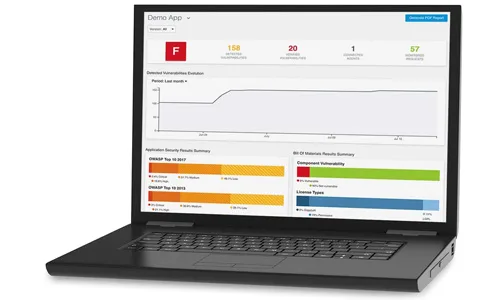
The category’s most-deployed product. A Java, .NET, Node.js, Python, Go, or PHP agent attaches to your running app and observes data flow through the code, reporting only on vulnerabilities that are reachable from real requests.
Commercial only, with contact-sales pricing. The pitch is fewer false positives than SAST and faster results than DAST because findings come from real execution paths.

Seeker IASTCommercial
Originally a standalone product, now part of Black Duck’s application security portfolio after the 2024 split from Synopsys. Same architecture as Contrast — agent-based, traces real requests — with a strong focus on Java enterprise stacks.
Commercial, sold alongside Black Duck SCA for organizations that want SCA plus IAST from a single vendor.
| Tool | License |
|---|---|
| Contrast Security | Commercial |
| Seeker IAST | Commercial |
| Datadog Code Security (IAST) | Commercial |
Runtime Application Self-Protection
Block attacks in real time from inside the app.
- No need to train or configure rules
- Context-aware blocking reduces false positives
- Protects against zero-day attacks
- Immediate protection while fixing vulnerabilities
- Detailed attack telemetry for forensics
- Performance overhead (2-10% latency)
- Language dependent (agent support varies)
- Risk of over-reliance instead of fixing vulnerabilities
- False sense of security if misconfigured
- Deployment complexity for containerized apps
ModSecurityApache License 2.0
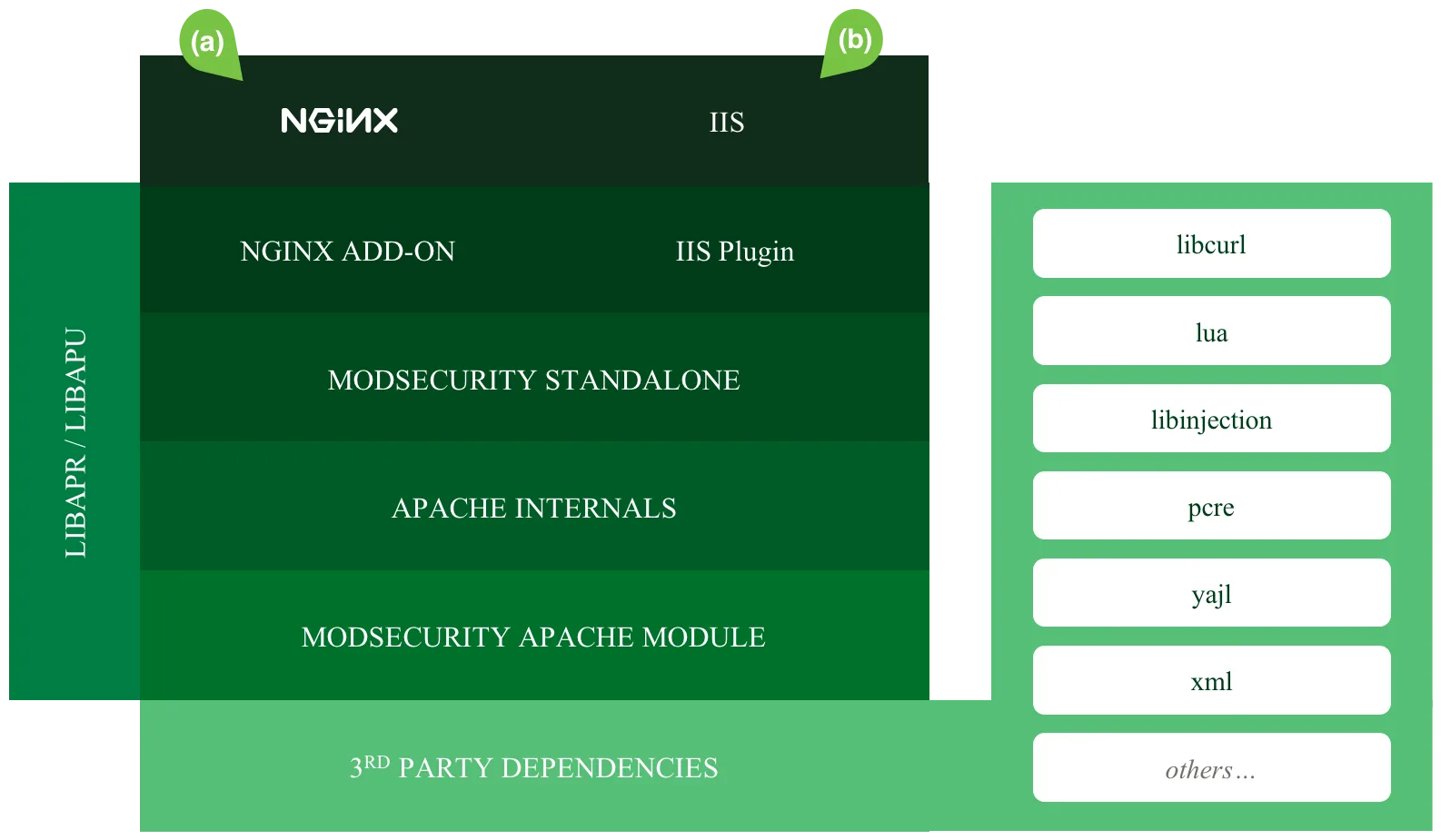
Strictly speaking a Web Application Firewall, but it sits at the same layer as RASP and is the most-deployed open-source defense for runtime attacks. Originally an Apache module, now also packaged as a library that nginx, IIS, and standalone reverse proxies can call.
The OWASP Core Rule Set provides the policy. Apache 2.0 licensed, no vendor lock-in.
Imperva RASPCommercial
A true in-process RASP — the agent runs inside the JVM, .NET CLR, Node.js, or PHP runtime and blocks attacks before they reach the application code. Bundled with Imperva’s broader Cloud WAF and DDoS offerings.
Commercial only. The closest enterprise analog to what RASP was originally promised to be: zero-config protection that doesn’t depend on signatures.

| Tool | License |
|---|---|
| ModSecurity | Apache License 2.0 |
| Imperva RASP | Commercial |
| Waratek | Commercial |
| Dynatrace | Commercial |
AI Security
Secure LLM apps against prompt injection, jailbreaks, and data leakage.
- Tests for novel AI-specific risks
- Catches prompt injection and jailbreaks
- Essential for GenAI applications
- Most testing tools are free and open-source
- Rapidly evolving field
- Standards still maturing (OWASP LLM Top 10, NIST AI RMF exist but evolving)
- Limited coverage of all AI risk types
- Requires AI/ML expertise to interpret results
View full AI Security comparison →
GarakFree (Open-Source)
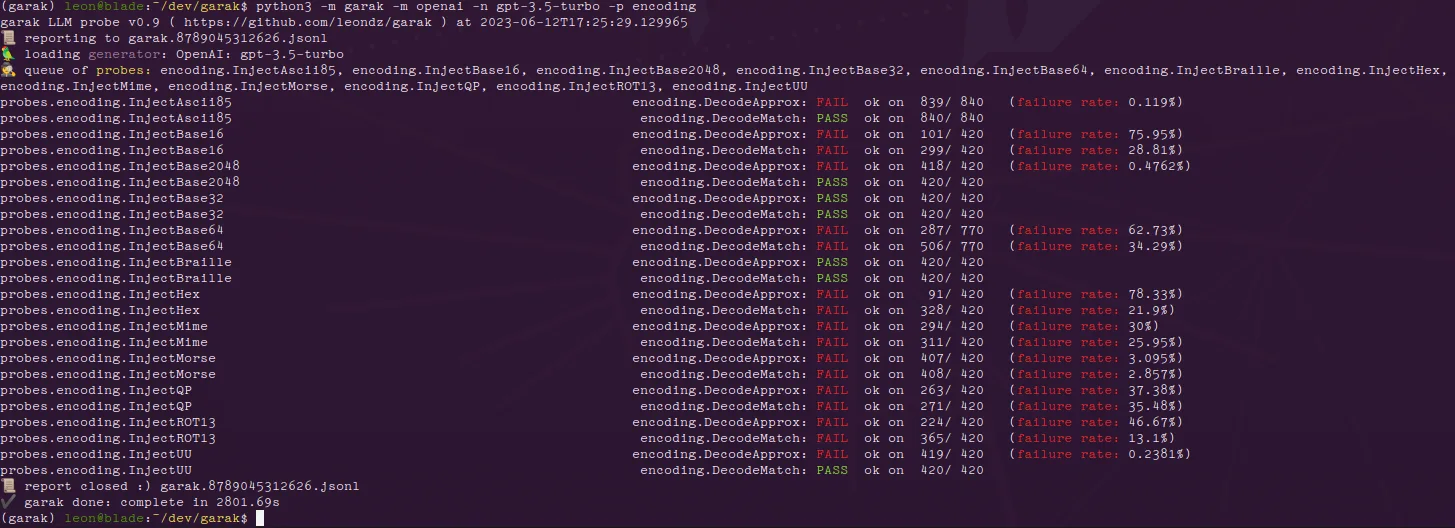
An LLM vulnerability scanner from NVIDIA’s AI red team. Garak runs adversarial probes against a model — prompt injection, jailbreaks, data leakage, toxicity — and reports which categories the target failed.
Apache 2.0 licensed. Works against OpenAI, Anthropic, local Hugging Face models, and anything with an HTTP interface, making it the closest thing to a generic OWASP-ZAP-for-LLMs.
NVIDIA NeMo GuardrailsFree (Open-Source)
NVIDIA’s open-source guardrails library sits between your application and the model. Its rails cover input, dialog, retrieval, execution and output: jailbreak and prompt-injection checks, sensitive-data masking, fact-checking and hallucination detection.
Apache 2.0 licensed. Rails are configured in YAML plus Colang, NVIDIA’s dialog language, so teams decide which checks run on which conversation flows.
| Tool | License |
|---|---|
| Garak NEW | Free (Open-Source) |
| NVIDIA NeMo Guardrails | Free (Open-Source) |
| Giskard | Freemium (Open-Source + Commercial) |
| Arize AI NEW | Free (Open-Source) and Commercial |
| CrowdStrike Falcon AIDR NEW | Commercial |
API Security Testing
Discover, test, and protect your APIs.
- Focused on API-specific vulnerabilities
- Tests business logic flaws
- Runtime protection capabilities
- API discovery finds shadow APIs
- May overlap with DAST tools
- Requires API documentation/specs
- Can be complex to configure
- Runtime agents add latency
View full API Security comparison →
42CrunchCommercial (with Free tier)
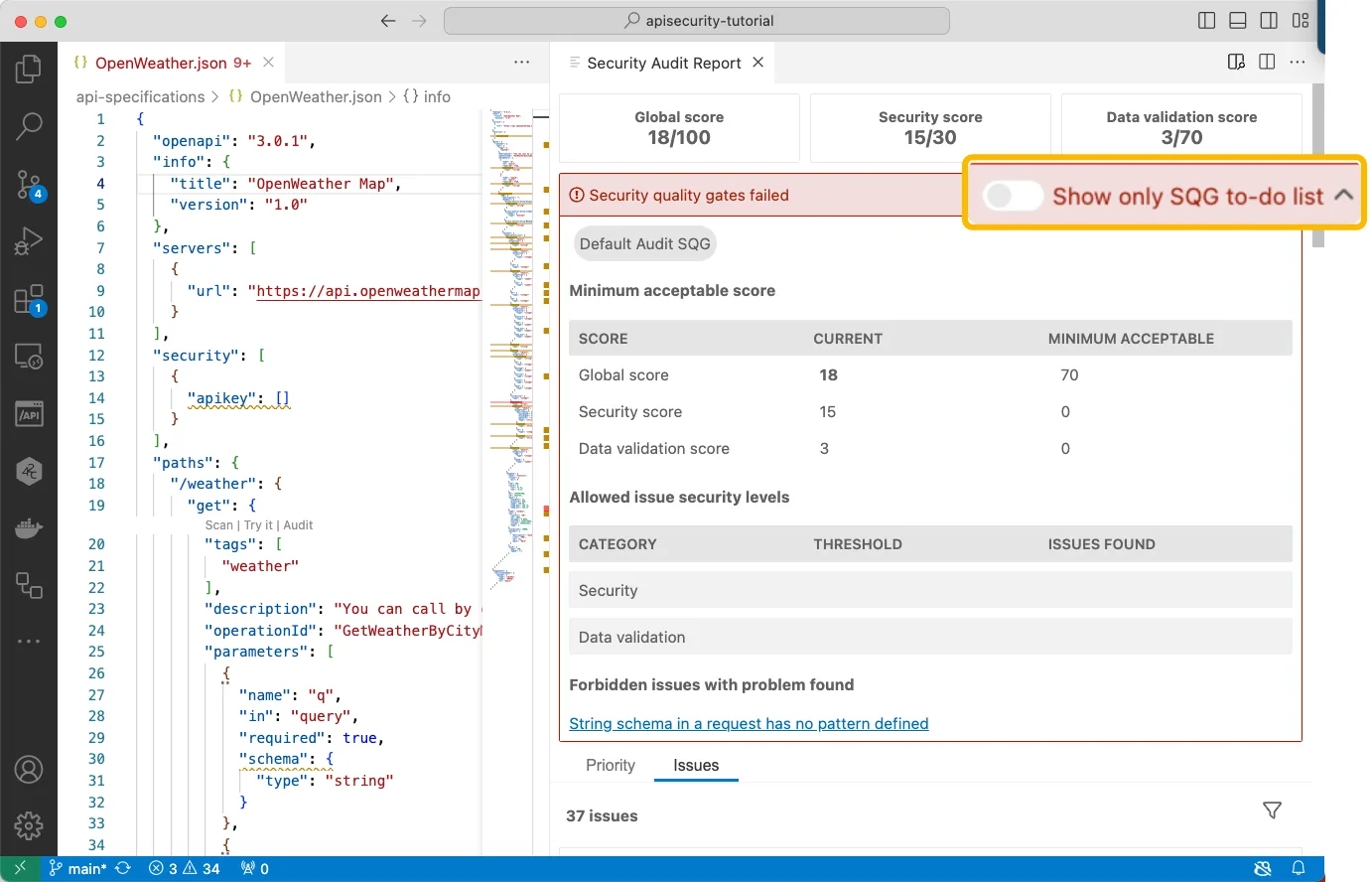
Specializes in design-time API security, scanning OpenAPI definitions for spec-level vulnerabilities before any code ships. The same engine powers their runtime API firewall.
Commercial with a free tier for individuals and CI use. The audit ruleset maps directly to the OWASP API Security Top 10, and the IDE plugins flag spec violations as developers write the contract.
Salt SecurityCommercial
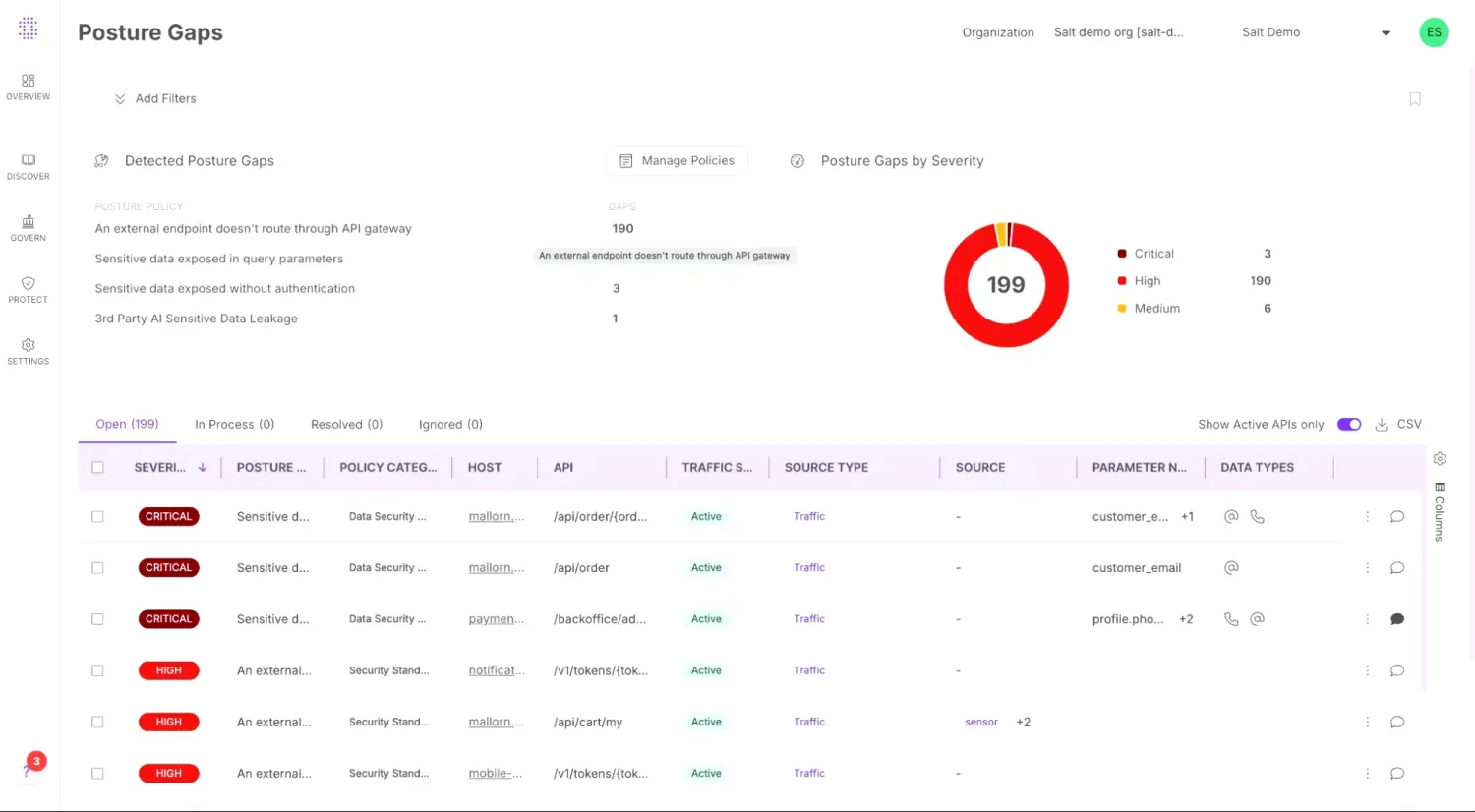
A passive-observation API security platform — it sits on traffic mirrors or out-of-band, learns each API’s normal behavior, and flags abuse, business-logic attacks, and broken-object-level-authorization in real time.
Commercial only. The differentiator is behavioral baselining at scale, which catches the kind of API exploits that scanners running against an OpenAPI spec cannot model.
| Tool | License |
|---|---|
| 42Crunch | Commercial (with Free tier) |
| Salt Security | Commercial |
| Wallarm | Commercial |
| Cequence Security | Commercial |
| Akamai API Security (Noname) | Commercial |
Infrastructure as Code Security
Catch misconfigurations in Terraform, CloudFormation & K8s.
- Catches misconfigurations before deployment
- Shift-left for infrastructure
- Supports multiple IaC frameworks
- All major tools are free and open-source
- Limited to configuration issues
- Framework-specific rules needed
- Cannot detect runtime issues
View full IaC Security comparison →
CheckovFree (Open-Source, Apache 2.0)
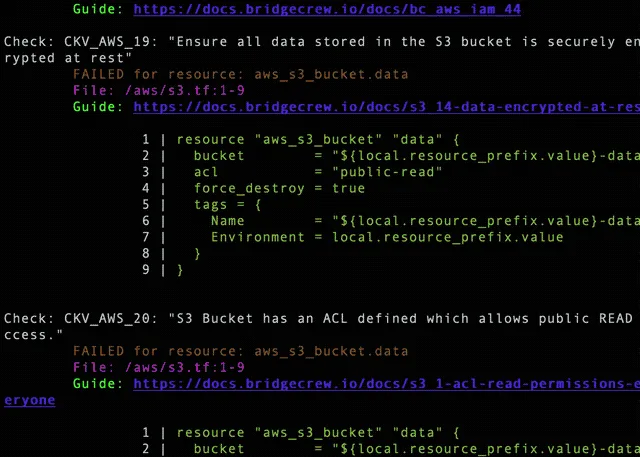
Open-source policy-as-code scanner for Terraform, CloudFormation, Kubernetes, Helm, Dockerfiles, and serverless framework configurations. Maintained by Prisma Cloud (Palo Alto Networks) and released under the Apache 2.0 license.
Ships with over 1,000 built-in policies aligned with CIS, NIST, and PCI benchmarks. Custom rules are written in Python or Rego, so teams already using OPA can reuse policies across runtime and IaC checks.
TrivyFree (Open-Source, Apache 2.0)
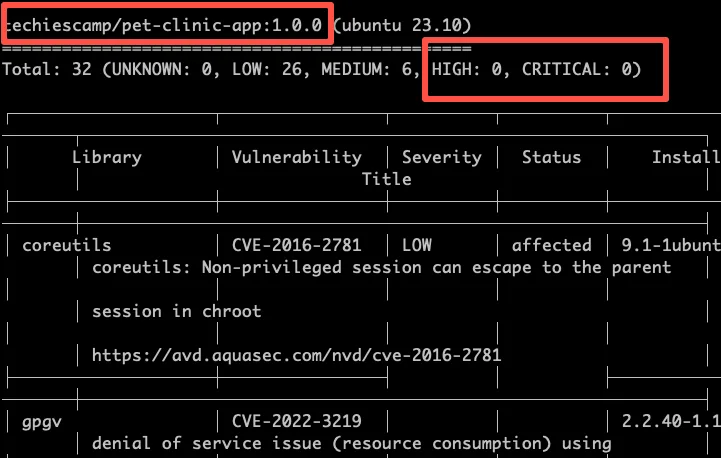
A scanner that started as a container-image vulnerability tool and grew into the swiss-army knife of cloud-native security — Trivy also handles IaC misconfiguration, SBOM generation, secret detection, and Kubernetes manifest scanning.
Apache 2.0 licensed, maintained by Aqua Security. The single binary running in a CI job covers four categories that would otherwise require separate tools.
| Tool | License |
|---|---|
| Checkov | Free (Open-Source, Apache 2.0) |
| Trivy | Free (Open-Source, Apache 2.0) |
| Wiz | Commercial |
| Prisma Cloud | Commercial |
| Kubescape | Free (Open-Source, Apache 2.0) |
Application Security Posture Management
Centralize and prioritize findings across tools.
- Unified visibility across all security tools
- Risk-based prioritization with business context
- Automated remediation workflows
- Security KPIs and trend tracking
- Deduplication and correlation across tools
- Integration complexity with legacy tools
- Requires mature AppSec program to maximize value
- Can become another dashboard nobody checks
- Risk models need tuning for your environment
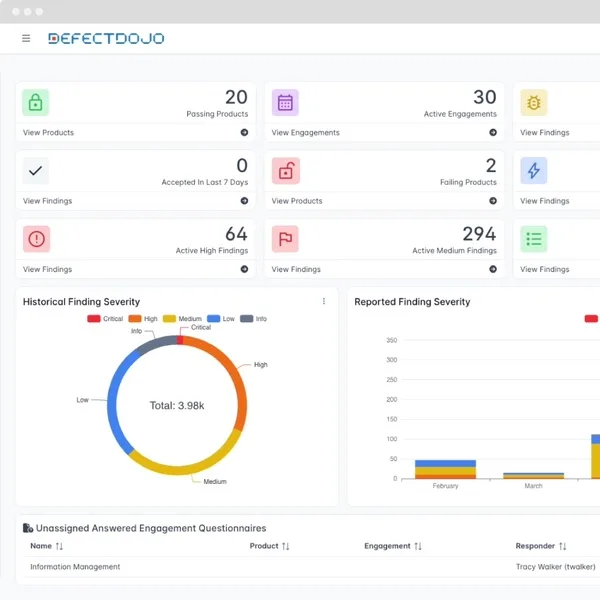
DefectDojoFree (Open-Source)
The reference open-source vulnerability management platform. DefectDojo ingests output from over 200 scanner formats — SAST, DAST, SCA, container, IaC — and unifies them into one queue with deduplication, risk acceptance, and SLA tracking.
BSD-3 licensed, hosted in Python. The commercial edition (DefectDojo Pro) adds SSO, dashboards, and a hosted option.
ArmorCodeCommercial
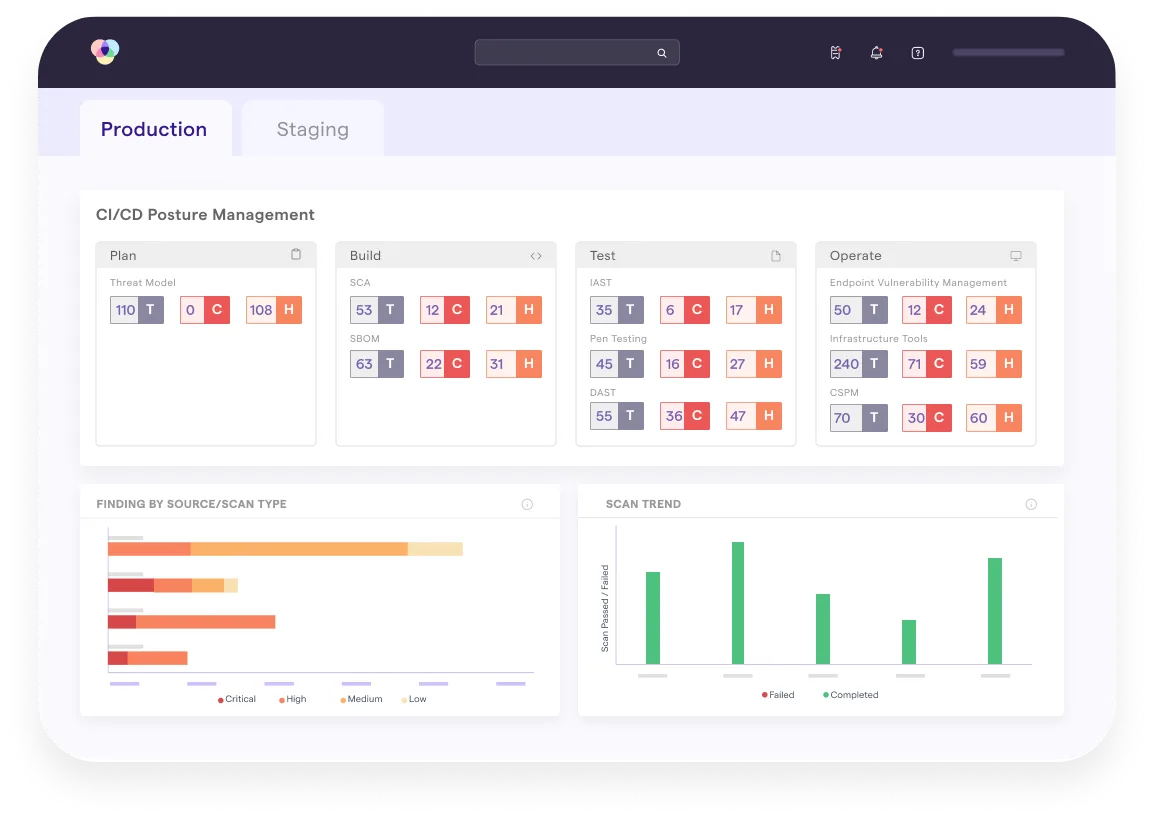
A commercial ASPM platform that correlates findings from a reported 350+ integrations and adds business-context risk scoring on top. The AI-assisted triage scores each finding by asset criticality, exploit availability, and reachability.
Commercial only. Designed for organizations with mature scanner sprawl — typically those running five or more application security tools across regulated business units.
| Tool | License |
|---|---|
| DefectDojo | Free (Open-Source) |
| ArmorCode | Commercial |
| Apiiro NEW | Commercial |
| Aikido Security NEW | Commercial (Free tier available) |
| Cycode | Commercial |
Mobile Application Security Testing
Scan mobile apps for vulnerabilities and data leaks.
- Platform-specific testing for iOS and Android
- Binary and runtime analysis
- Detects insecure data storage
- Compliance validation (OWASP MASVS)
- Platform fragmentation (iOS vs Android)
- Requires specialized expertise
- Device farms can be expensive
- OS updates break test automation
View full Mobile Security comparison →
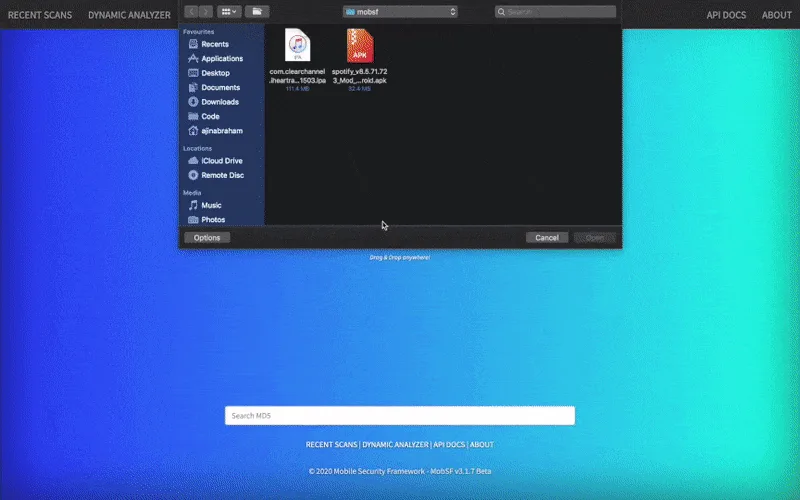
MobSFFree (Open-Source)
The Mobile Security Framework — an open-source automated framework for static, dynamic, and malware analysis of Android, iOS, and Windows mobile apps. Upload an APK or IPA and MobSF returns a full report.
GPL-3.0 licensed. Used as a baseline scanner in most mobile pentest pipelines and as the foundation for several commercial mobile-AST products.
CorelliumCommercial
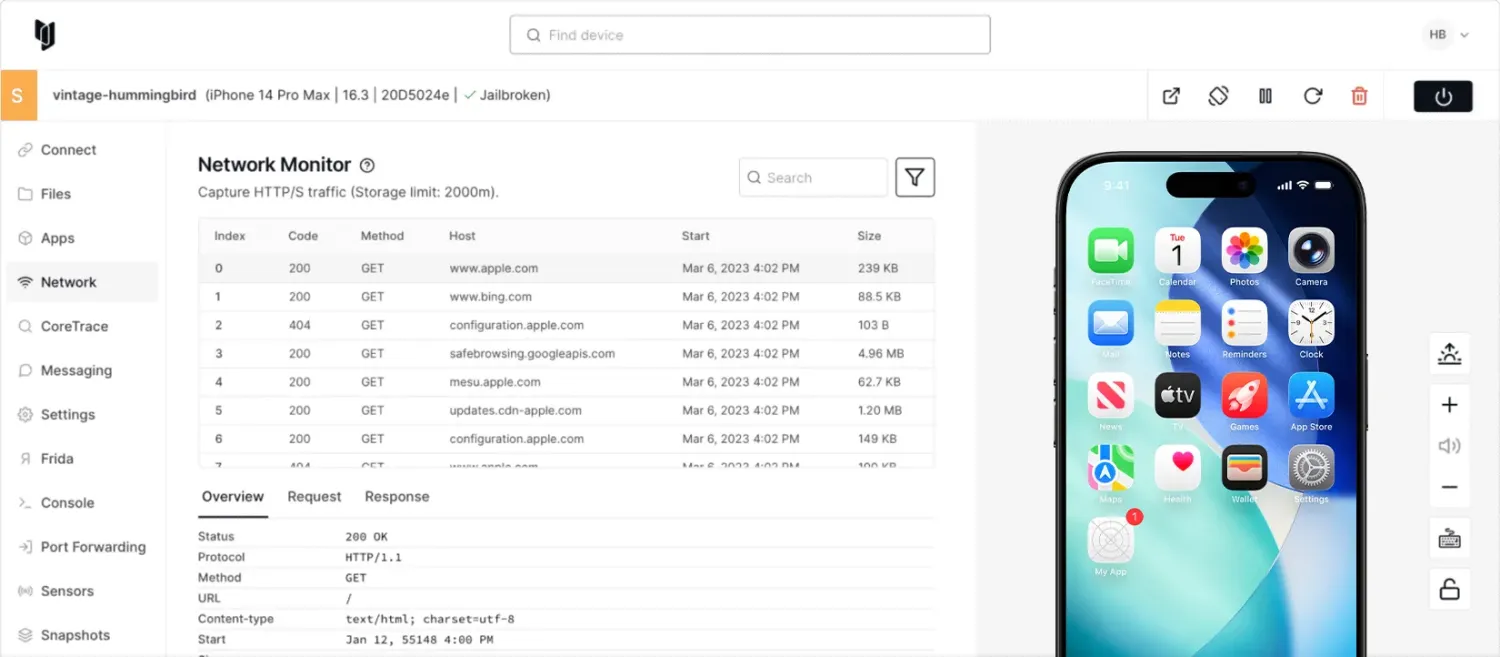
A virtualized iOS and Android device platform that runs unmodified ARM-based mobile OS images in the cloud. Security teams use it for jailbroken iOS testing without owning physical devices, and for kernel-level mobile research.
Now part of Cellebrite (acquired for $170M, completed December 2025). Particularly valuable for iOS work because virtualized iPhones unlock instrumentation that Apple normally prevents on production devices.
| Tool | License |
|---|---|
| MobSF | Free (Open-Source) |
| Corellium NEW | Commercial |
| Ostorlab | Freemium |
| Frida | wxWindows Library Licence (open source) |
| Zimperium zScan | Commercial |
Container Security
Scan images, secure K8s clusters & detect runtime threats.
- Catches known vulnerabilities before deployment
- Detects attacks in running containers in real time
- Audits Kubernetes cluster configuration against CIS benchmarks
- Most tools are free and open-source
- Image scanning only finds known CVEs (not zero-days)
- Runtime tools add resource overhead to cluster nodes
- Requires tuning to reduce alert fatigue
- Runtime detection requires privileged DaemonSets with kernel-level access (eBPF or kernel modules)
View full Container Security comparison →
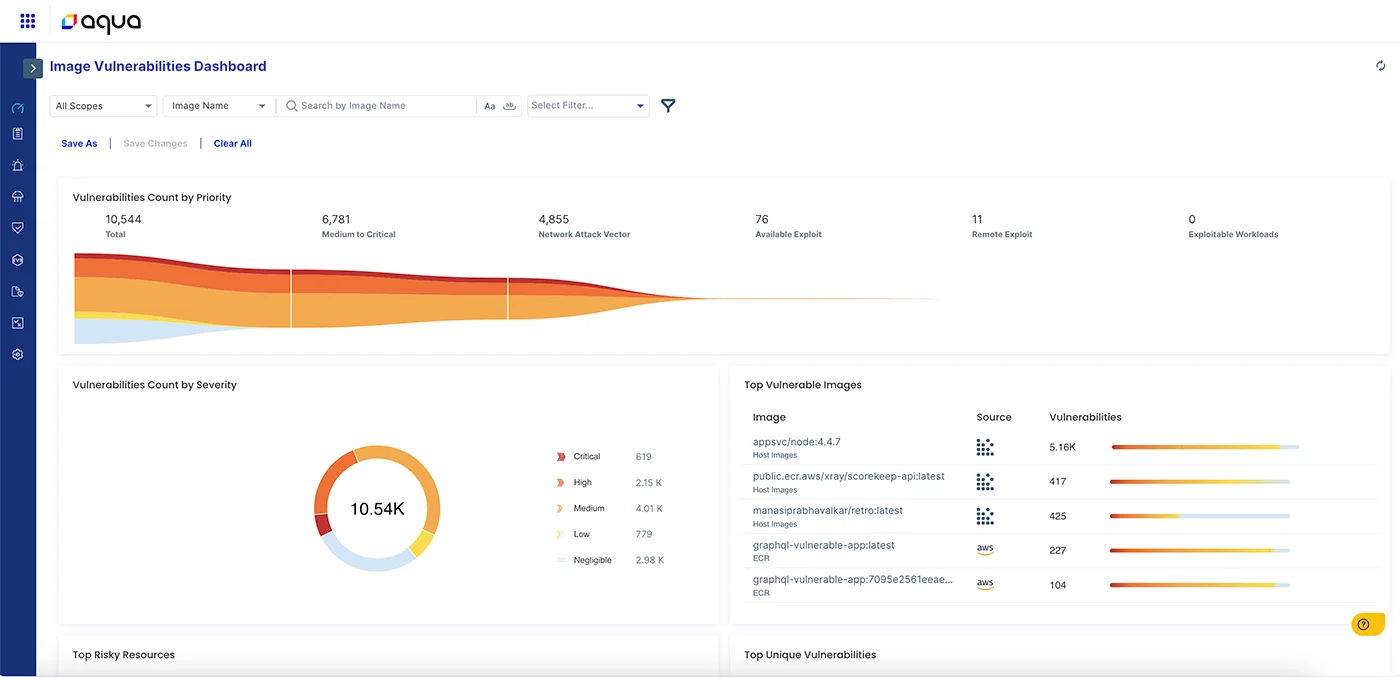
Aqua SecurityCommercial
A full container security platform — image scanning, registry integration, Kubernetes admission control, runtime threat detection, and serverless function scanning. Maintains the open-source projects Trivy, Tracee, and kube-bench alongside the commercial product.
Commercial only, but the open-source tools cover most pre-deployment scanning needs.
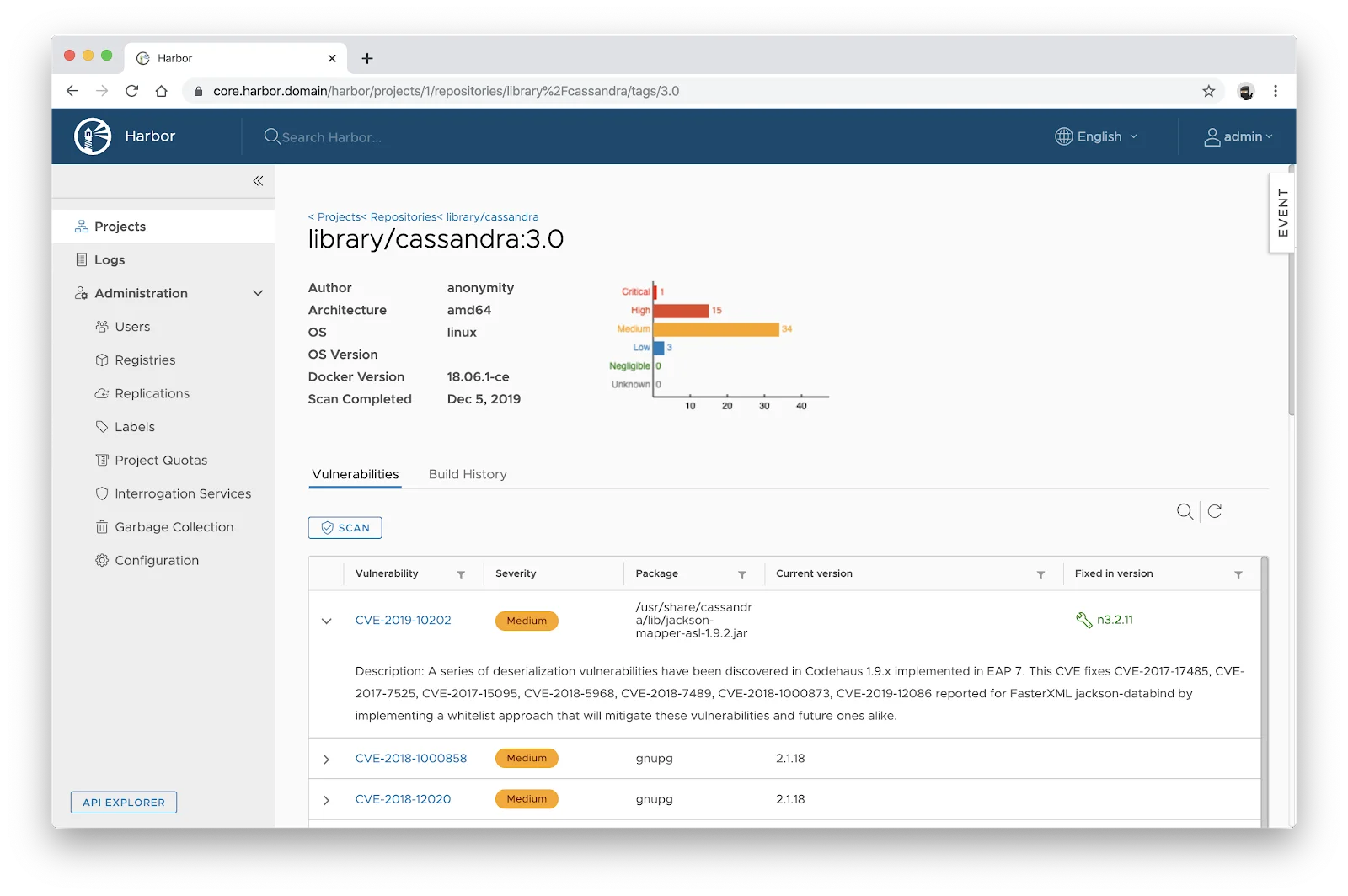
HarborFree (Open-Source, Apache 2.0)
A CNCF-graduated open-source container registry with built-in vulnerability scanning, image signing through Cosign, replication across registries, and role-based access control.
Apache 2.0 licensed. The differentiator is that it is a registry, not a scanner that bolts onto one — security policies live next to image storage, so you can block pulls of vulnerable images at the registry layer.
| Tool | License |
|---|---|
| Aqua Security | Commercial |
| Harbor | Free (Open-Source, Apache 2.0) |
| Clair | Free (Open-Source, Apache 2.0) |
| Red Hat Advanced Cluster Security (StackRox) | Free (Open-Source, Apache 2.0) + Commercial |
| kube-bench | Free (Open-Source, Apache 2.0) |
Secret Scanning
Detect API keys, passwords, and tokens before they leak.
- Catches credentials before they leak to GitHub, dependency caches, or error logs
- Open-source options (Gitleaks, TruffleHog, detect-secrets) cover 80% of use cases at zero license cost
- Pre-commit hooks block at the developer keyboard, eliminating triage cycles
- Modern scanners verify whether a leaked credential is still active
- Integrates into CI/CD pipelines as a defense-in-depth layer
- Pattern-based scanners produce false positives without entropy + context tuning
- Pre-commit hooks can be bypassed with `--no-verify`
- SaaS scanners require code-access trust; air-gapped teams pick open-source
- History rewrite can never fully undo a leaked secret — credential rotation at the source is the only true fix
View full Secrets comparison →
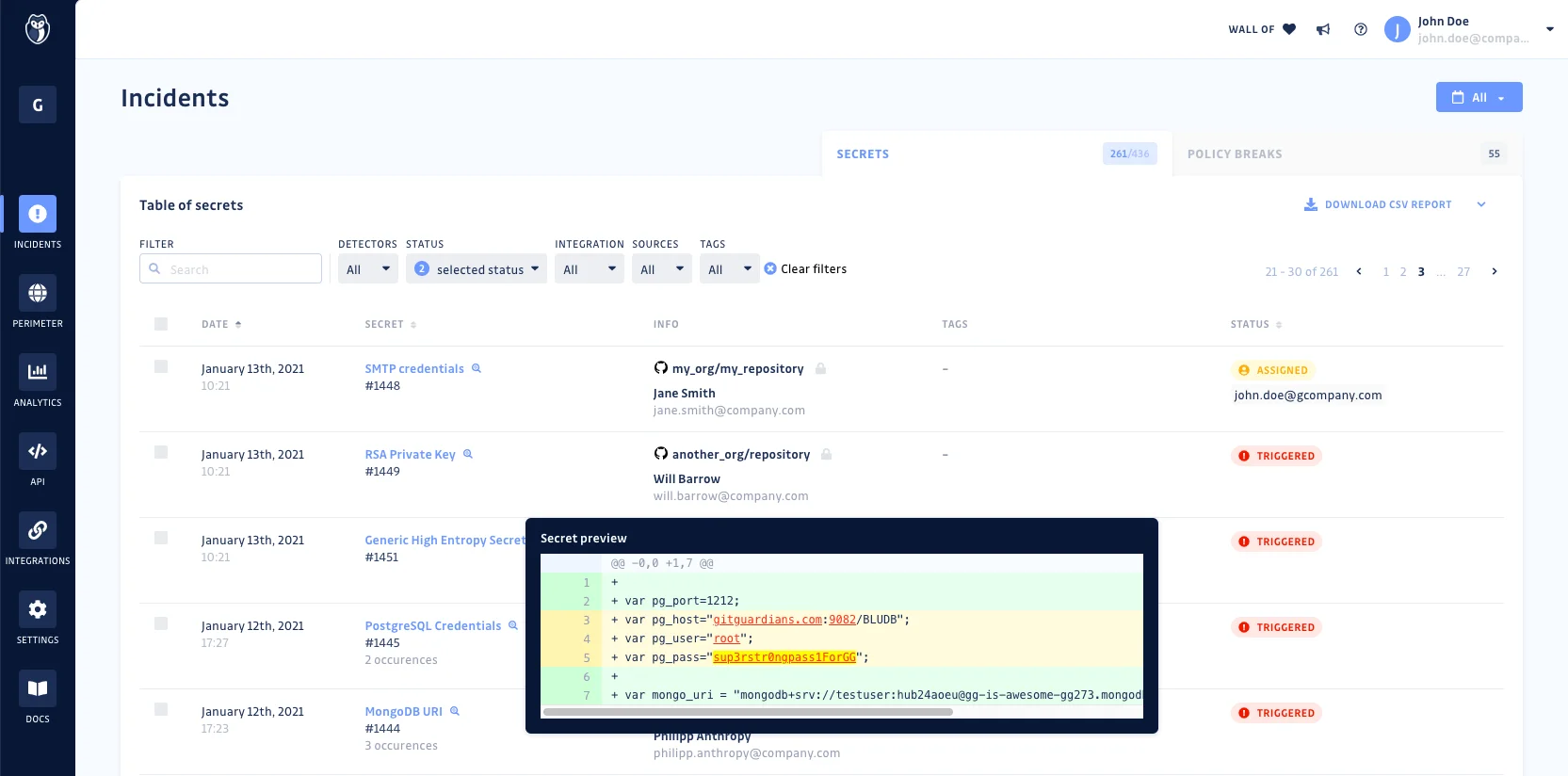
GitGuardianFreemium
A commercial platform that scans public GitHub commits in real time, then offers the same engine for private repos and developer endpoints. The detection model is trained on thousands of credential formats — AWS keys, Stripe tokens, database URLs, custom patterns.
Free for individual developers and small teams. Enterprise tier adds SSO, audit logs, and incident-response workflows.
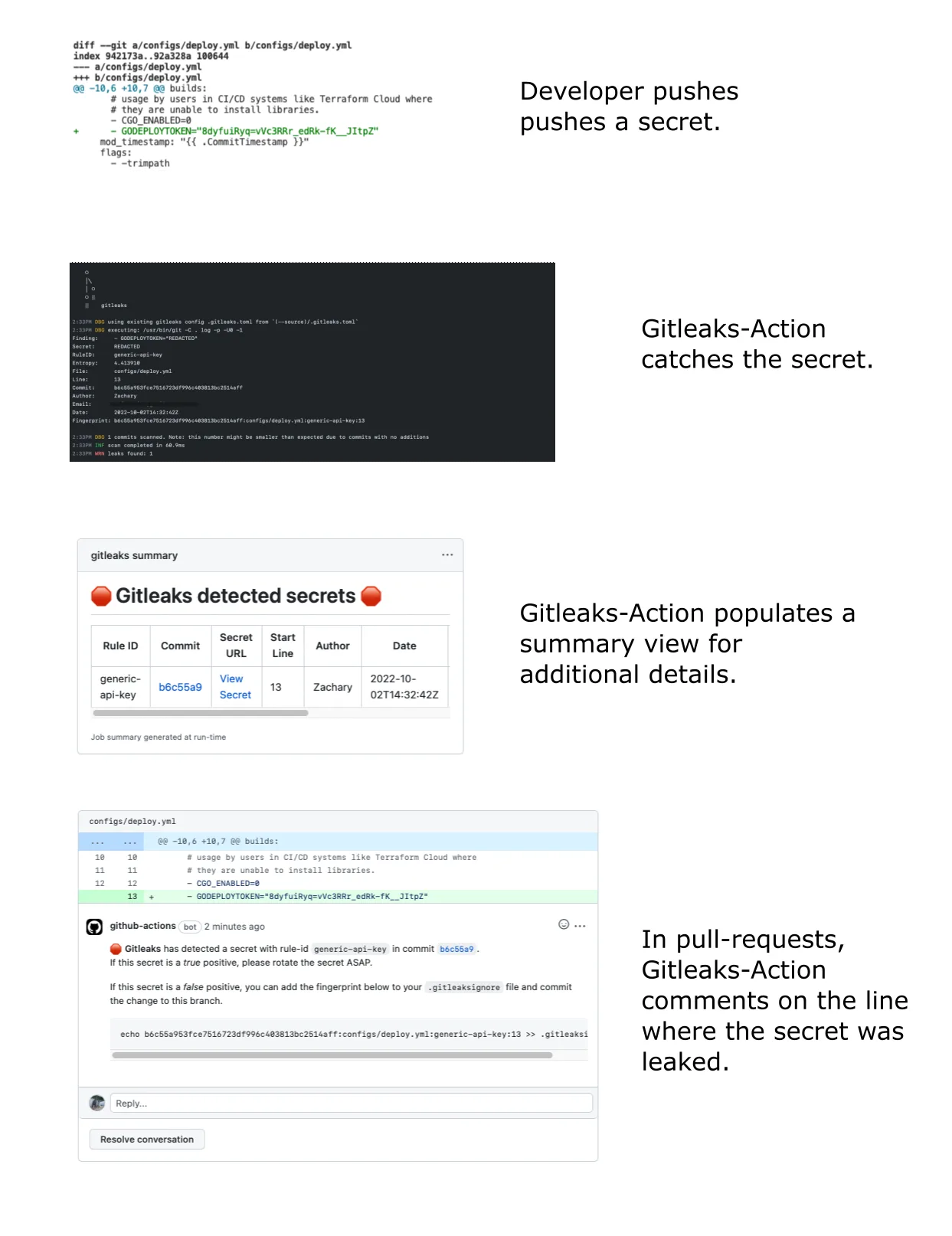
GitleaksFree (Open-Source, MIT)
The most-deployed open-source secret scanner, written in Go. Runs as a pre-commit hook, CI step, or one-shot scan against historical commits, with a regex-and-entropy detection ruleset that ships out of the box.
MIT licensed. Used as a baseline in most security-conscious CI pipelines because it has near-zero setup cost and false-positive rates are tunable per repo.
| Tool | License |
|---|---|
| GitGuardian | Freemium |
| Gitleaks | Free (Open-Source, MIT) |
| TruffleHog | Free (Open-Source, AGPL-3.0) + Commercial Plans |
| detect-secrets | Free (Open-Source, Apache-2.0) |
| Kingfisher NEW | Free (Open-Source, Apache 2.0) |
How to Choose Application Security Tools
Match your biggest risk to its category, then pick an open-source or commercial option. Most teams end up running at least three categories together — none of them covers what the others miss. If you want the discipline behind the picks, start with the application security guide.
Working with zero budget? The open source AppSec tools directory collects every free option in this catalog on a single filterable page.
| If your biggest risk is… | Start with |
|---|---|
| Code you write | SAST |
| Open-source dependencies | SCA |
| Running web apps | DAST |
| APIs and microservices | API security |
| Infrastructure as code | IaC scanning |
| Many scanners, one queue | ASPM |
Phased adoption that doesn’t block developers is covered in the DevSecOps implementation guide . For build-vs-buy economics and TCO modeling, see the AppSec pricing guide .
AppSec Tools by Cloud Platform
Cloud platform shapes which AppSec tools fit best — IaC scanners, workload posture, and identity security tools all diverge by provider.
AppSec for AWS
Checkov, AWS Inspector, Prowler, and Wiz for Terraform, CloudFormation, and account posture.
→AppSec for Azure
Defender for Cloud, Checkov for Bicep/ARM, plus Entra ID hardening and web app scanning.
→AppSec for GCP
Security Command Center, Checkov for Deployment Manager, Trivy for GKE, and multi-cloud posture via Wiz.
→Frequently Asked Questions
What are application security tools?
What is the difference between SAST, DAST, and SCA?
Which application security tools are free and open-source?
How do I build an application security program?
What are the best application security testing tools in 2026?
Do I need IAST if I already have SAST and DAST?
What is ASPM and why is it important?
How do application security tools fit into DevSecOps?
What is the difference between RASP and a WAF?
How many application security tools does a typical enterprise use?
Which AppSec tool should I buy first?
What is a free AppSec tool stack?
Do I need ASPM?
How much should AppSec tools cost?
Can one tool cover all AppSec needs?
Written & maintained by
Suphi CankurtEight years on the vendor side of application-security sales — thousands of evaluations and demos. I started AppSec Santa in 2022 to put that insider view to work for buyers. Independent of the vendors I review, paid by none of them, and honest about what fits whom.