


Bandit is a free, open-source SAST tool built specifically for Python. Maintained by the Python Code Quality Authority (PyCQA), it scans Python source code for common security issues using Abstract Syntax Tree analysis.
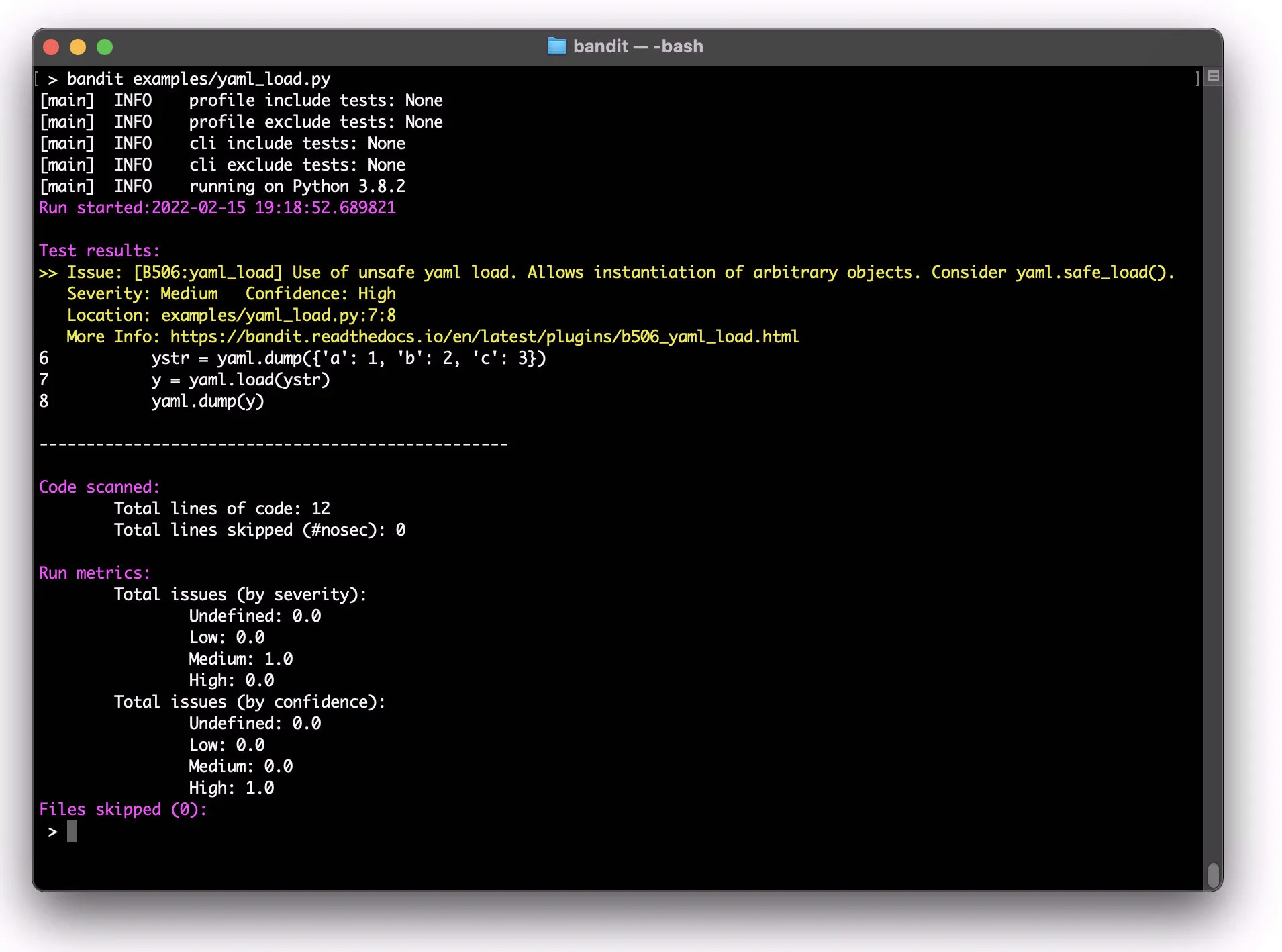
The project has over 7,900 GitHub stars, 151 contributors, and is used by 59,500+ repositories on GitHub. Sponsored by Mercedes-Benz, Tidelift, and Stacklok, Bandit originally grew out of the OpenStack Security Project before moving to PyCQA.
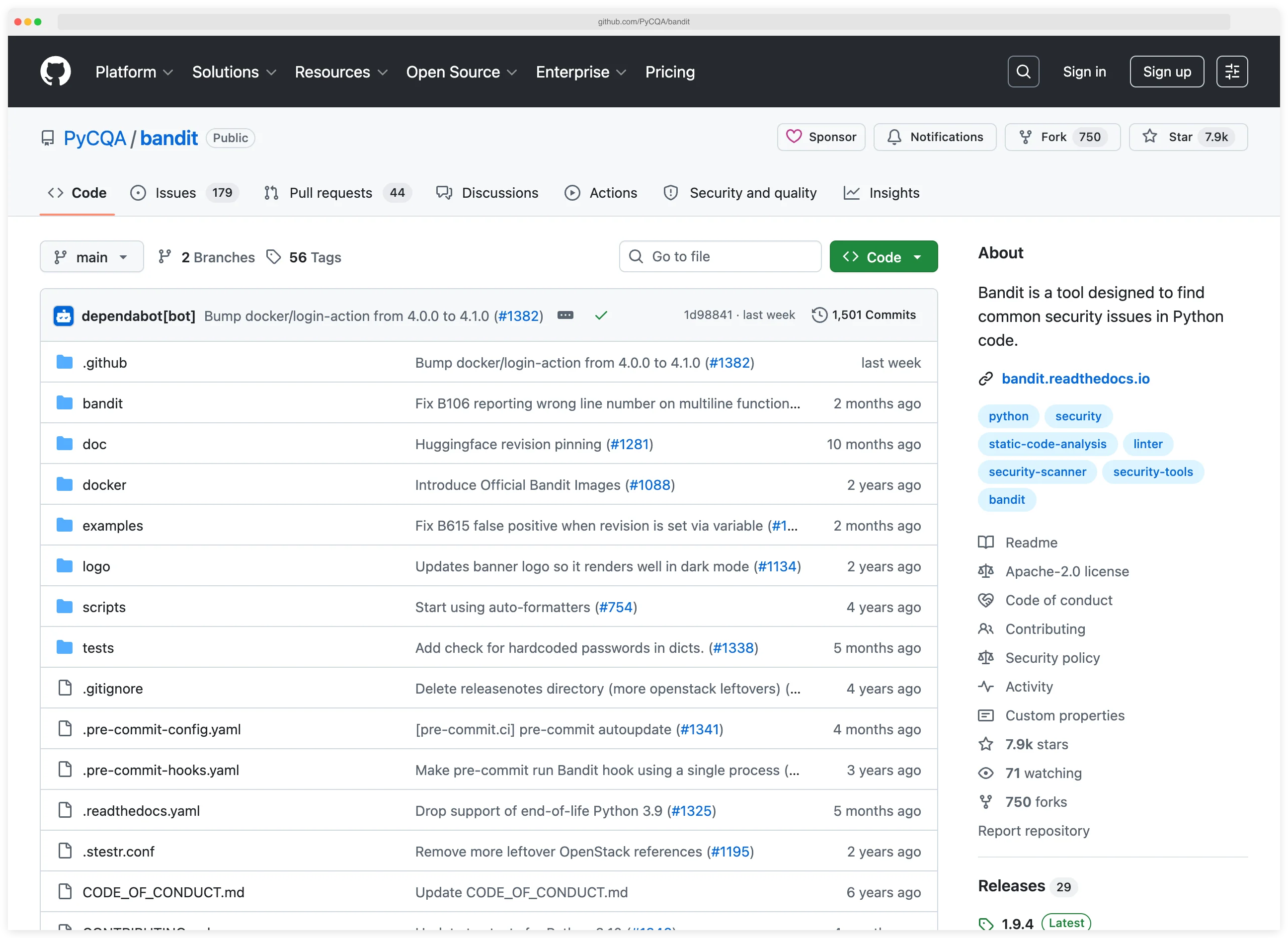
Bandit is the kind of scanner Python teams typically wire into pre-commit hooks rather than a heavy dashboard. The rule set is narrow enough that false positives stay manageable, the output is readable in a terminal, and the scan runs fast enough that developers do not fight it. It is not a full SAST — Bandit catches patterns like hardcoded passwords, weak cryptography, and shell injection, but misses taint-flow bugs that a tool like Semgrep or CodeQL finds.
What is Bandit?
Bandit parses Python files into Abstract Syntax Trees and runs security-focused plugins against the AST nodes. It ships with 47 built-in checks organized into 7 categories: injection, cryptography, XSS, framework misconfiguration, hardcoded credentials, and more.
Unlike multi-language SAST tools, Bandit does one thing: Python security analysis. According to the Python Packaging Authority (PyPA), Bandit is one of the recommended security tools in the Python ecosystem.
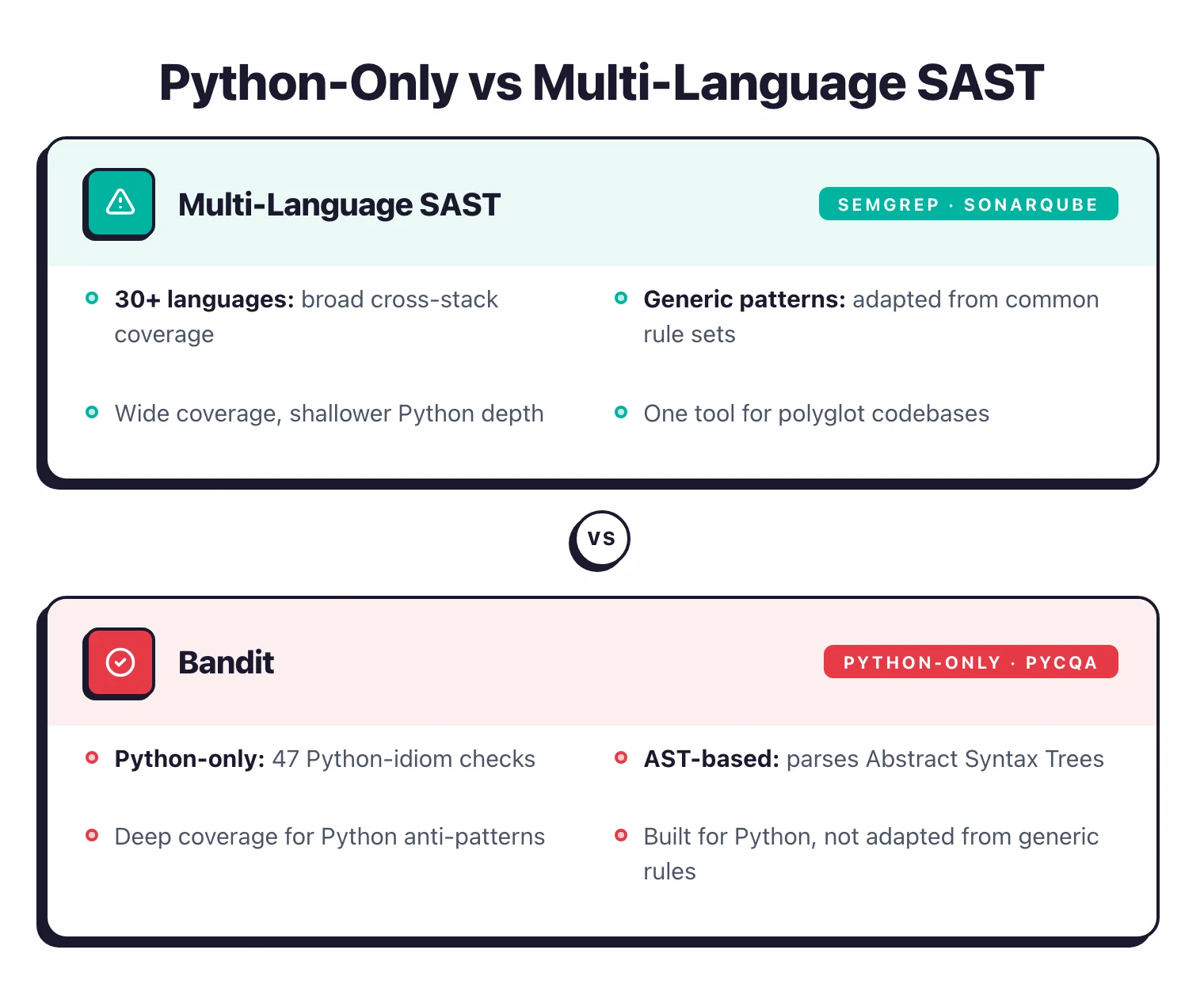
Its checks are written for Python idioms and common mistake patterns, not adapted from generic rules.
Bandit 1.9.3 (January 2026) supports Python 3.10–3.14.
| Capability | Details |
|---|---|
| 47 Security Checks | Built-in plugins across 7 categories — injection, cryptography, XSS, framework misconfiguration, and more. Each check targets a specific Python security anti-pattern. |
| AST-Based Analysis | Parses source code into Abstract Syntax Trees rather than using regex matching. Detects security patterns regardless of formatting or variable naming. |
| 9 Output Formats | Screen, JSON, SARIF, HTML, XML, YAML, CSV, text, and custom formatters. SARIF output plugs directly into GitHub code scanning. |
What are Bandit’s key features?
Security check categories
Bandit organizes its 47 plugins into 7 ID ranges:
| Category | Checks |
|---|---|
| B1xx — Miscellaneous | assert_used, exec_used, hardcoded_password_string, hardcoded_tmp_directory, request_without_timeout, and 9 more |
| B2xx — Framework misconfiguration | flask_debug_true, tarfile_unsafe_members |
| B3xx — Blacklist calls | Dangerous function calls like unsafe XML parsing |
| B4xx — Blacklist imports | Imports of known-vulnerable modules |
| B5xx — Cryptography | ssl_with_bad_version, weak_cryptographic_key, yaml_load, snmp_insecure_version, and 5 more |
| B6xx — Injection | subprocess_popen_with_shell_equals_true, hardcoded_sql_expressions, django_extra_used, trojansource, and 9 more |
| B7xx — XSS | jinja2_autoescape_false, use_of_mako_templates, django_mark_safe, markupsafe_markup_xss |
torch.load() calls and B615 flags insecure Hugging Face model downloads. These were added to address supply chain attacks through serialized model files.Flexible configuration
Bandit supports three configuration file formats: YAML, TOML (pyproject.toml), and INI (.bandit). You can include or exclude specific checks, skip entire directories, and configure per-plugin options.
Per-line suppression is straightforward:
# Suppress all checks on this line
result = subprocess.call(cmd, shell=True)  # nosec

# Suppress specific checks only
result = subprocess.call(cmd, shell=True)  # nosec B602, B607
Multiple output formats
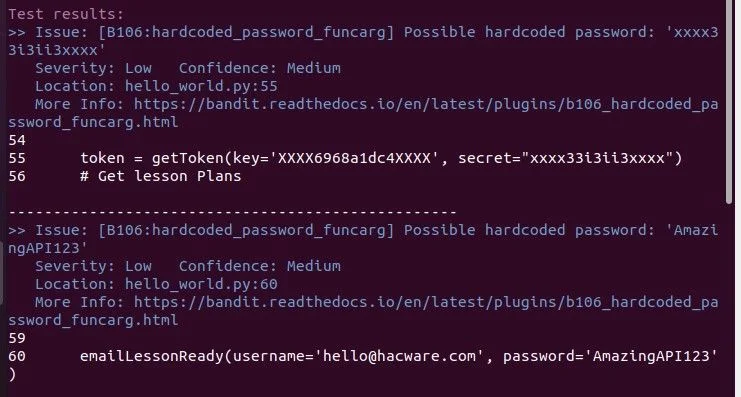
Bandit ships 9 formatters out of the box:
| Format | Use case |
|---|---|
| Screen | Terminal output during development |
| JSON | CI/CD integration, baseline comparisons |
| SARIF | GitHub code scanning, VS Code SARIF Viewer |
| HTML | Shareable reports for stakeholders |
| XML | Integration with legacy reporting tools |
| YAML | Machine-readable, human-friendly output |
| CSV | Spreadsheet analysis |
| Text | Plain text logs |
| Custom | Build your own formatter via plugin API |
The plugin architecture lets you write custom formatters and register them through Python entry points.
Baseline comparisons
Bandit can compare scan results against a baseline file, so you only see new findings introduced since the last scan. Run it in PR checks and developers won’t have to wade through pre-existing issues.
# Generate a baseline
bandit -r src/ -f json -o baseline.json

# Scan against the baseline — only shows new issues
bandit -r src/ -b baseline.json
What Bandit doesn’t do
Bandit is single-pass source code static analysis on the AST — it does rule-based pattern matching for CWEs against Python’s syntax tree, not taint analysis on proprietary code or cross-file dataflow in source code. If a tainted user input flows from a Flask view through three helper modules into a SQL query, Bandit sees the SQL string but not the source. It also does not ship AI-powered code security analysis: every finding comes from a fixed plugin, not an agent that reads context. For inter-procedural taint flow on Python, pair Bandit with Semgrep Pro or Meta’s Pyre/Pysa.
How do I get started with Bandit?
- Install Bandit — Install from PyPI with optional extras. Use
pip install bandit[sarif]for SARIF output,pip install bandit[toml]for TOML config support, orpip install bandit[baseline]for baseline comparisons. - Run your first scan — Point Bandit at your codebase with
bandit -r path/to/your/code. Add-n 3to show 3 lines of context around each finding, or--severity-level highto filter by severity. - Configure checks — Create a
.banditINI file or add a[tool.bandit]section to yourpyproject.toml. Specify which tests to run or skip:skips = ["B101", "B601"]. - Add to CI/CD — Set up a pre-commit hook or add Bandit to your GitHub Actions workflow. Use
-f sarif -o results.sarifto upload findings to GitHub code scanning.
Bandit pricing and licensing
Bandit is free. The project is licensed under Apache 2.0 and maintained by the Python Code Quality Authority (PyCQA), with sponsorship from Mercedes-Benz, Tidelift, and Stacklok. There is no paid tier, no enterprise SKU, and no per-developer licensing — the same scanner ships to every user, with all 47 checks and every output format included.
Because Bandit is community-maintained, there is no commercial support contract or SLA. Tidelift offers paid support for Bandit alongside hundreds of other Python packages if your procurement team needs a vendor backstop, but that is a wrapper around the open-source release, not a paid version of the tool itself. Use it freely in commercial software under the Apache 2.0 terms.
Docker usage
Bandit publishes multi-architecture container images (amd64, arm64, armv7, armv8) signed with sigstore cosign:
# Pull the container
docker pull ghcr.io/pycqa/bandit/bandit

# Scan a local directory
docker run -v $(pwd):/src ghcr.io/pycqa/bandit/bandit -r /src
Pre-commit integration
Add Bandit to your .pre-commit-config.yaml:
repos:
  - repo: https://github.com/PyCQA/bandit
    rev: 1.9.3
    hooks:
      - id: bandit
        args: ["-c", "pyproject.toml"]
        additional_dependencies: ["bandit[toml]"]
How to use Bandit
A typical Bandit workflow runs in three stages. First, scan: bandit path/to/file.py for a single file or bandit -r src/ to walk a whole tree recursively. Add -n 3 to print three lines of context per finding, which makes the report readable without an editor. Second, filter: --severity-level medium and --confidence-level medium cut the noise from low-severity B101 asserts that dominate any real codebase. I usually run high-severity-only in CI and the full set locally.
Third, manage false positives at the right granularity. A # nosec B602 comment suppresses one rule on one line; a .bandit INI or [tool.bandit] section in pyproject.toml skips entire directories or rule groups across the repo. For incremental adoption, generate a baseline with bandit -r src/ -f json -o baseline.json and compare against it on every PR — Bandit only flags issues introduced since the baseline, so the team is not stuck triaging legacy findings on day one.
When to Use Bandit
Bandit works best as a Python-specific security layer alongside broader tools. Because it only does Python, it catches idiom-specific issues that multi-language SAST tools sometimes miss.
Good use cases:
- Python projects that need a free, zero-config security linter
- Pre-commit hooks to catch security issues before code reaches CI
- Adding a Python-specific check alongside multi-language tools like Semgrep or SonarQube
- Open-source projects that need an Apache 2.0 licensed scanner
- Teams scanning Python 3.10–3.14 codebases in containers or CI/CD
Bandit is not a full replacement for commercial SAST platforms if you need multi-language support, data flow analysis, or taint tracking. It catches common security anti-patterns through AST pattern matching, which is effective for the issues it targets but won’t find complex vulnerabilities that require inter-procedural analysis.
Bandit vs Semgrep
Bandit is Python-only with 47 AST checks. Semgrep is multi-language with custom YAML rules and taint analysis.
Pick Bandit when you want a zero-config pre-commit hook for Python security. Pick Semgrep when you need cross-file dataflow that Bandit’s single-pass AST cannot model, or when custom rule authoring matters.
On pricing, Bandit is Apache 2.0 with no paid tier. Semgrep is open-core: community rules are free, and Pro adds security rule packs plus managed scanning.
For a side-by-side rule overlap and CI integration walk-through, see Bandit vs Semgrep .
Bandit vs Snyk Code
Bandit is free Python-only AST scanning. Snyk Code is commercial multi-language SAST with an AI-based semantic engine and interfile taint analysis.
Snyk Code catches taint-flow injection bugs that Bandit’s pattern matcher misses, but ships behind Snyk’s per-developer pricing. Bandit covers the same hardcoded-secret and weak-crypto patterns for free under Apache 2.0.
I run Bandit in pre-commit and Snyk Code in CI for production Python services. The two layer cleanly because Bandit catches obvious issues fast, Snyk Code finds the harder cross-file bugs.
Bandit vs CodeQL
Bandit ships 47 fixed rules and parses the AST in one pass. GitHub CodeQL treats code as data: queries written in QL run inter-procedural dataflow that catches Python injection bugs Bandit cannot see.
CodeQL is free for public GitHub repos and bundled into GitHub Advanced Security for private repos. Setup is heavier because CodeQL needs to build a database from the codebase before each scan, where Bandit just reads the source files.
For Python-only teams already on GitHub Actions, CodeQL is the deeper second layer beneath Bandit’s fast pre-commit pass.
What are alternatives to Bandit?
For Python codebases that outgrow Bandit’s AST-only scope, four alternatives cover the gaps:
- Semgrep — multi-language SAST with a public rule registry; Python rules add taint tracking and cross-file dataflow that Bandit’s single-pass AST scan can’t see. A fit when you want to write custom rules in YAML and share them across services.
- GitHub CodeQL — query-based SAST sold under GitHub Code Security, one of the two products GitHub Advanced Security now splits into. Picks up complex Python vulnerabilities that need inter-procedural analysis, and runs natively on GitHub Actions.
- Snyk Code — developer-first SAST with an AI-based semantic engine that does interfile data-flow / taint analysis on Python. Good when Snyk’s SCA, container, and IaC products are already in use.
- Pyre / Pysa (Meta) — Meta’s open-source Python type checker, with Pysa layered on top as a taint analyzer that tracks data from sources to dangerous sinks. A fit when taint flow is the primary concern and you can absorb a steeper config curve.
For a wider view of the SAST landscape, the SAST tools hub lists every active scanner I’ve reviewed.