Brakeman is a SAST tool built for Ruby on Rails applications, free for non-commercial use under the Brakeman Public Use License. It scans Rails source code for 33 types of security vulnerabilities without ever running the application.
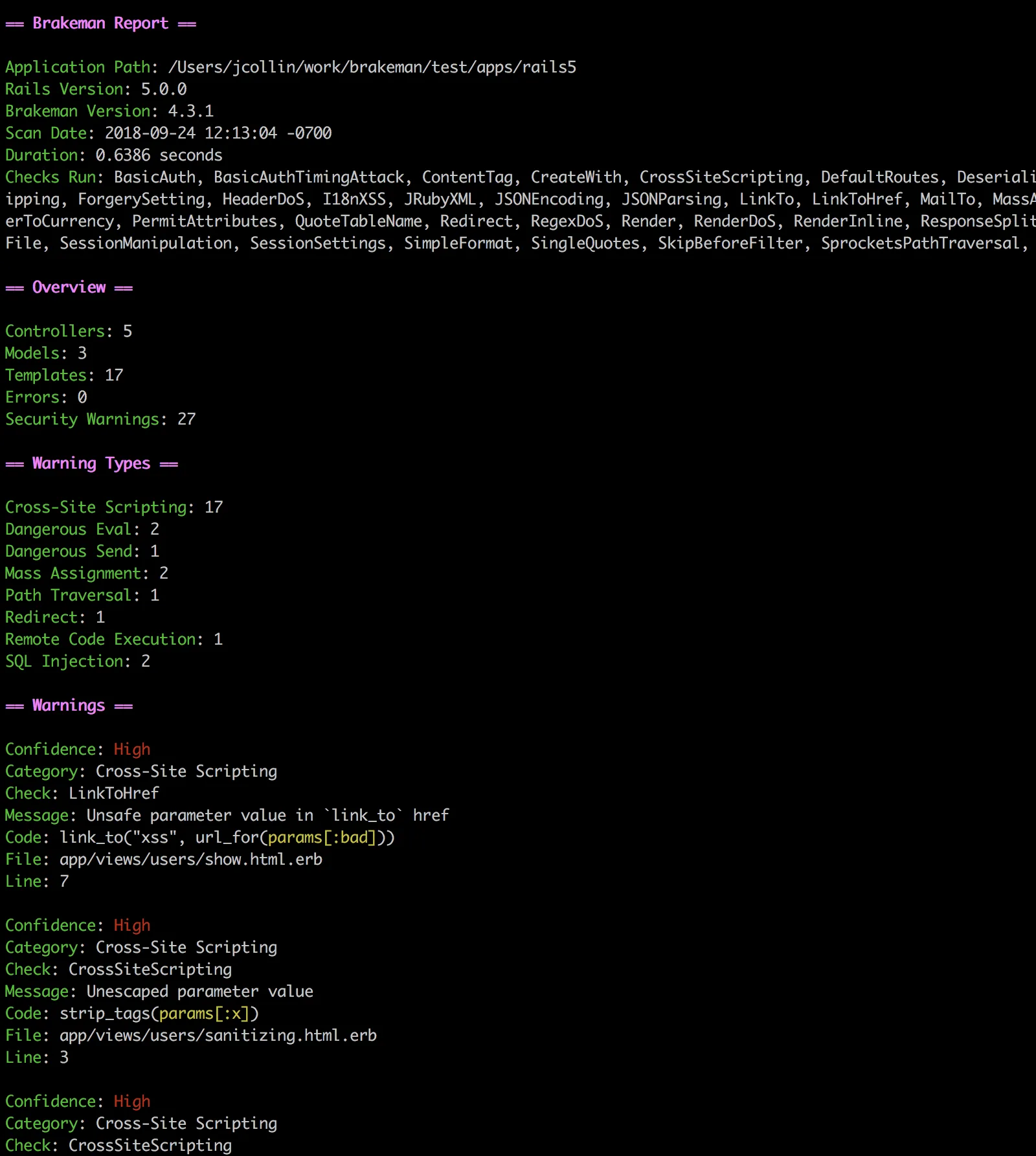
With 7,200+ GitHub stars, 154 contributors, and 54,100+ projects depending on it, Brakeman is the standard security scanner for the Rails ecosystem.
OWASP lists Brakeman among its recommended Source Code Analysis Tools for Ruby on Rails. Organizations using it include Code Climate, GitHub, Groupon, New Relic, and Twitter. The latest release is v8.0.2 (February 2026).
What is Brakeman?
Brakeman performs static analysis on Ruby on Rails source code. You point it at a Rails app directory and it parses models, controllers, views, routes, and configuration files looking for security issues.
It doesn’t need a running server or database, and you don’t have to install application dependencies first.
It understands Rails conventions, so it can trace data from params through controllers into views and detect when user input reaches a dangerous method without sanitization.
brakeman in your Rails app directory and get results. No config files, no setup, no dependencies beyond the gem itself. Supports Rails 2.3.x through 8.x.-o report.html -o report.json.Key Features
Security checks
Brakeman detects 33 categories of security vulnerabilities, all specific to Rails patterns:
| Category | Checks |
|---|---|
| Injection | SQL injection, command injection, remote code execution, dangerous eval, YAML deserialization |
| Cross-site scripting | Standard XSS, content_tag XSS, JSON response XSS |
| Access control | CSRF protection gaps, mass assignment, unscoped finds, unsafe redirects |
| Cryptography | SSL verification bypass, weak hashing algorithms |
| Data exposure | Information disclosure, path traversal, file access issues |
| Configuration | Default routes, session settings, basic authentication weaknesses |
| Dependencies | Unmaintained gems with known vulnerabilities |
How the engine works
Brakeman performs taint analysis on proprietary code: it tracks user-supplied input from params, headers, and cookies through controllers, models, and views, and flags every dangerous sink it reaches. Because the analyzer follows controller-to-model-to-view paths, it does cross-file dataflow in source code rather than the single-file pattern matching that simpler linters use.
On top of dataflow, Brakeman runs rule-based pattern matching for CWEs across its 33 check categories — SQL injection (CWE-89), XSS (CWE-79), command injection (CWE-77), unsafe deserialization (CWE-502), CSRF gaps (CWE-352), and more — using deterministic Rails-aware rules rather than AI-powered code security analysis. That trade-off keeps scans fast and reproducible at the cost of the contextual triage modern AI-assisted scanners provide.
Note: Brakeman understands Rails routing, strong parameters, CSRF tokens, and view helpers. It knows the difference between html_safe on user input (dangerous) and html_safe on a string literal (fine). Generic SAST tools without Rails awareness miss this context.
Confidence levels
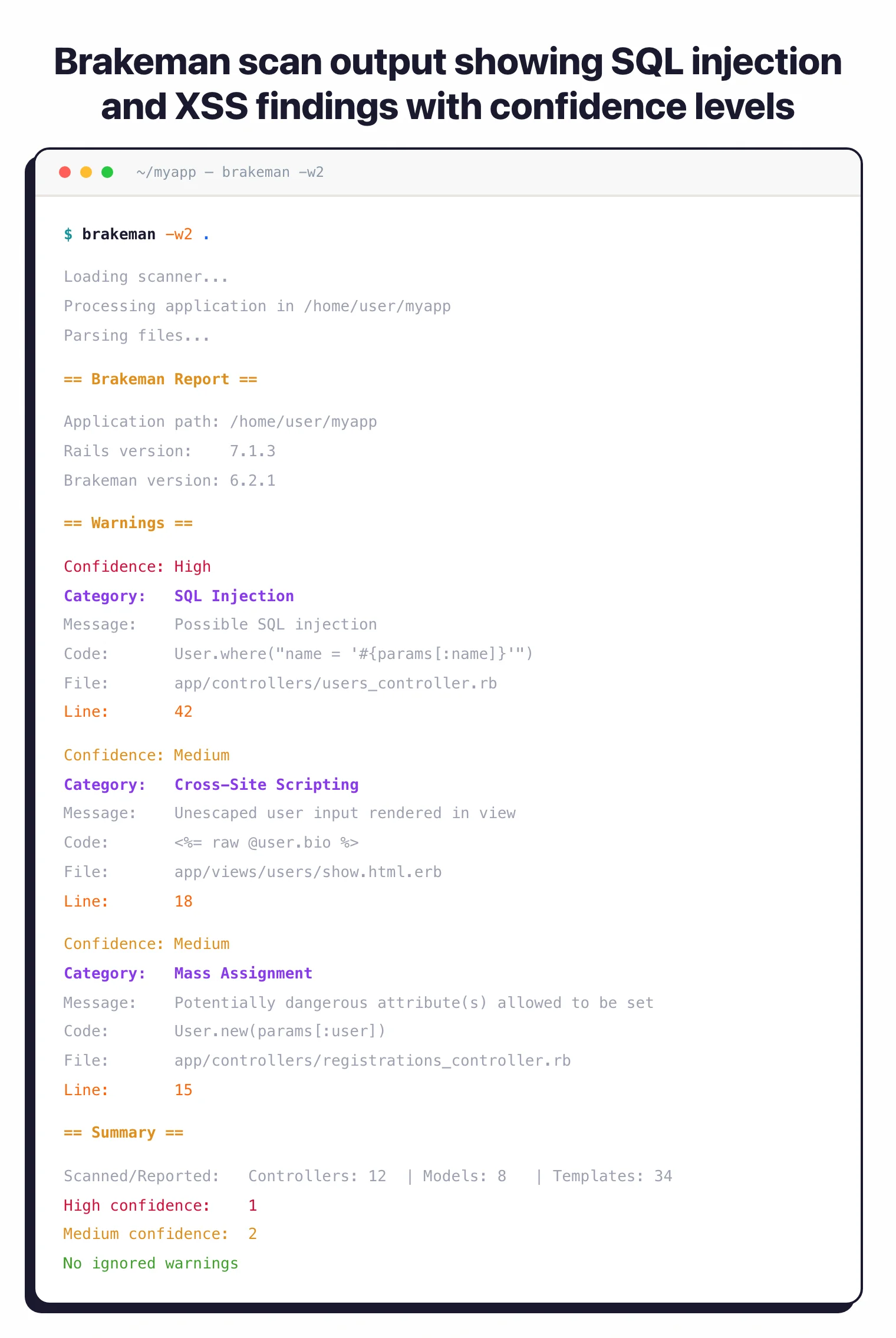
Every finding gets a confidence rating:
- High — user input flows directly to a dangerous method
- Medium — a variable reaches a dangerous method but the input source is unclear
- Weak — indirect connection to user input
Filter by confidence on the command line: brakeman -w3 shows only high-confidence results, -w2 adds medium, -w1 shows everything.
False positive management
Brakeman ships an interactive ignore wizard:
brakeman -I
This walks through each warning and lets you mark false positives. Your decisions save to config/brakeman.ignore.
On later scans, Brakeman automatically reads this file. Use brakeman --show-ignored to review ignored warnings without affecting the exit code.
Scan comparison
Compare two scan results to see what changed between builds:
# Generate a baseline
brakeman -o baseline.json

# Later, compare against it
brakeman --compare baseline.json
This shows new warnings, fixed warnings, and unchanged ones. Useful in CI to only flag issues introduced by a pull request.
Getting Started
gem install brakeman, or add gem "brakeman" to your Gemfile’s development group, or pull the Docker image with docker pull presidentbeef/brakeman.brakeman. No arguments needed. For Docker: docker run -v "$(pwd)":/code presidentbeef/brakeman --color.brakeman -w3). Each warning includes the file, line number, code snippet, and a link to documentation explaining the issue.Set up CI — Add Brakeman to your GitHub Actions workflow or Jenkins pipeline. Brakeman returns a non-zero exit code when warnings are found by default.
Use --compare with a baseline JSON to only flag new findings.
Quick Docker scan
docker run -v "$(pwd)":/code presidentbeef/brakeman --color
Bundler setup
group :development do
  gem "brakeman", require: false
end
Then run with bundle exec brakeman.
How to use Brakeman
A typical Brakeman workflow has four pieces. First, invoke the scan from your Rails app root with brakeman — no arguments are needed. For a stricter pipeline, use confidence filters: brakeman -w3 shows high-confidence findings only, -w2 adds medium, and -w1 returns everything including weak signals.
Second, generate a report in the format your downstream tooling expects: brakeman -o report.html for human review, -o report.json for CI parsing, or -o report.sarif for GitHub code scanning. Third, manage false positives with brakeman -I, which walks through each warning interactively and writes decisions to config/brakeman.ignore — that file is read automatically on subsequent scans.
Fourth, wire Brakeman into your pipeline. The CLI returns a non-zero exit code when warnings are found, so dropping it into a pre-commit hook or a GitHub Actions step is enough to fail builds on Rails-specific security regressions.
Brakeman pricing and licensing
Brakeman is free for non-commercial use under the Brakeman Public Use License. There is no paid SaaS tier, no per-developer rate card, and no contact-sales motion: you gem install brakeman and run scans locally or in CI without registering an account.
Commercial use requires a separate license through Synopsys (now part of Black Duck), which inherited the commercial rights when Brakeman Pro was discontinued in 2018. The open-source CLI continues to receive active updates from the upstream maintainer at github.com/presidentbeef/brakeman — the latest release is v8.0.2 (February 2026), supporting Rails 2.3.x through 8.x.
When to Use Brakeman
Brakeman is purpose-built for Rails. If your app runs on Rails 2.3 through 8.x, it’s the most obvious choice for framework-aware security scanning.
Good use cases:
- Rails applications of any size, from side projects to large monoliths
- Pre-commit or CI checks that need to run fast without a database or server
- Adding Rails-specific depth alongside multi-language tools like Semgrep or SonarQube
- Teams that want to start with zero configuration and gradually tune with ignore files
Pro tip: Ruby on Rails teams that want a free, zero-config security scanner with deep framework awareness.
Brakeman only analyzes Ruby on Rails code. If your project uses other frameworks (Sinatra, Hanami) or other languages, you’ll need a separate tool for those parts.
It also does static analysis only, so it won’t catch vulnerabilities that only appear at runtime. For runtime coverage, pair it with an IAST or DAST tool.
Brakeman alternatives
Brakeman is purpose-built for Rails, but a few SAST tools are worth considering when you outgrow it or need broader language coverage:
- Semgrep — rule-driven SAST with a public Rails ruleset; preferred when you also need to scan JavaScript, Python, or Go in the same monorepo and want custom queries without forking a Ruby parser.
- GitHub CodeQL — query-based SAST bundled with GitHub Advanced Security; a fit when the codebase already lives on GitHub and you want a single vendor for code scanning across all languages.
- Snyk Code — developer-first SAST built on Snyk’s symbolic-AI engine; chosen when Snyk’s SCA, container, and IaC products are already in use and you want unified triage.
- Dawnscanner — older Ruby-focused static analyzer with broader framework support (Sinatra, Padrino, Hanami); fits when your stack mixes Rails with non-Rails Ruby apps.
For a wider feature comparison, the SAST tools hub lists every active static analyzer I track.