
Codacy is a code quality and security platform that scans 40+ languages for security vulnerabilities, code smells, complexity, and duplication. It is a SAST tool that runs multiple underlying analysis engines — including Semgrep, ESLint, Bandit, Brakeman, and SpotBugs — to provide broad coverage from a single platform.
Founded in 2012, Codacy is used by over 600,000 developers. The Codacy Analysis CLI is open source under AGPL-3.0. The company has 52 employees across 9 countries.
What is Codacy?
Codacy provides automated code review that catches security issues and quality problems on every commit and pull request. It connects directly to GitHub, GitLab, or Bitbucket and runs analysis automatically without CI configuration for basic usage.
The platform wraps 30+ open-source and proprietary analysis tools behind a unified interface. For Python, it runs Bandit, Pylint, Ruff, and Semgrep.
For JavaScript, ESLint and Semgrep. For Ruby, Brakeman, RuboCop, and Semgrep.
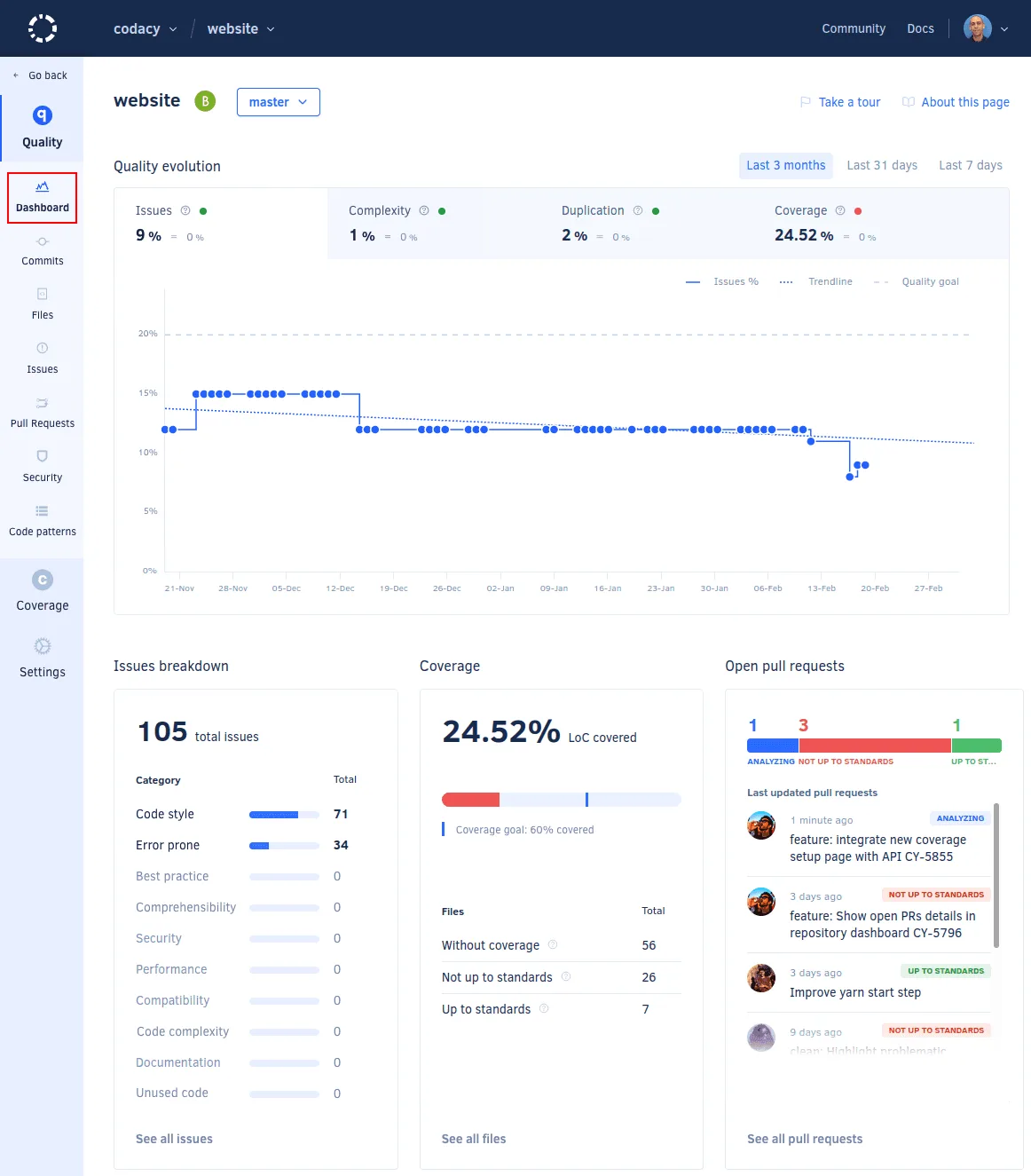
Each language has its own set of tools, all managed through a single dashboard.
Key features
Security analysis (SAST)
Codacy runs security-focused tools like Semgrep, Bandit, Brakeman, Gosec, and Flawfinder against your codebase.
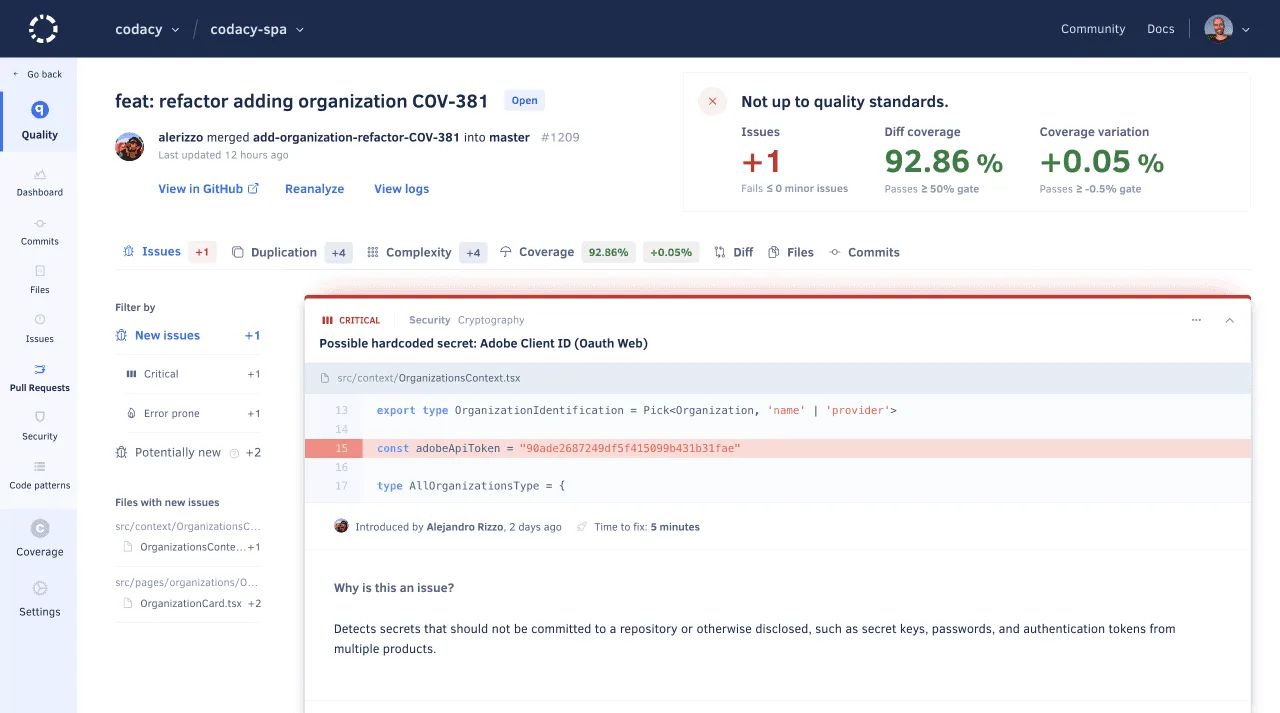
Detection covers OWASP Top 10 categories including injection, XSS, and authentication flaws, plus secrets detection for hardcoded credentials and API keys.
According to OWASP, using multiple complementary scanning tools increases vulnerability coverage, which is the approach Codacy takes by orchestrating 30+ analyzers.
AI features
Codacy has three AI-specific capabilities:
- AI Guardrails — Scans AI-generated code in the IDE (VS Code, Cursor, IntelliJ, Windsurf) for security issues before it reaches a pull request
- AI Risk Hub — Risk assessment and compliance tracking for AI-generated code across repositories
- AI Reviewer — Combines rule-based analysis with AI context to review GitHub pull requests. Triggered by adding a
codacy-reviewlabel to PRs
Codacy doesn’t build its own analysis engines. It orchestrates 30+ tools like Semgrep, ESLint, PMD, Checkov, Bandit, Brakeman, SpotBugs, and others.
The docs list exactly which tools run for each language. This means Codacy’s detection capabilities are only as good as the tools it wraps.
Software composition analysis
Codacy scans dependencies for known vulnerabilities and checks license compliance. As of December 2025, it also detects malicious packages in the npm supply chain.
Code quality
Beyond security, Codacy tracks code complexity, duplication, and style violations. Coverage integration shows test coverage metrics alongside security findings.
Quality gates can block PRs that don’t meet configured thresholds for issues, coverage, or duplication.
Integrations
 GitHub Cloud
GitHub Enterprise
GitHub Cloud
GitHub Enterprise GitLab Cloud
GitLab Enterprise
GitLab Cloud
GitLab Enterprise Bitbucket Cloud
Bitbucket Server
Bitbucket Cloud
Bitbucket Server VS Code
 IntelliJ
 Cursor
 Windsurf
 Slack
Slack Jira
JiraGetting started
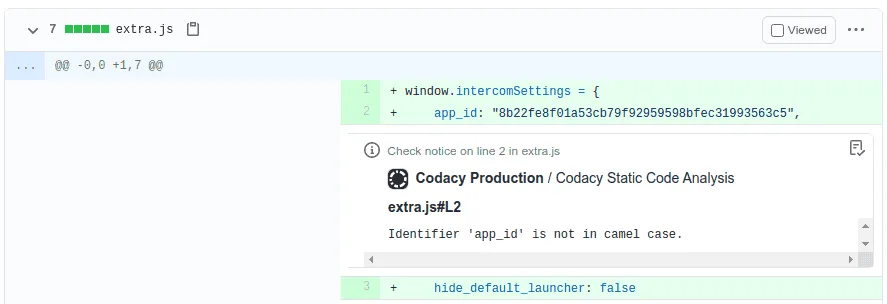
.codacy.yml configuration file.Review findings in PRs — Codacy posts inline annotations, coverage summaries, and quality gate status directly on pull requests.
Pricing
| Plan | Price | Key limits |
|---|---|---|
| Developer (free) | $0/month | IDE-only scanning, 4 languages (TS, JS, Python, Java) |
| Pro | $15/month per dev (annual) | 30 developers, 100 private repos, 49 languages, PR scanning |
| Business | Custom | Unlimited repos, DAST, SBOM exports, SSO, AI Risk Hub |
Open-source projects get the Pro plan for free.
When to use Codacy
Codacy works well for teams that want a single platform combining security scanning, code quality, and coverage tracking without configuring individual tools. The free Developer plan lets individuals try it in their IDE, and the Pro plan covers most use cases for small to mid-size teams.
Because Codacy wraps existing open-source tools, teams already running those tools directly (e.g., Semgrep + ESLint + Bandit) may not get additional detection capabilities. The value is in the unified dashboard, PR integration, quality gates, and AI features.
Customers include Zalando, Babbel, and Bliss Applications. Stim reported increasing test coverage from 23% across 20 repositories to 57% across 40+ repositories within one year of using Codacy.