GitHub CodeQL

GitHub CodeQL

Category: SAST
License: Free for open-source, Commercial for private repos

GitHub CodeQL is a semantic code analysis engine that treats code as queryable data.

The tool builds a database representation of your codebase, enabling sophisticated queries that track data flow across functions, files, and modules.

Natively integrated into GitHub Advanced Security, CodeQL powers code scanning for millions of repositories.

What is CodeQL?

CodeQL works differently from pattern-matching SAST tools.

Rather than searching for text patterns, CodeQL compiles source code into a relational database that captures the semantic structure: variables, functions, control flow, data flow, and type information.

Security researchers then write queries in the CodeQL query language to find vulnerabilities by describing the characteristics of insecure code patterns.

This approach enables detection of complex vulnerabilities that span multiple files and function calls.

For example, CodeQL can trace user input from an HTTP request through multiple transformation functions to a SQL query, identifying injection vulnerabilities that pattern-based tools miss.
Key Features

Semantic Code Analysis

CodeQL understands code structure rather than just text patterns.

The analysis engine builds a complete database including:

  • Abstract syntax trees for every file
  • Control flow graphs showing execution paths
  • Data flow graphs tracking value propagation
  • Type hierarchies and inheritance relationships
  • Call graphs connecting function invocations

This semantic understanding enables queries that ask questions like “find all paths from user input to database queries” rather than simple pattern matches.

Data Flow and Taint Tracking

The taint tracking engine follows potentially dangerous data through your codebase.

Starting from sources (user input, file reads, network data) and ending at sinks (database queries, command execution, file writes), CodeQL identifies paths where untrusted data reaches sensitive operations without proper sanitization.

/**
 * @name SQL injection from user input
 * @kind path-problem
 */
import java
import semmle.code.java.dataflow.TaintTracking
import semmle.code.java.security.SqlInjection

from SqlInjectionConfig config, DataFlow::PathNode source, DataFlow::PathNode sink
where config.hasFlowPath(source, sink)
select sink.getNode(), source, sink, "SQL injection vulnerability from $@.",
  source.getNode(), "user input"

Custom Query Development

Security teams can write custom CodeQL queries for organization-specific security requirements.

The query language resembles SQL with object-oriented extensions, making it approachable for developers familiar with database queries.

Common use cases for custom queries:

  • Detecting use of banned functions or deprecated APIs
  • Enforcing authentication checks on sensitive endpoints
  • Finding missing input validation patterns
  • Identifying violations of internal security standards

GitHub Native Integration

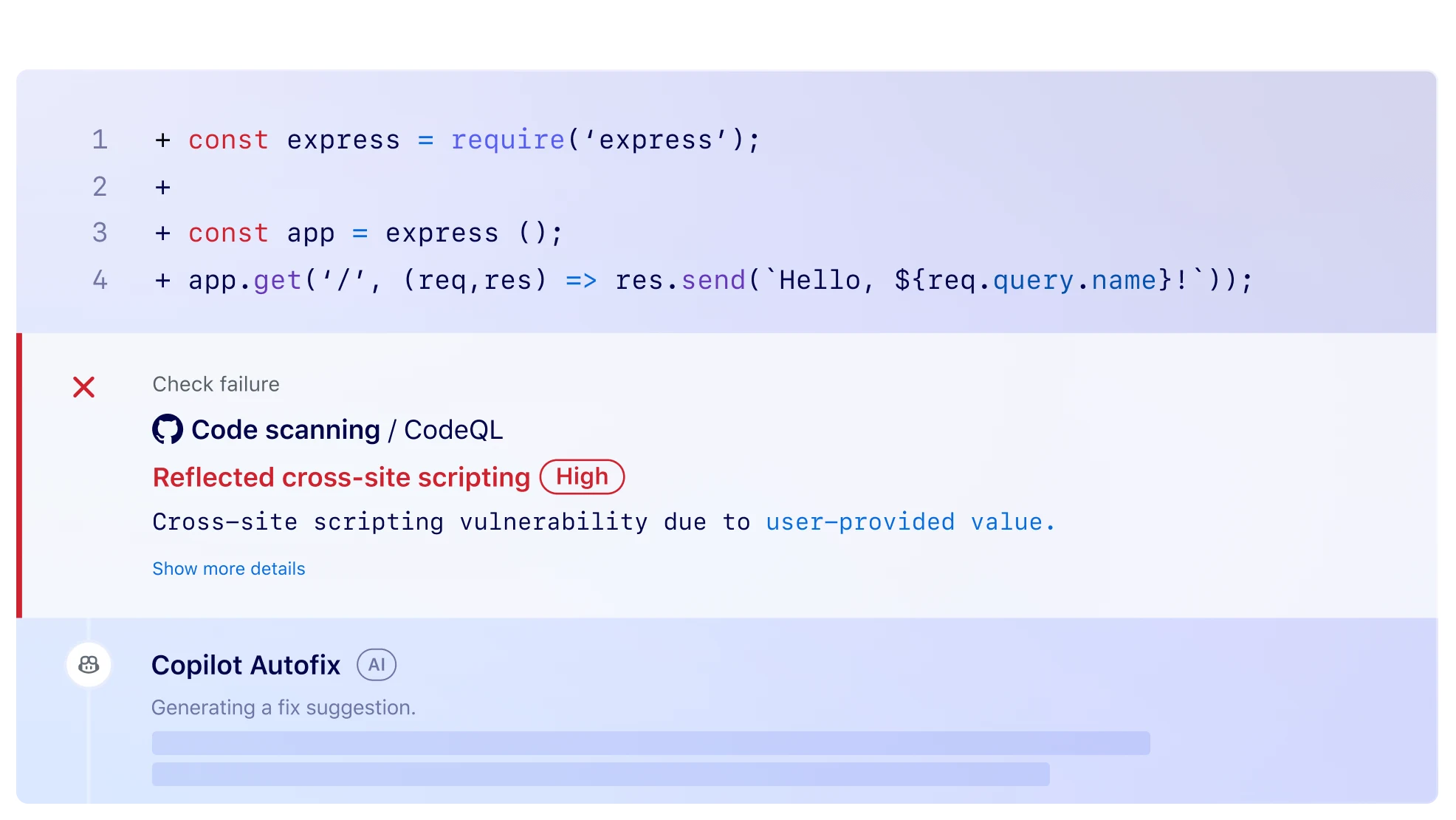
On GitHub repositories, CodeQL runs automatically through GitHub Actions.

Results appear directly in pull requests as security alerts, allowing developers to fix issues before merging.

The integration includes:

  • Automatic analysis on push and pull request events
  • Inline annotations showing vulnerability locations
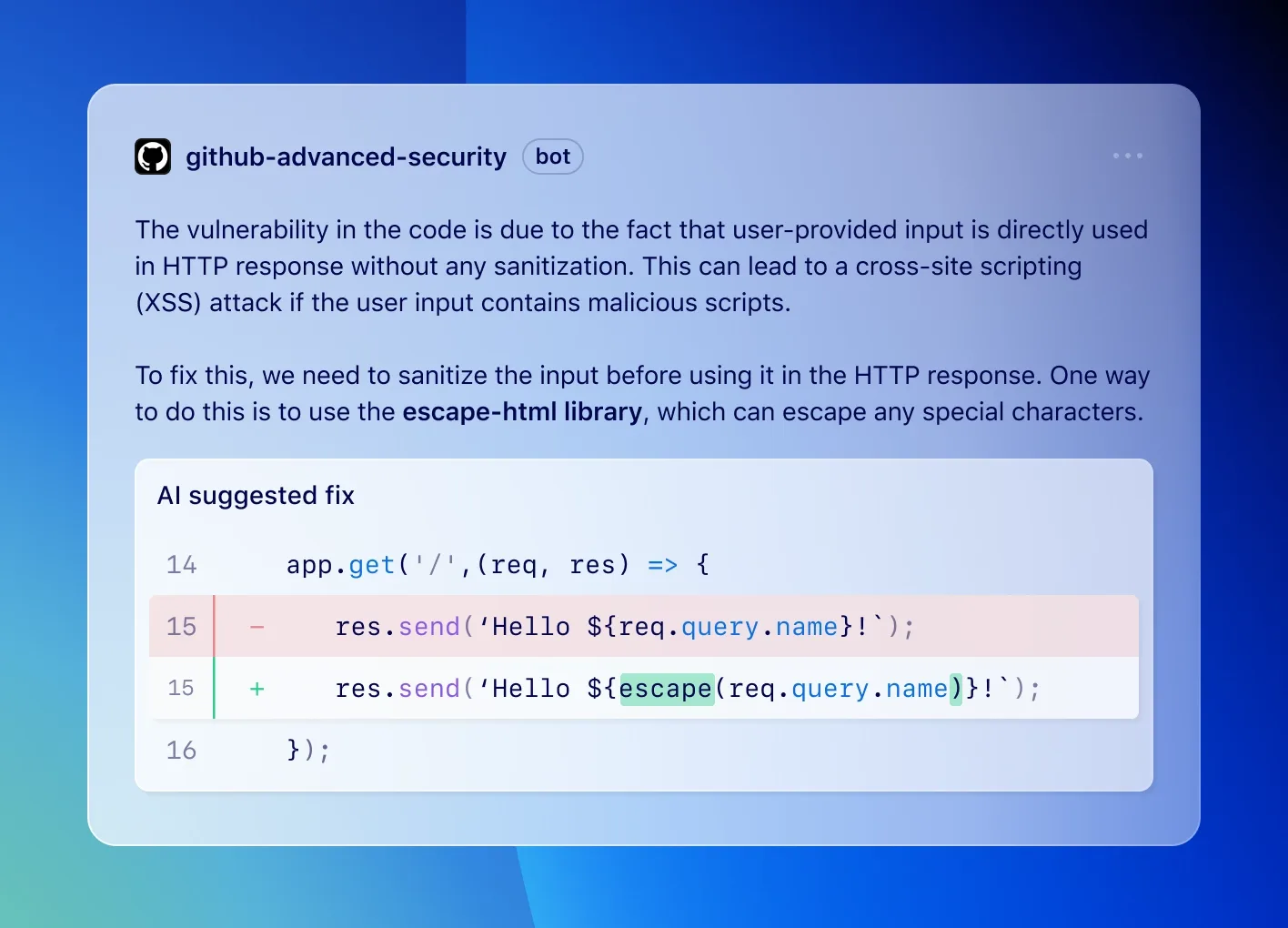
  • Suggested fixes for common vulnerability patterns
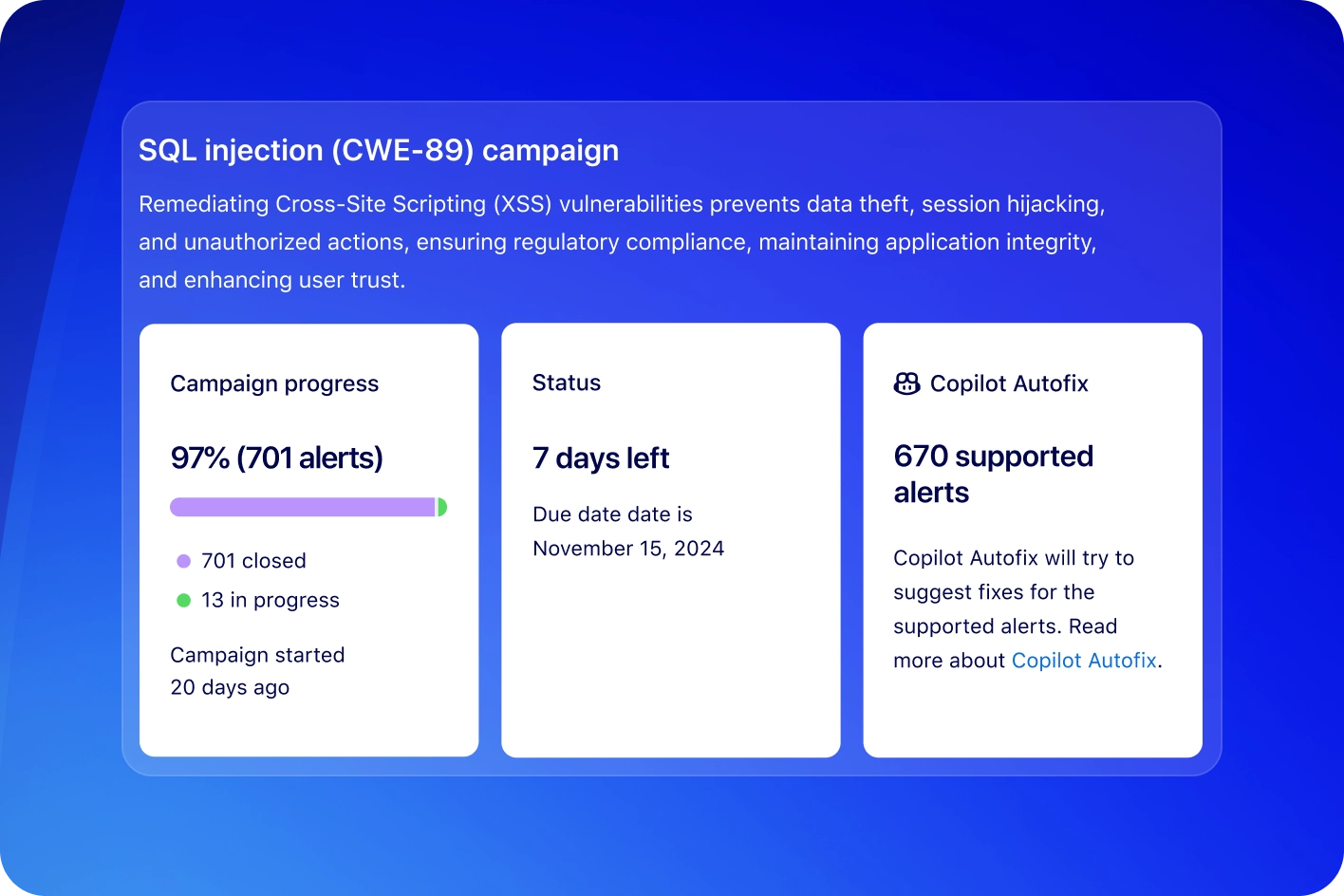
  • Security overview dashboards for organizations

Installation and Setup

GitHub Repository Setup

Enable CodeQL scanning through repository settings or by adding a workflow file.

# .github/workflows/codeql.yml
name: "CodeQL"

on:
  push:
    branches: [main, develop]
  pull_request:
    branches: [main]
  schedule:
    - cron: '0 6 * * 1'  # Weekly Monday 6 AM

jobs:
  analyze:
    name: Analyze
    runs-on: ubuntu-latest
    permissions:
      actions: read
      contents: read
      security-events: write

    strategy:
      fail-fast: false
      matrix:
        language: ['java', 'javascript', 'python']

    steps:
    - name: Checkout repository
      uses: actions/checkout@v4

    - name: Initialize CodeQL
      uses: github/codeql-action/init@v3
      with:
        languages: ${{ matrix.language }}
        queries: security-and-quality

    - name: Autobuild
      uses: github/codeql-action/autobuild@v3

    - name: Perform CodeQL Analysis
      uses: github/codeql-action/analyze@v3
      with:
        category: "/language:${{ matrix.language }}"

Local CLI Installation

For local development and custom query testing, install the CodeQL CLI.

# Download and extract CodeQL CLI
wget https://github.com/github/codeql-cli-binaries/releases/latest/download/codeql-linux64.zip
unzip codeql-linux64.zip

# Add to PATH
export PATH="$PATH:$(pwd)/codeql"

# Verify installation
codeql --version

# Clone standard query packs
git clone https://github.com/github/codeql.git codeql-queries

Creating a Database

# Create database for a Java project
codeql database create my-java-db \
  --language=java \
  --source-root=/path/to/project \
  --command="./gradlew build"

# Create database for Python (no build needed)
codeql database create my-python-db \
  --language=python \
  --source-root=/path/to/project

Running Queries

# Run security queries against database
codeql database analyze my-java-db \
  codeql-queries/java/ql/src/Security \
  --format=sarif-latest \
  --output=results.sarif

# Run a specific query
codeql query run \
  codeql-queries/java/ql/src/Security/CWE/CWE-089/SqlInjection.ql \
  --database=my-java-db

Integration

GitHub Actions (Advanced)

name: CodeQL Advanced Analysis
on:
  push:
    branches: [main]
  pull_request:
    branches: [main]

jobs:
  analyze:
    runs-on: ubuntu-latest
    steps:
      - uses: actions/checkout@v4

      - name: Initialize CodeQL
        uses: github/codeql-action/init@v3
        with:
          languages: java
          queries: +security-extended,security-and-quality
          config-file: .github/codeql/codeql-config.yml

      - name: Build with Maven
        run: mvn clean package -DskipTests

      - name: Perform CodeQL Analysis
        uses: github/codeql-action/analyze@v3

      - name: Upload SARIF to third-party tool
        uses: github/codeql-action/upload-sarif@v3
        with:
          sarif_file: results.sarif

GitLab CI

codeql-analysis:
  stage: security
  image: github/codeql-action
  script:
    - codeql database create db --language=python --source-root=.
    - codeql database analyze db --format=sarif-latest --output=codeql-results.sarif
    - codeql github upload-results --sarif=codeql-results.sarif
  artifacts:
    reports:
      sast: codeql-results.sarif
  rules:
    - if: $CI_COMMIT_BRANCH == "main"

When to Use CodeQL

CodeQL excels at finding complex vulnerabilities that require understanding program semantics.

The data flow analysis catches injection vulnerabilities, authentication bypasses, and security logic flaws that pattern-based tools miss.

Consider CodeQL when you need:

  • Deep semantic analysis beyond simple pattern matching
  • Custom security rules for organization-specific requirements
  • Native GitHub integration with pull request annotations
  • Taint tracking across function and file boundaries

Teams not using GitHub may face additional setup complexity compared to GitHub-hosted repositories.

The query language has a learning curve, though the standard query packs cover most common vulnerability types without custom development.

For organizations requiring commercial support or additional languages, alternatives like Semgrep or Checkmarx may be worth evaluating alongside CodeQL.

Note: Replaces LGTM.com which was deprecated and merged into CodeQL