


Detectify is a cloud-based DAST platform that pairs automated vulnerability scanning with crowdsourced intelligence from 400+ ethical hackers. It covers both web application scanning and external attack surface management in one product.
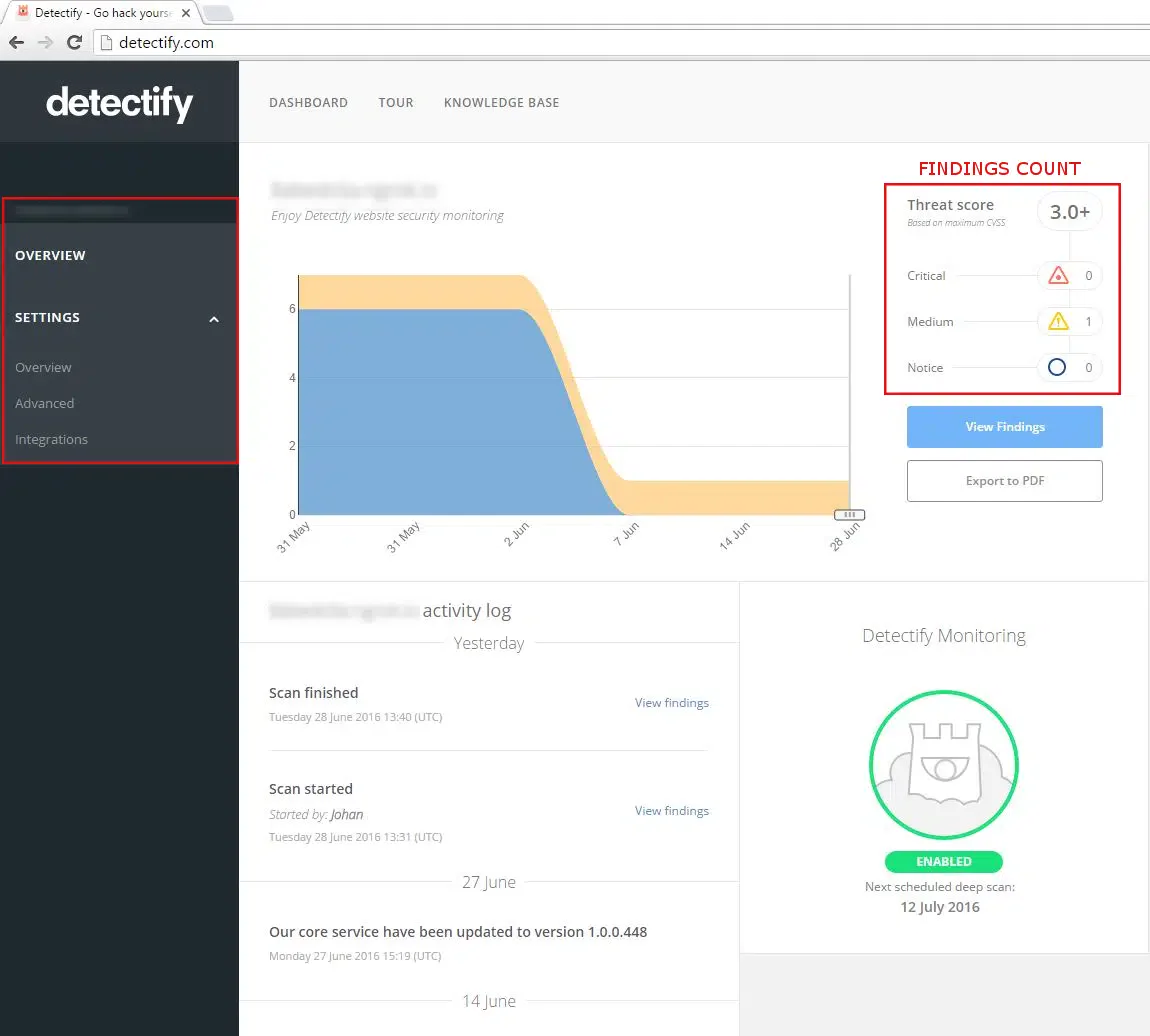
The platform runs 1,765+ vulnerability modules built from real-world research. New modules go live within 15 minutes of validation — most DAST vendors take weeks or months to ship comparable updates.
Used by 10,000+ organizations including Grammarly, Trustly, and New Relic.
Key Features at a Glance
| Feature | Detail |
|---|---|
| Vulnerability Modules | 1,765+ from crowdsourced research |
| Zero-Days Discovered | 300+ (2020-2021) |
| Testing Method | 100% payload-based (reduces false positives) |
| Researcher Community | 400+ ethical hackers |
| Cloud Connectors | AWS, Azure, GCP, DigitalOcean, Cloudflare, Alibaba |
| API Version | REST API V3 |
| Authentication | API key via Authorization header |
| SPA Support | React, Angular, Vue.js, AJAX-heavy apps |
| Compliance Reports | PCI DSS, OWASP Top 10, SOC 2 |
| Trial | Free 2-week trial |
What is Detectify?
Detectify splits into two main modules: Surface Monitoring for attack surface management and Application Scanning for DAST.
What makes it different from most DAST tools is the crowdsourced research model. Ethical hackers from around the world submit vulnerability modules through the Crowdsource platform, earning bounties for accepted research. This means Detectify often catches new vulnerability types days after public disclosure, well before vendors relying on internal research teams update their scanners.
The platform has processed research that uncovered over 240,000 vulnerabilities across customer assets.
Surface Monitoring
Surface Monitoring watches your external attack surface around the clock. It finds subdomains, flags exposed services, and alerts on configuration changes that could open security holes.
It detects exposed files, sensitive data leakage, and infrastructure misconfigurations across internet-facing assets.
Cloud connectors pull asset inventories from AWS, Azure, GCP, DigitalOcean, Cloudflare, Alibaba, GoDaddy, and IBM NS1 automatically.
Application Scanning
The application scanner crawls and tests web applications for security vulnerabilities. The crawler handles React, Angular, and Vue.js SPAs — the kind of JavaScript-heavy apps that trip up older scanners.
Key scanning capabilities:
- Advanced Crawling: Navigates complex application states and AJAX-heavy interfaces
- Fuzzing Engine: Discovers injection vulnerabilities through intelligent payload mutation
- Authenticated Scanning: Tests protected areas using recorded login sequences, basic auth, or session cookies
- API Testing: Scans REST and GraphQL endpoints for security weaknesses
- 100% Payload-Based: Every finding is confirmed with an actual payload, reducing false positives
How to Use Detectify
API Integration
Detectify provides a REST API V3 for programmatic access to scan management, asset data, and results.
# Start a new scan
curl -X POST "https://api.detectify.com/rest/v2/scans/start" \
  -H "X-Detectify-Key: YOUR_API_KEY" \
  -H "Content-Type: application/json" \
  -d '{"scan_profile_token": "abc123"}'

# Get scan status
curl "https://api.detectify.com/rest/v2/scans/abc123/status" \
  -H "X-Detectify-Key: YOUR_API_KEY"
CI/CD Integration
# GitHub Actions
name: Detectify Security Scan
on:
  push:
    branches: [main]

jobs:
  security-scan:
    runs-on: ubuntu-latest
    steps:
      - name: Trigger Detectify Scan
        run: |
          curl -X POST "https://api.detectify.com/rest/v2/scans/start" \
            -H "X-Detectify-Key: ${{ secrets.DETECTIFY_API_KEY }}" \
            -H "Content-Type: application/json" \
            -d '{"scan_profile_token": "${{ secrets.DETECTIFY_SCAN_TOKEN }}"}'
Integrations
 AWS
AWS Azure
Azure GCP
GCP DigitalOcean
 Cloudflare
 Alibaba Cloud
 GitHub Actions
 GitLab CI
 Jira
Jira Slack
Slack Splunk
When to Use Detectify
Detectify works best for organizations that want external attack surface management combined with web application scanning in a single platform. The crowdsourced research model provides faster coverage of emerging threats than competitors relying on internal research alone.
Good fit when you need:
- Continuous monitoring of external assets and subdomains
- Fast detection of novel vulnerability types through crowdsourced research
- Testing of modern JavaScript-heavy web applications
- Multi-cloud asset discovery (AWS, Azure, GCP, and more)
- Compliance reporting for PCI DSS or SOC 2 audits
Organizations focused primarily on internal applications or needing agent-based testing should consider pairing Detectify with a complementary IAST tool like Contrast Assess for deeper runtime analysis.


Comments
Powered by Giscus — comments are stored in GitHub Discussions.