


InsightAppSec is Rapid7’s DAST platform for testing modern web applications. Two features set it apart: the Universal Translator, which normalizes traffic from JavaScript frameworks like React, Angular, and Vue into a consistent format for testing, and Attack Replay, which lets developers verify findings locally without running a full scan.
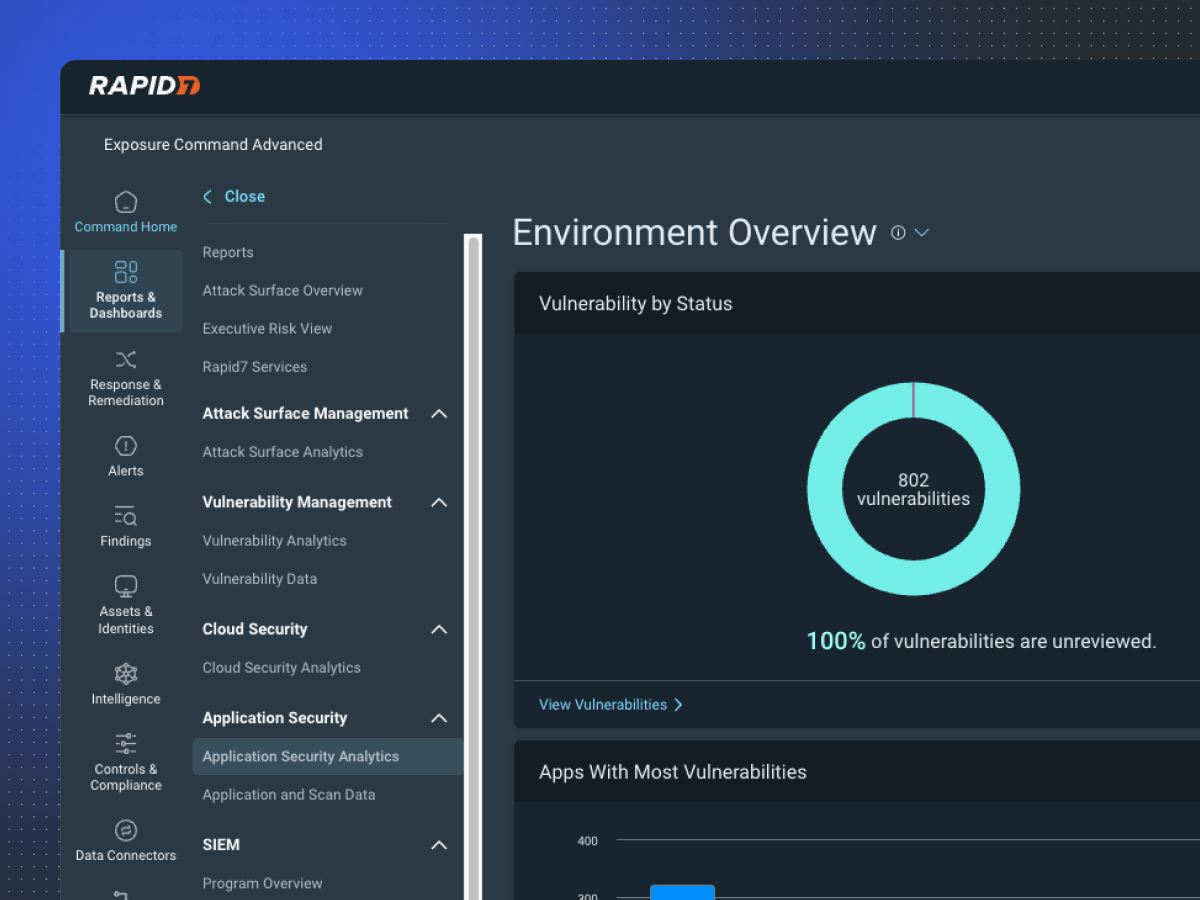
Tests for 95+ vulnerability types. Runs on cloud or on-premise scan engines. Concurrent multi-target scanning at no additional cost.
Recently added LLM vulnerability scanning for AI-integrated applications.
Key features at a glance
| Feature | Detail |
|---|---|
| Attack Types | 95+ including OWASP Top 10, business logic, config issues |
| Universal Translator | Normalizes React, Angular, Vue.js traffic for testing |
| Attack Replay | Developers verify findings locally without full scan access |
| LLM Scanning | Tests AI-integrated apps for prompt injection, data leakage |
| GraphQL Testing | Dedicated GraphQL API scanning support |
| Scan Engines | Cloud-hosted and on-premise (v7.5 latest) |
| Concurrent Scanning | Multiple targets simultaneously, no extra cost |
| Compliance Reports | PCI-DSS, HIPAA, OWASP Top 10, SOX |
| Report Formats | Interactive HTML, static HTML, CSV, PDF |
| Scheduling | Recurring scans with blackout window support |
What is InsightAppSec?
Traditional DAST tools struggle with JavaScript-heavy applications that render content dynamically and manage state client-side. InsightAppSec’s Universal Translator addresses this by normalizing traffic from various frameworks into a consistent format for security testing.
The tool crawls applications using a real browser, executes JavaScript, tracks state changes, and discovers REST endpoints called by the frontend. This gives it broader coverage than crawlers that only process static HTML.
Attack Replay
Attack Replay is the feature that security teams actually thank Rapid7 for. It addresses the friction between security and development — the “is this a real bug?” conversation that slows down remediation.
When InsightAppSec finds a vulnerability, it packages up everything a developer needs to verify it:
- The exact HTTP request that triggered the finding
- Step-by-step reproduction instructions
- Evidence (screenshots, response data)
- Remediation guidance
Developers run the replay against their local environment. If they can reproduce it, they fix it. No back-and-forth with the security team about whether the finding is valid.
LLM vulnerability scanning
InsightAppSec added scanning for LLM-integrated applications. If your web app uses an AI model (ChatGPT API, Claude API, etc.), the scanner tests for:
- Prompt injection attacks
- Data leakage through model responses
- Unauthorized access to model capabilities
- Input validation bypasses specific to LLM interfaces
This is a newer addition and the DAST market is still figuring out what LLM testing should look like, but InsightAppSec is one of the first to ship it.
Scan management
The platform includes operational controls for enterprise deployments:
- Scheduling: Recurring scans during off-peak hours
- Blackout windows: Prevent scanning during critical business periods
- Incremental scanning: Re-test only changed portions of applications
- Rate limiting: Throttle scan traffic to prevent performance impact
- Concurrent scanning: Multiple targets simultaneously at no extra cost
How to use InsightAppSec
CI/CD integration
# GitHub Actions
name: InsightAppSec Scan
on:
  push:
    branches: [main]

jobs:
  dast-scan:
    runs-on: ubuntu-latest
    steps:
      - name: Start InsightAppSec Scan
        run: |
          curl -X POST "https://us.api.insight.rapid7.com/ias/v1/scans" \
            -H "X-Api-Key: ${{ secrets.RAPID7_API_KEY }}" \
            -H "Content-Type: application/json" \
            -d '{"app_id": "${{ vars.APP_ID }}", "scan_config_id": "${{ vars.CONFIG_ID }}"}'
InsightAppSec also integrates with Jenkins pipelines and GitLab CI via the REST API.
Integrations
 InsightVM
InsightConnect
InsightIDR
InsightVM
InsightConnect
InsightIDR GitHub Actions
 Jenkins
 Jira
Jira ServiceNow
Managed service option
Rapid7 offers a managed application security service where their team operates InsightAppSec on your behalf. They handle application onboarding, scan scheduling, vulnerability triage, and monthly reporting. This option suits organizations that lack dedicated appsec staff.
When to use InsightAppSec
InsightAppSec works well for teams with modern JavaScript applications who want developer-friendly vulnerability verification. The Universal Translator handles SPA complexity, and Attack Replay removes friction from the remediation workflow.
Good fit when you need:
- DAST for React, Angular, or Vue.js applications
- Developer-friendly vulnerability verification (Attack Replay)
- LLM vulnerability scanning for AI-integrated apps
- Integration with Rapid7’s broader security platform (SIEM, VM, IR)
- Flexible deployment (cloud or on-premise scan engines)
- Managed service option for teams without dedicated appsec resources
Existing Rapid7 customers get the most value from platform integration and unified reporting. Teams that don’t use other Rapid7 products should compare InsightAppSec against standalone DAST tools like Invicti or Acunetix on scanning depth and price.


Comments
Powered by Giscus — comments are stored in GitHub Discussions.