


Invicti is an enterprise-grade DAST tool that merges DAST, IAST, and SCA capabilities into one solution. The tool scans websites and APIs for security vulnerabilities and has been adopted by over 3,600 organizations globally.
It evolved from Netsparker, an established dynamic analysis tool. In 2024, the parent company acquired Kondukto for ASPM capabilities.
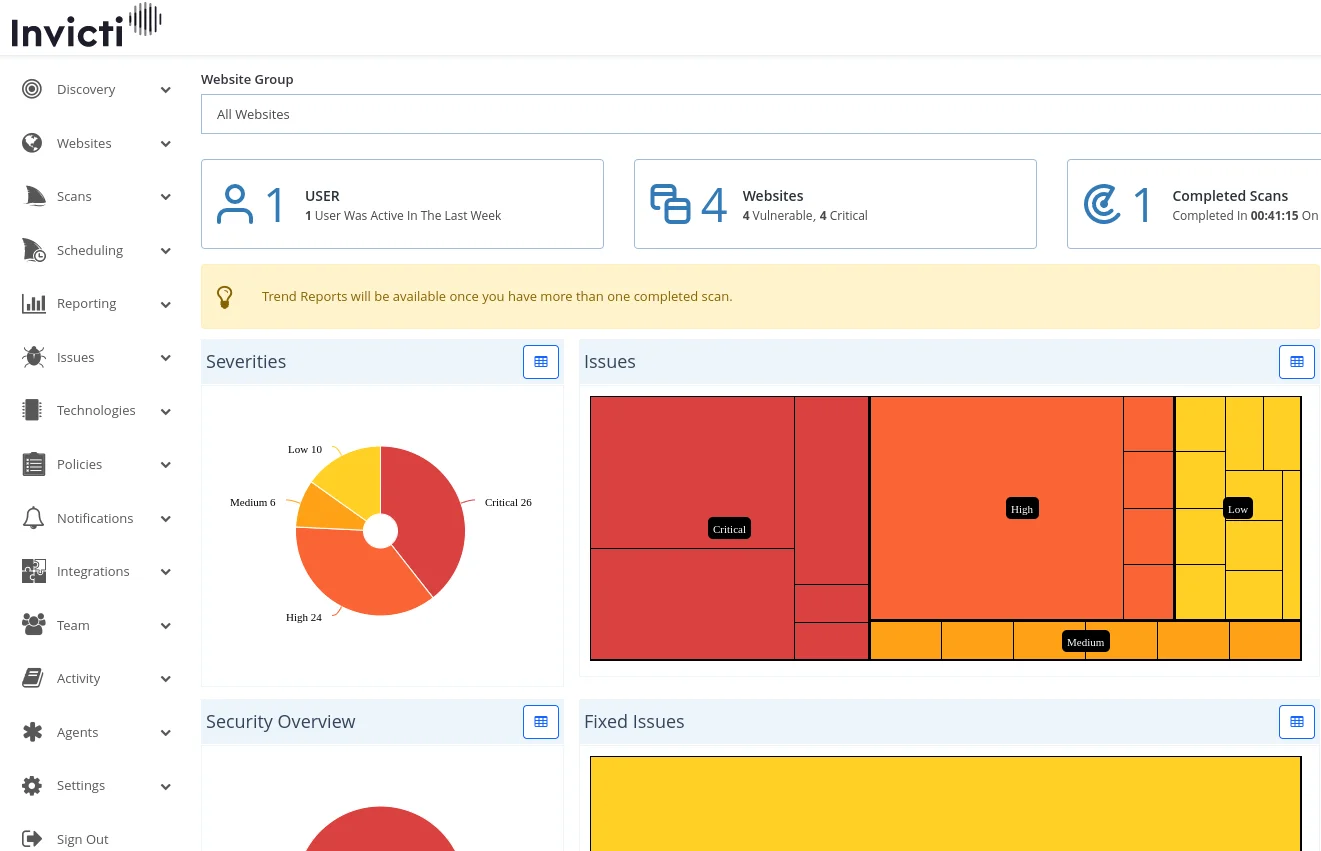
What is Invicti?
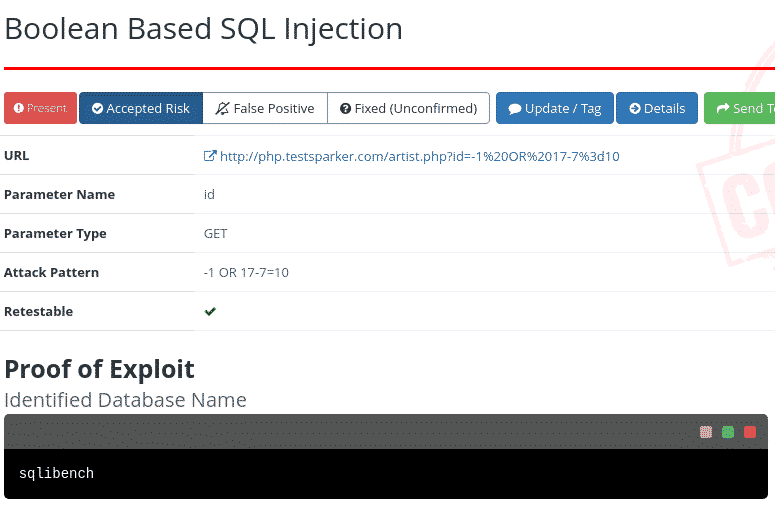
Invicti’s main claim is proof-based scanning. When the scanner finds a potential vulnerability, it attempts to safely exploit it to confirm the issue is real. This produces a proof of exploit for each finding, which cuts down false positive triage significantly.
The platform crawls up to 2,500 pages by default, with expansion possible to 15,000 pages. Typical scans complete in 8-10 hours depending on application size.
| Feature | Details |
|---|---|
| Deployment | Cloud (AWS US, AWS EU) and on-premises (Windows) |
| Scanning approach | DAST with proof-based verification |
| Additional testing | IAST (Shark agent), SCA |
| Crawl limit | 2,500 pages default, up to 15,000 |
| Scan duration | 8-10 hours typical, 24-hour max |
| Authentication | Form-based, HTTP Basic, client certificates, OAuth |
| Brute force wordlist | 59 entries default, expandable to 5,000 |
| Editions | Standard, Team, Enterprise |
| Organizations using | 3,600+ |
Key Features
Vulnerability Detection
Invicti identifies web application security issues including SQL injection, cross-site scripting (XSS), and other OWASP Top 10 vulnerabilities.
Software Composition Analysis
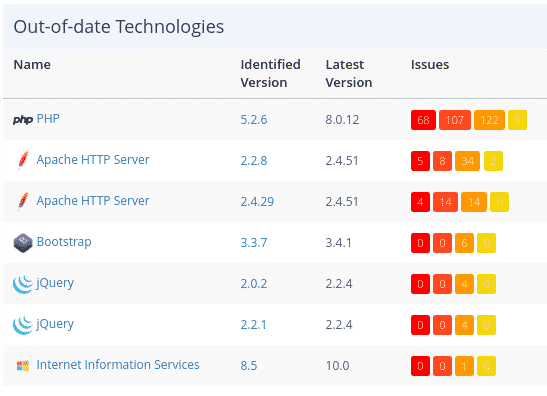
Beyond vulnerability scanning, the platform catalogs technologies within web applications and flags outdated or vulnerable libraries.
DevSecOps Integration
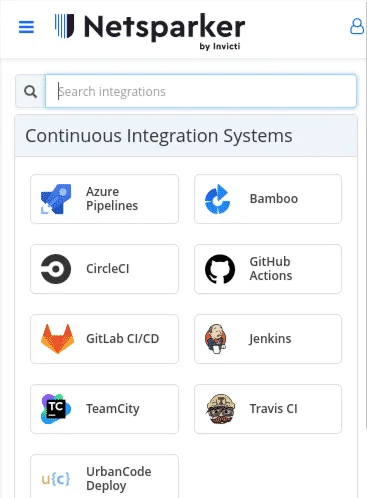
Most organizations incorporate Invicti into their CI/CD pipelines to catch vulnerabilities before production.
Discovery Feature
The Discovery function activates automatically upon account creation, automatically identifying websites potentially associated with your organization through multiple data sources:
- Business email domain matching
- Out-of-scope links from scans
- Websites hosted on identical IP addresses
- SSL certificate organization names
- Domain keyword and second-level domain analysis
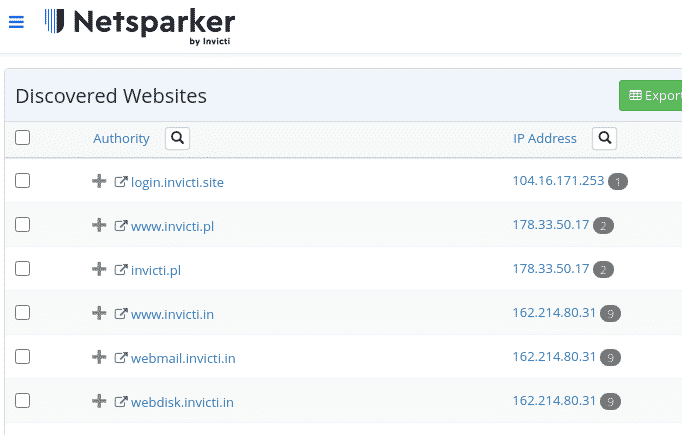
Since automated discovery isn’t perfect, filtering capabilities help eliminate unrelated results.
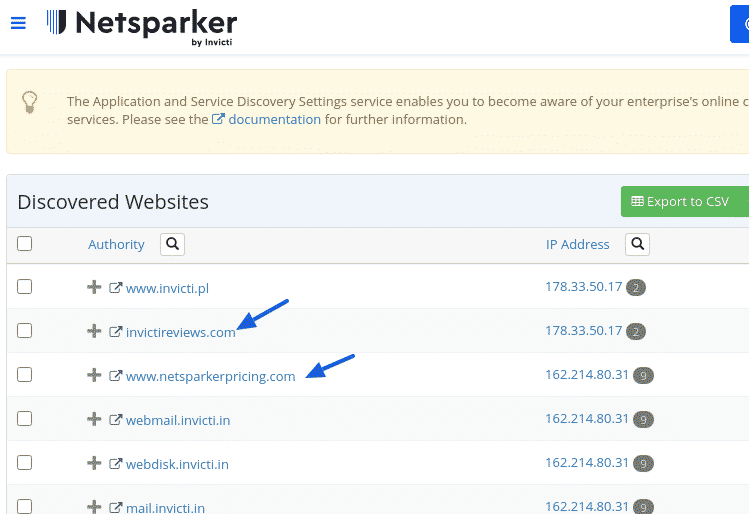
Website Management
Adding Targets
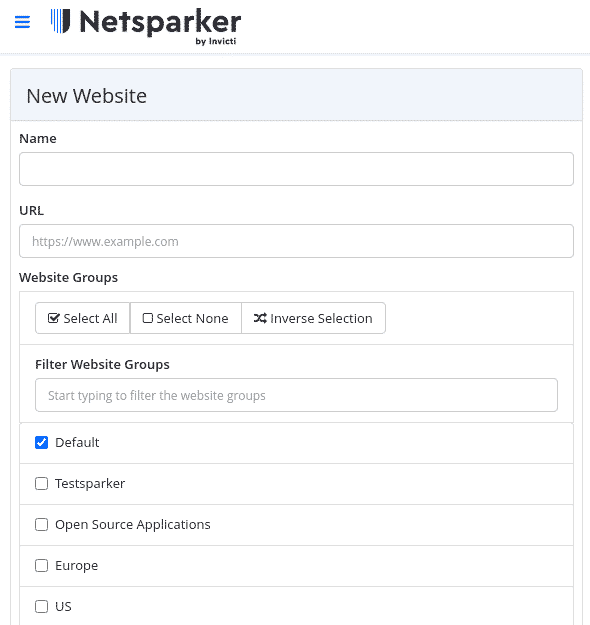
You can add websites individually or import multiple targets via CSV.
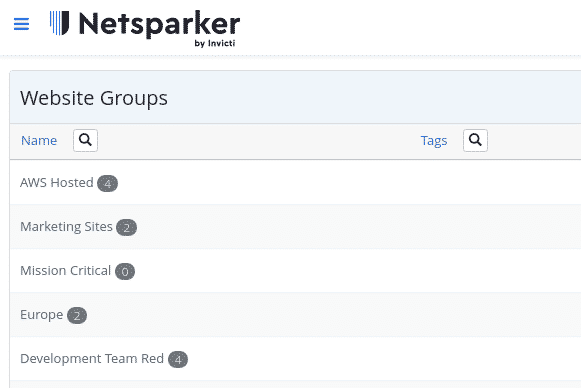
Websites support membership across multiple groups for organizational flexibility based on:
- Hosting infrastructure
- Technology stack
- Geographic location
- Team assignment
- Priority levels
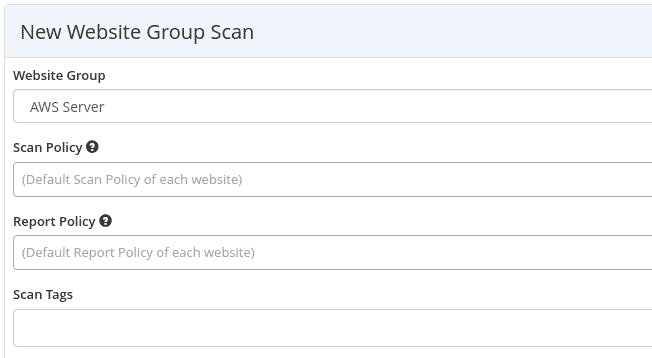
Group Scanning
Group assignments enable batch scanning operations across related targets.
Scan Configuration
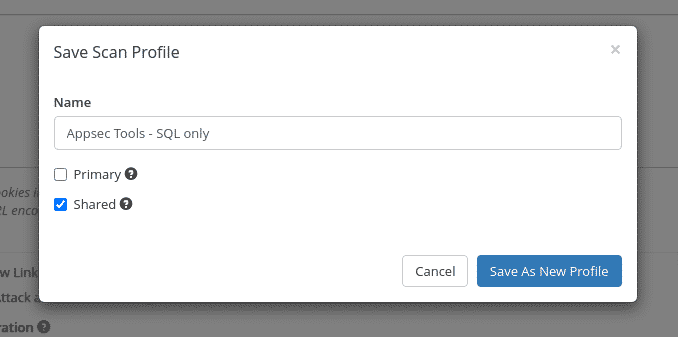
Scan Profiles
Save and share scan configurations across team members.
Scan Policies
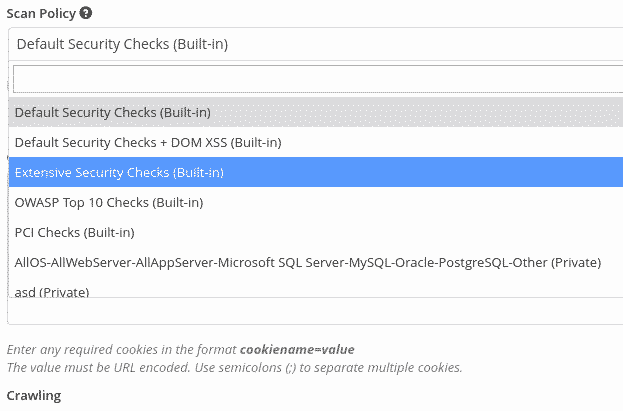
Pre-built Options
Select from standard policies including OWASP Top 10 or PCI compliance checks.
Custom Policy Creation
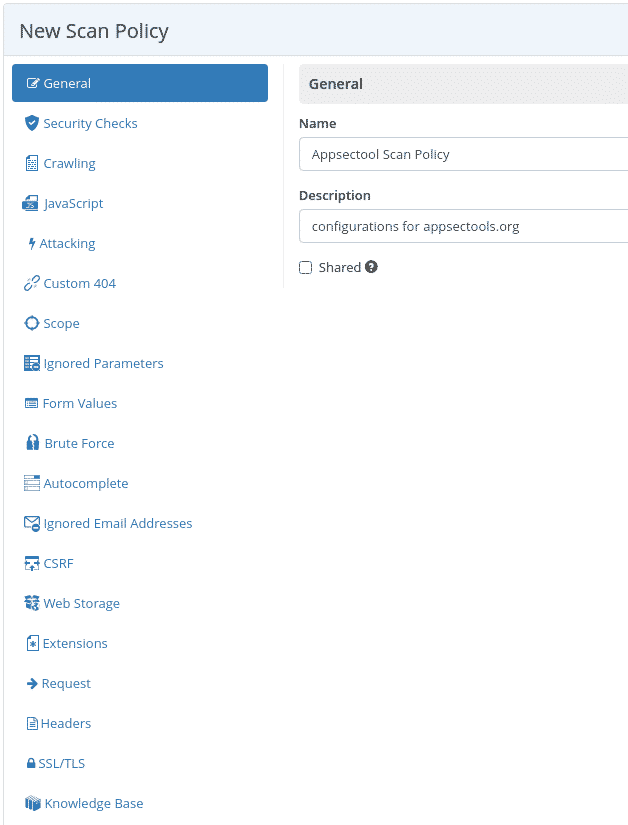
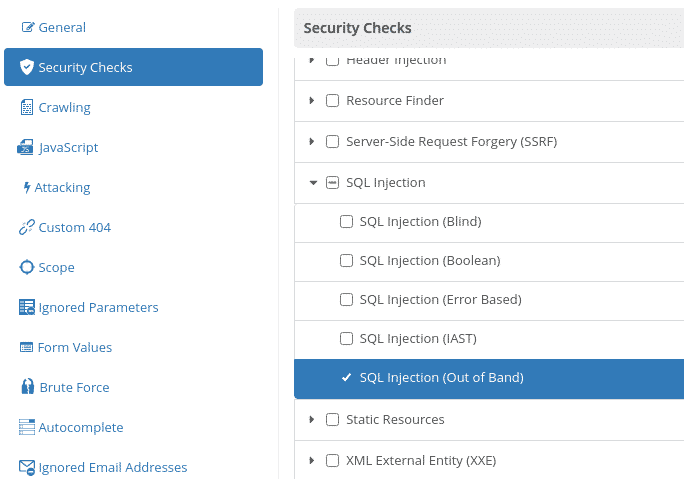
Security Checks Configuration
Customize which vulnerability types to scan, such as focusing exclusively on out-of-band SQL injection detection.
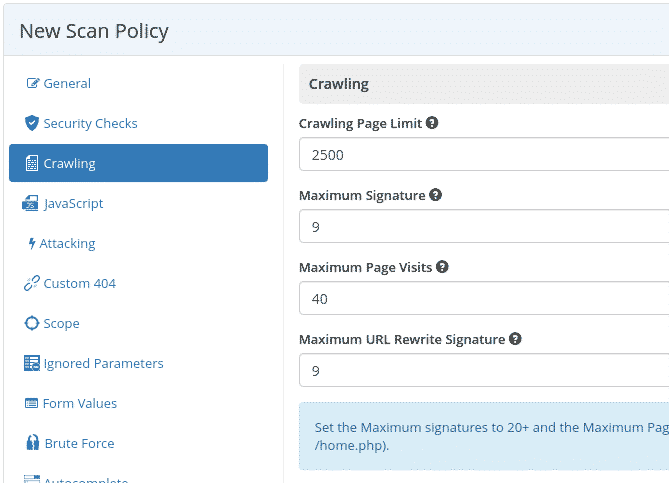
Crawling Parameters
The platform crawls up to 2,500 pages by default, with expansion possible to 15,000 pages.
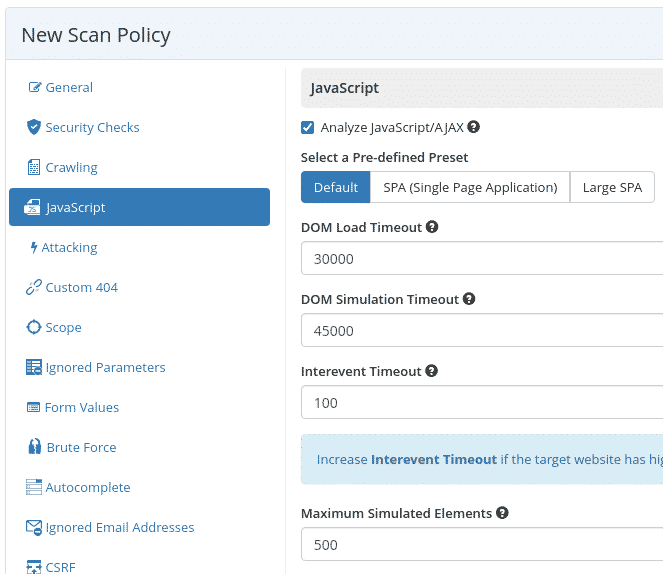
JavaScript Handling
For single-page applications, use predefined presets and adjust DOM load timeouts and simulated element limits.
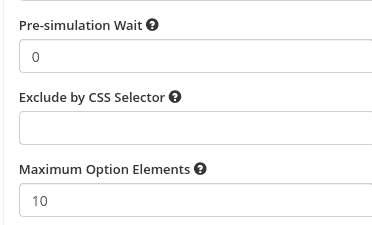
CSS Selector Exclusion
Exclude specific website sections from scanning using CSS selectors.
Proof-Based Scanning
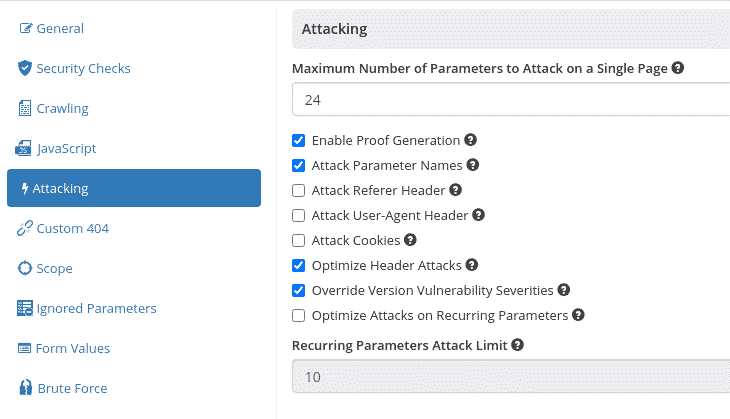
Disable proof generation by unchecking the “Enable Proof Generation” option.
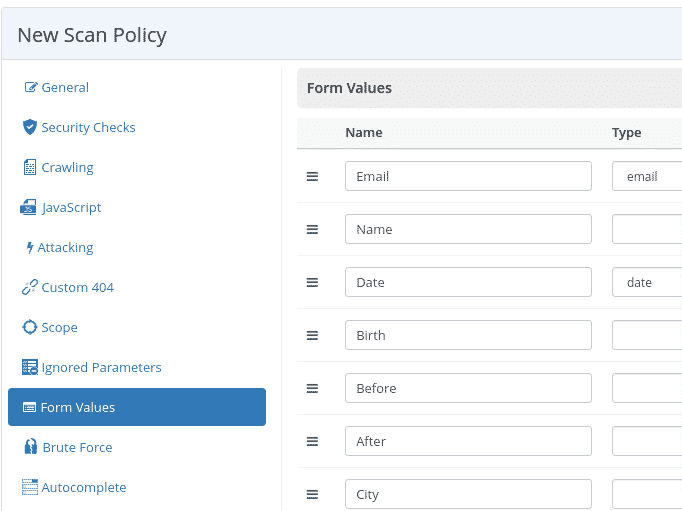
Form Value Configuration
Customize default form values used when attacking contact forms.
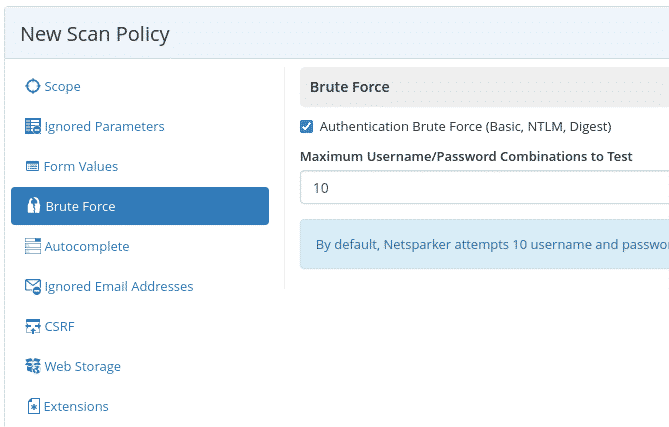
Brute Force Settings
The tool attempts authentication forms using basic username/password combinations.
The default wordlist contains 59 entries, expandable to 5,000 with an Internal Agent or Invicti Standard.
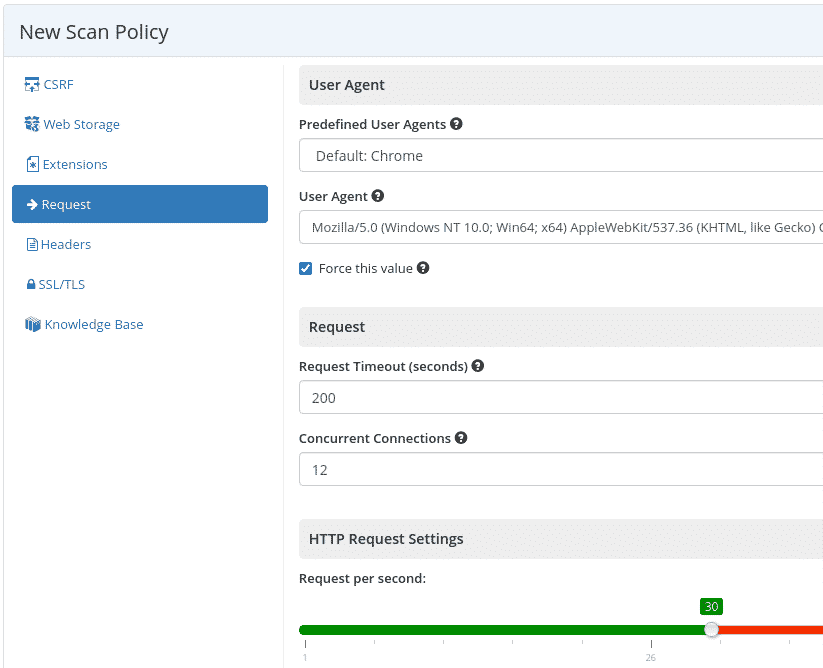
Request Configuration
Set the user-agent string and adjust request rate per second to control scan speed.
Product Editions
Invicti Standard
Single-instance Windows-only scanning tool primarily used by penetration testers and cybersecurity engineers for initial vulnerability discovery.
Invicti Team
- Cloud-only deployment (AWS US or AWS EU)
- Supports internal application scanning via agents (Windows, Linux, Docker)
- Unlimited users
- Includes standard features
Invicti Enterprise
Target organizations with 50+ websites requiring enterprise-grade features.
Key Features
- Cloud and on-premise deployment options (Windows only for on-premise)
- Unlimited users
- Internal application scanning via agents (Windows, Linux, Docker)
- Dedicated technical support
- Custom integration support
- Includes Team and Standard capabilities
Firewall Whitelisting
IP Address Whitelisting
Whitelist scanning traffic by source IP.
Invicti AWS (US):
- 54.88.149.100
- 54.85.169.114
Invicti AWS (EU):
- 3.121.126.156
- 3.122.64.138
Getting Started
Operational Notes
Firewall Whitelisting
Whitelist scanning traffic by source IP.
Invicti AWS (US):
- 54.88.149.100
- 54.85.169.114
Invicti AWS (EU):
- 3.121.126.156
- 3.122.64.138
Default Contact Form Behavior
The platform uses “[email protected]” by default in contact forms during scans, which can generate numerous emails. Adjust form values in scan configuration to avoid this.
Scan Duration
Scans should not exceed 24 hours. Contact [email protected] for speed optimization guidance if scans run long.
Note: Formed from merger of Acunetix and Netsparker. Acquired Kondukto (2024) for ASPM capabilities. Acunetix continues as standalone product.


Comments
Powered by Giscus — comments are stored in GitHub Discussions.