


Qualys Web Application Scanning (WAS) is an enterprise cloud DAST platform built for organizations with large application portfolios. It has scanned 370,000+ web applications and APIs, detecting 25+ million vulnerabilities across its customer base.
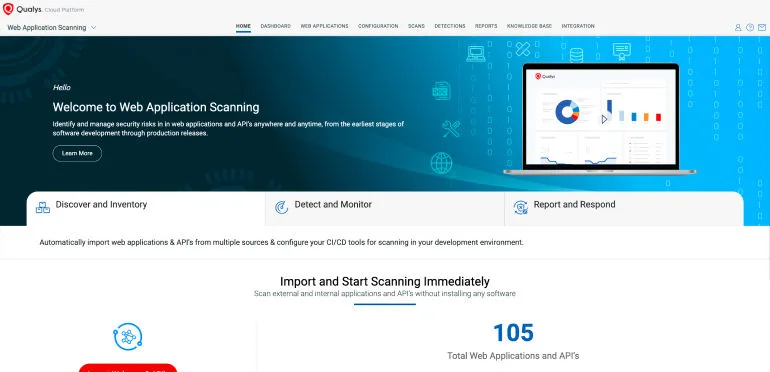
The platform is part of the Qualys Cloud Platform, which means web application findings correlate with infrastructure vulnerabilities, asset inventory, and policy compliance data in a single console.
| Feature | Details |
|---|---|
| Deployment | Cloud SaaS (scanner appliances for internal apps) |
| Apps scanned | 370,000+ |
| Vulnerabilities found | 25M+ |
| AI detection rate | 96% |
| Scan time reduction | Up to 80% with AI optimization |
| Coverage | OWASP Top 10, API Security Top 10 |
| API testing | REST, SOAP, OpenAPI v3 import |
| Risk scoring | TruRisk (business context) |
| Malware detection | Deep learning behavioral analysis |
| PII detection | GDPR, HIPAA, PCI DSS sensitive data |
What is Qualys WAS?
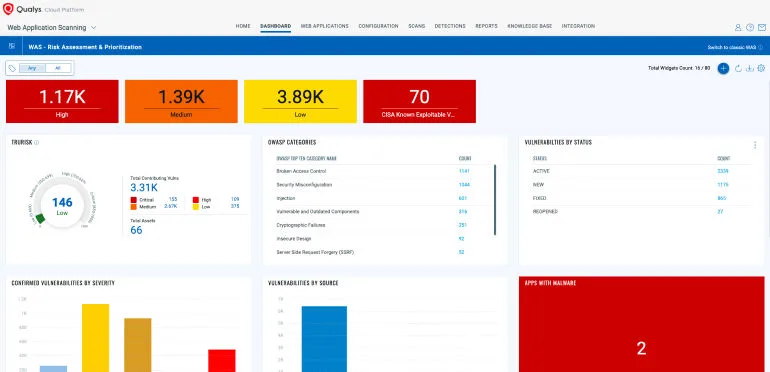
Qualys WAS crawls web applications and APIs, sends crafted requests to probe for vulnerabilities, and reports findings with risk-based prioritization through TruRisk scoring. SQL injection, XSS, authentication flaws, misconfigurations — the standard DAST tool detection set.
What separates it from standalone DAST products is the platform integration. Qualys WAS findings sit alongside network vulnerability data, cloud security posture, and asset inventory information. For enterprise security teams that already use Qualys for infrastructure scanning, adding WAS means one fewer console to manage.
For external applications, scanning runs entirely from the cloud. For internal applications behind firewalls, Qualys provides scanner appliances that execute locally and report back to the cloud platform.
Key features
Authentication support
Qualys WAS supports multiple authentication methods for testing protected applications:
- Form-based — Record login sequences for web applications
- HTTP Basic/Digest — Direct credential injection
- OAuth 2.0 — Configure OAuth flows for API testing
- Client certificates — Mutual TLS for certificate-based auth
- Custom headers — API keys, bearer tokens, and custom auth schemes
Integrations
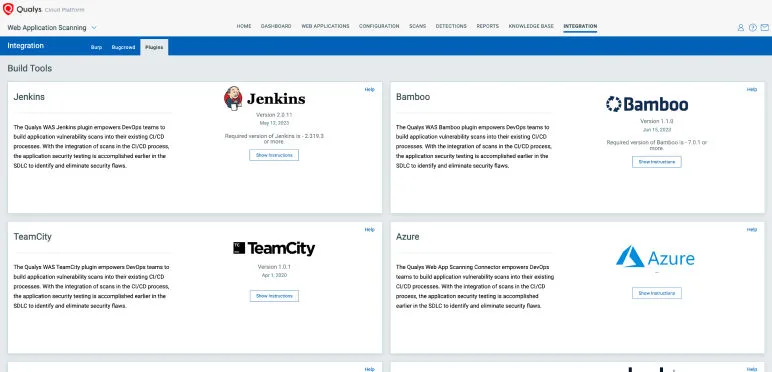
 Jenkins
 Azure DevOps
 GitHub Actions
 Bamboo
 ServiceNow
Jira
ServiceNow
Jira Splunk
 Burp Suite
 ZAP
ZAP BugCrowd
Getting started
API usage
# Create a web application
curl -X POST "https://qualysapi.qualys.com/qps/rest/3.0/create/was/webapp" \
  -H "Authorization: Basic ${QUALYS_CREDENTIALS}" \
  -H "Content-Type: application/xml" \
  -d '<?xml version="1.0" encoding="UTF-8"?>
      <ServiceRequest>
        <data>
          <WebApp>
            <name>Production App</name>
            <url>https://app.example.com</url>
          </WebApp>
        </data>
      </ServiceRequest>'

# Launch a vulnerability scan
curl -X POST "https://qualysapi.qualys.com/qps/rest/3.0/launch/was/wasscan" \
  -H "Authorization: Basic ${QUALYS_CREDENTIALS}" \
  -H "Content-Type: application/xml" \
  -d '<?xml version="1.0" encoding="UTF-8"?>
      <ServiceRequest>
        <data>
          <WasScan>
            <name>Weekly Scan</name>
            <type>VULNERABILITY</type>
            <target>
              <webApp><id>67890</id></webApp>
            </target>
          </WasScan>
        </data>
      </ServiceRequest>'
When to use Qualys WAS
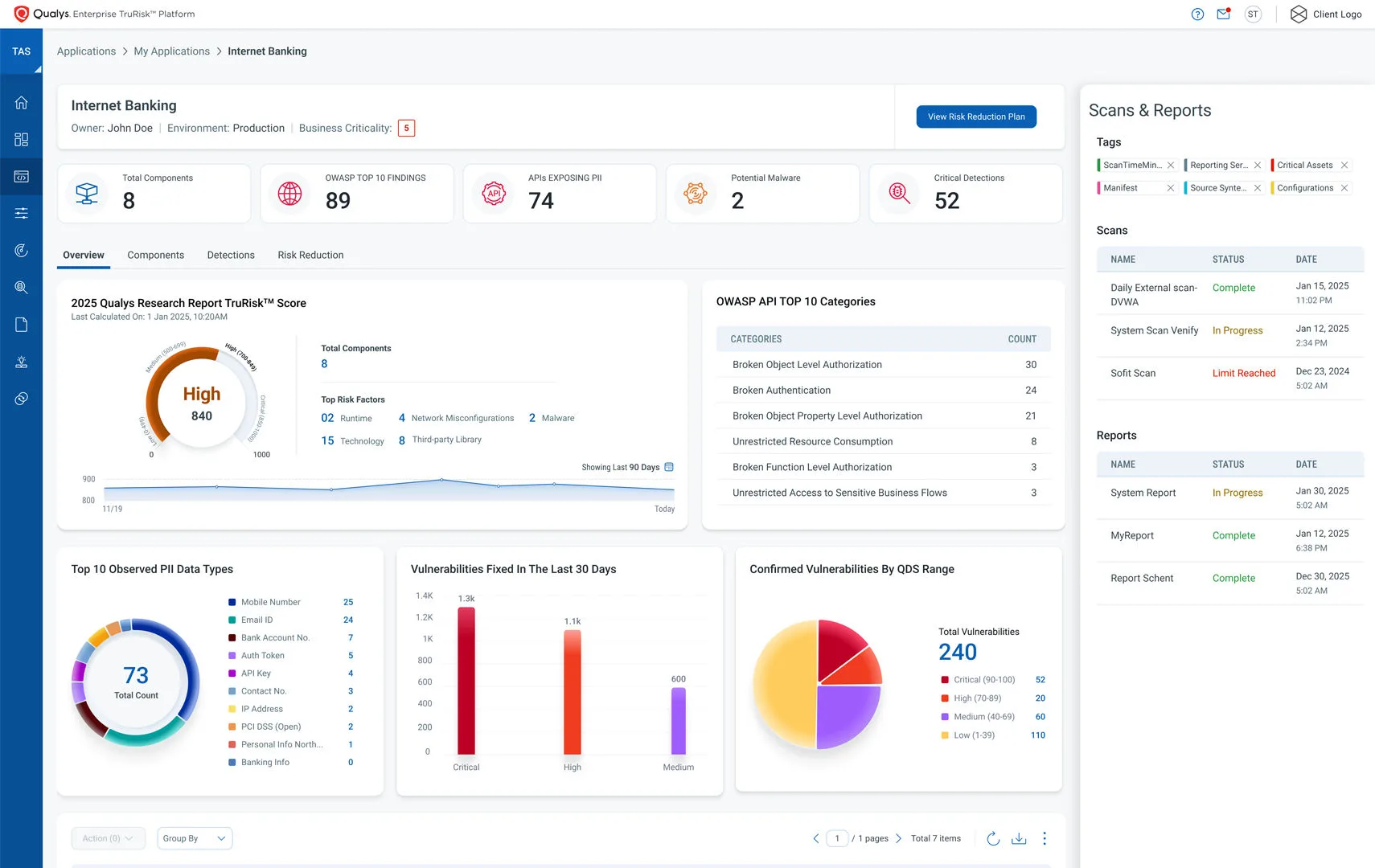
Qualys WAS makes sense for enterprises already on the Qualys Cloud Platform. The unified view across web apps, infrastructure, and cloud posture is its main differentiator. TruRisk scoring adds business context that raw CVSS numbers lack.
It is also a reasonable choice for organizations with large application portfolios (hundreds or thousands of apps) that need automated discovery and scheduled scanning at scale.
For smaller teams or those not in the Qualys ecosystem, the platform may be more than you need. Standalone DAST tools like StackHawk or Nuclei offer lower entry points and can be more practical for teams scanning a handful of applications.


Comments
Powered by Giscus — comments are stored in GitHub Discussions.