Horusec

Horusec

Category: SAST
License: Free/OSS (Apache 2.0)

Horusec is an open-source security orchestration tool that coordinates multiple SAST engines into a unified vulnerability report.

With over 1,300 GitHub stars and 37 contributors, it has gained traction as a comprehensive multi-language scanner.

Created by ZupIT, the platform scans for security flaws, hardcoded secrets, and infrastructure misconfigurations across 18+ programming languages.

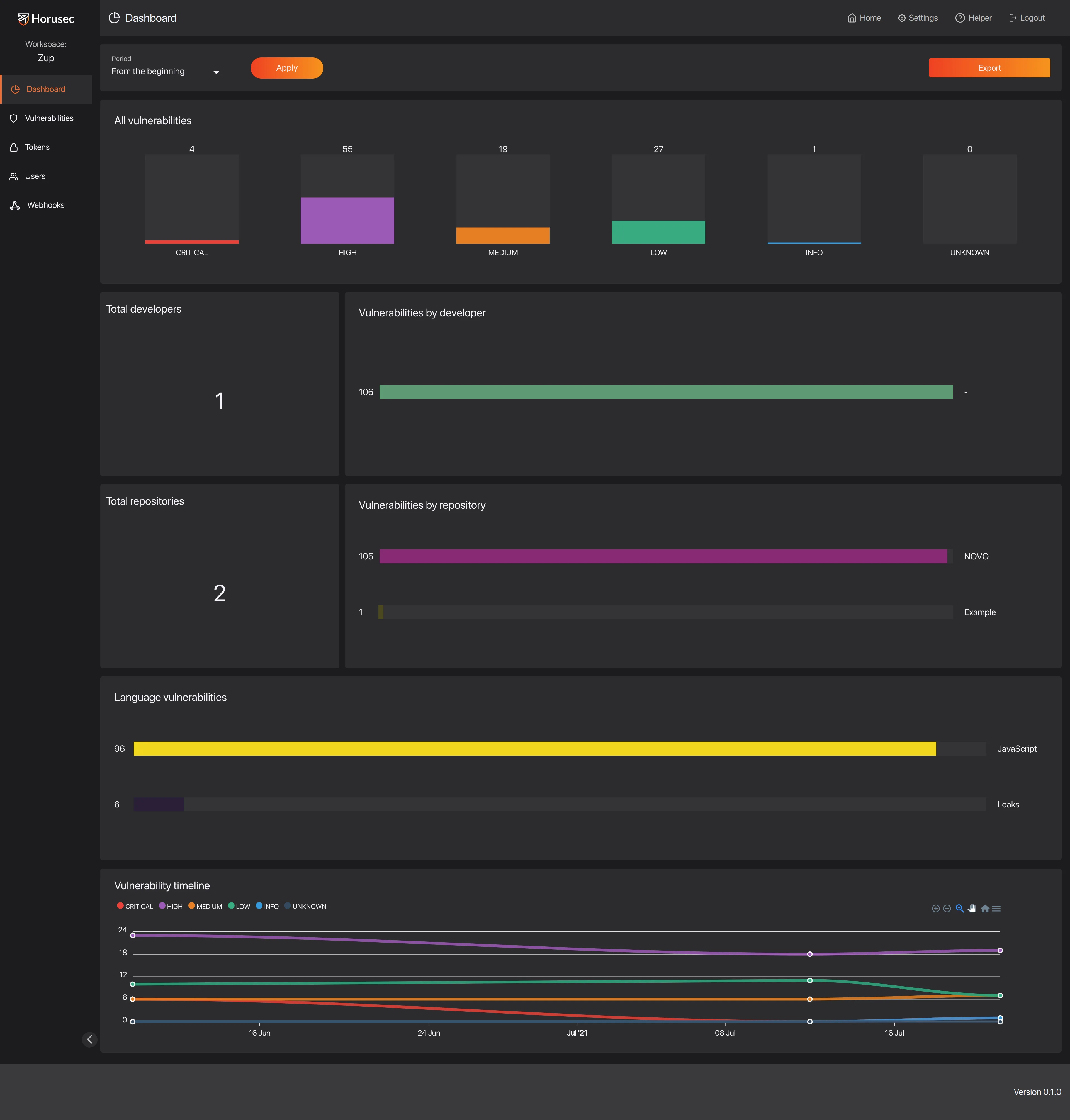
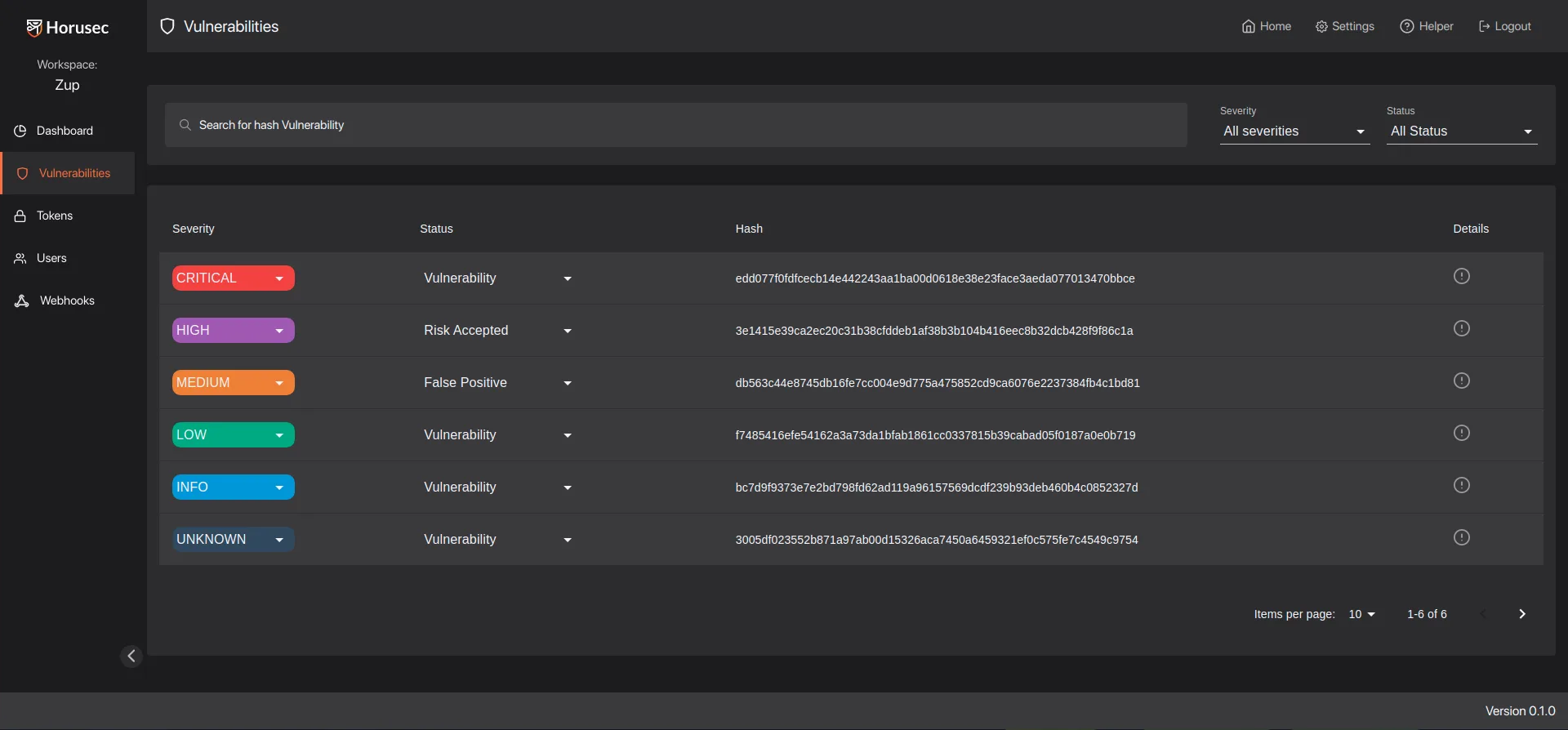
Horusec includes a web dashboard for vulnerability management, team collaboration, and false positive tracking.

What is Horusec?

Rather than implementing its own analysis engine, Horusec orchestrates established security tools and consolidates their findings.

The platform runs tools like Bandit (Python), Brakeman (Ruby), GoSec (Go), and others appropriate for each language detected in your codebase.

Results merge into a single report with deduplication and unified severity ratings.

This approach provides several advantages.

Teams get the combined detection capabilities of multiple specialized tools without managing them individually.

The unified interface eliminates context switching between different reporting formats.

Horusec handles tool installation, execution, and result aggregation automatically.

Key Features

Multi-Tool Orchestration

Horusec integrates over 20 security analysis tools, selecting appropriate scanners based on languages detected in your repository:

LanguageTools Used
PythonBandit, Safety
GoGoSec, Nancy
JavaScript/TypeScriptnpm-audit, ESLint security plugins
Java/KotlinSpotBugs, Dependency-Check
RubyBrakeman, Bundler-audit
C#Security Code Scan
PHPPHPcs security audit
InfrastructureCheckov, TFSec, Trivy

Secrets Detection

A built-in secrets scanner identifies hardcoded credentials across all file types:

  • API keys and tokens
  • Database connection strings
  • Private keys and certificates
  • AWS, GCP, and Azure credentials
  • OAuth secrets and JWT tokens

The detection engine uses pattern matching with context analysis to reduce false positives from example code or documentation.

Web Dashboard

The optional Horusec Manager provides a web interface for vulnerability management:

  • Centralized View: Aggregate findings across multiple repositories
  • Workspace Organization: Group projects by team or business unit
  • False Positive Management: Mark findings as false positives to suppress in future scans
  • Trend Analysis: Track vulnerability counts over time
  • Access Control: Role-based permissions for teams

IDE Integration

The VS Code extension provides real-time feedback during development:

  • Inline vulnerability highlights
  • Quick-fix suggestions
  • Scan on save or manual trigger
  • Link to dashboard for detailed information

Installation

CLI Installation

# macOS
brew install horusec

# Linux (curl)
curl -fsSL https://raw.githubusercontent.com/ZupIT/horusec/main/deployments/scripts/install.sh | bash

# Linux (wget)
wget -qO- https://raw.githubusercontent.com/ZupIT/horusec/main/deployments/scripts/install.sh | bash

# Windows (PowerShell)
iwr -useb https://raw.githubusercontent.com/ZupIT/horusec/main/deployments/scripts/install.ps1 | iex

# Verify installation
horusec version

Docker

# Run scan using Docker
docker run -v /path/to/project:/src horuszup/horusec-cli:latest \
    horusec start -p /src -o json -O /src/horusec-results.json

Horusec Manager (Dashboard)

# Clone operator repository
git clone https://github.com/ZupIT/horusec-operator.git
cd horusec-operator

# Deploy with Docker Compose
docker-compose up -d

# Access dashboard at http://localhost:8043

How to Use Horusec

Basic Scanning

# Scan current directory
horusec start

# Scan specific directory
horusec start -p /path/to/project

# Output JSON report
horusec start -o json -O results.json

# Specify output formats (json, sarif, text)
horusec start -o sarif -O results.sarif

Configuration File

Create horusec-config.json in your project root:

{
  "horusecCliWorkDir": {
    "go": ["src"],
    "javascript": ["frontend", "backend"],
    "python": ["api"]
  },
  "horusecCliFilesOrPathsToIgnore": [
    "**/vendor/**",
    "**/node_modules/**",
    "**/*_test.go",
    "**/test/**"
  ],
  "horusecCliSeveritiesToIgnore": ["INFO", "LOW"],
  "horusecCliReturnErrorIfFoundVulnerability": true,
  "horusecCliEnableGitHistoryAnalysis": false,
  "horusecCliCertPath": "",
  "horusecCliEnableCommitAuthor": true,
  "horusecCliRepositoryName": "my-project"
}

Advanced Options

# Fail if vulnerabilities found (for CI gates)
horusec start --return-error

# Enable git history analysis
horusec start --enable-git-history

# Ignore specific severities
horusec start --ignore-severity="LOW,INFO"

# Custom config file
horusec start --config-file-path=./security-config.json

# Send results to Horusec Manager
horusec start \
    --horusec-url="https://horusec-manager.company.com" \
    --authorization="Bearer your-token"

Integration

GitHub Actions

name: Horusec Security Scan
on:
  push:
    branches: [main, develop]
  pull_request:
    branches: [main]

jobs:
  horusec:
    runs-on: ubuntu-latest
    steps:
      - uses: actions/checkout@v4
        with:
          fetch-depth: 0

      - name: Run Horusec Security Scan
        uses: fike/[email protected]
        with:
          arguments: >
            --return-error
            --ignore-severity LOW,INFO
            --config-file-path horusec-config.json

      - name: Upload SARIF Report
        uses: github/codeql-action/upload-sarif@v3
        if: always()
        with:
          sarif_file: horusec-results.sarif

GitLab CI

horusec-scan:
  stage: security
  image: horuszup/horusec-cli:latest
  script:
    - horusec start -p .
        -o sarif
        -O horusec-results.sarif
        --return-error
        --ignore-severity=LOW,INFO
  artifacts:
    reports:
      sast: horusec-results.sarif
    paths:
      - horusec-results.sarif
    expire_in: 1 week
  rules:
    - if: $CI_MERGE_REQUEST_ID
    - if: $CI_COMMIT_BRANCH == "main"
  allow_failure: false

Jenkins Pipeline

pipeline {
    agent any
    stages {
        stage('Security Scan') {
            steps {
                script {
                    docker.image('horuszup/horusec-cli:latest').inside {
                        sh '''
                            horusec start -p . \
                                -o json \
                                -O horusec-results.json \
                                --return-error
                        '''
                    }
                }
            }
            post {
                always {
                    archiveArtifacts artifacts: 'horusec-results.json'
                    recordIssues(
                        tools: [sarif(pattern: 'horusec-results.sarif')]
                    )
                }
            }
        }
    }
}

Pre-Commit Hook

# .pre-commit-config.yaml
repos:
  - repo: local
    hooks:
      - id: horusec
        name: Horusec Security Scan
        entry: horusec start --return-error --ignore-severity=INFO
        language: system
        pass_filenames: false
        always_run: true

When to Use Horusec

Horusec provides an effective solution for teams wanting comprehensive SAST coverage without managing multiple tools.

The orchestration approach delivers broad language support while the unified interface simplifies vulnerability management.

Consider Horusec when you need:

  • Multi-language scanning with unified reporting
  • Open-source solution
  • Secrets detection alongside code security
  • Infrastructure as Code scanning (Terraform, Kubernetes)
  • Dashboard for team collaboration and trend tracking

Horusec works best as a general-purpose scanner for diverse codebases.

Teams with single-language projects may prefer specialized tools that provide deeper analysis.

The orchestration model means detection quality depends on underlying tools, which may vary by language.

For organizations requiring commercial support or compliance certifications, enterprise SAST platforms may be more appropriate.