PT Application Inspector

PT Application Inspector

Category: SAST
License: Commercial

PT Application Inspector is a comprehensive application security testing platform from Positive Technologies that combines SAST, DAST, IAST, and SCA capabilities in a single solution.

It automatically generates safe test payloads to verify vulnerabilities before reporting them to development teams.

What is PT Application Inspector?

PT Application Inspector (PT AI) approaches application security from multiple angles simultaneously.

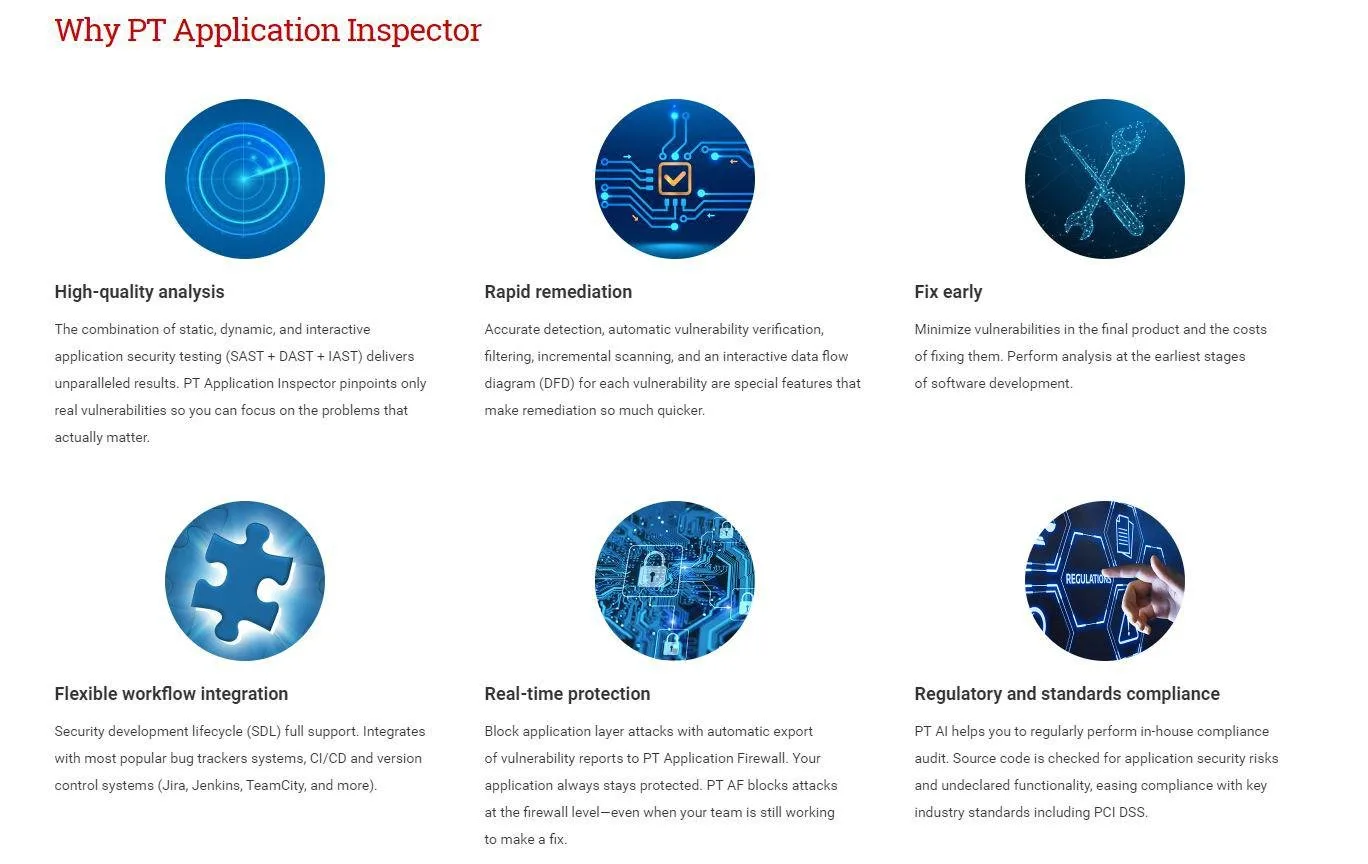
Rather than deploying separate tools for static analysis, dynamic testing, and composition analysis, PT AI integrates all testing methodologies into one platform with unified reporting.

The standout capability is automatic exploit generation.

When PT AI detects a potential vulnerability through static or dynamic analysis, it constructs a safe proof-of-concept exploit to verify the issue is real.

This dramatically reduces false positives and provides developers with concrete evidence of each vulnerability’s exploitability.

Positioned in the Gartner Magic Quadrant for Application Security Testing, PT AI serves enterprise customers who want consolidated security testing without managing multiple vendor relationships.

Key Features

Unified Testing Methodologies

PT Application Inspector brings together four testing approaches:

  • SAST: Analyzes source code and binaries for vulnerabilities without execution
  • DAST: Tests running applications through external HTTP requests
  • IAST: Monitors application runtime during testing for code-level insights
  • SCA: Identifies vulnerable third-party components and libraries

Results from all methodologies are correlated and deduplicated in a single dashboard.

Automatic Vulnerability Verification

When static analysis detects a potential SQL injection or XSS vulnerability, PT AI automatically generates a safe exploit payload and executes it against a running instance of the application.

If the exploit succeeds, the vulnerability is marked as verified.

If defenses block it, the finding is downgraded or removed.

This verification step eliminates the manual triage that consumes security team time with other tools.

Interactive Data Flow Diagrams

For each vulnerability, PT AI generates visual data flow diagrams showing how tainted input travels through the application to reach a dangerous sink.

These diagrams help developers understand the vulnerability context and identify the appropriate fix location.

WAF Integration

PT AI integrates with PT Application Firewall (PT AF) to provide virtual patching.

When a vulnerability is detected but cannot be immediately fixed in code, PT AI can automatically generate a WAF rule to block exploit attempts in production while developers work on the permanent fix.

Container and Docker Support

Version 4.0 introduced Docker container scanning, allowing security teams to analyze containerized applications and their base images.

The scanner identifies both application vulnerabilities and insecure container configurations.

How to Use PT Application Inspector

Installation

PT Application Inspector runs as a server application with a web-based interface:

# Download installer from Positive Technologies portal
# Available for Linux and Windows

# Linux installation
chmod +x ptai-installer.sh
sudo ./ptai-installer.sh

# Access web interface
# Default: https://localhost:8443

Creating a Scan Project

Configure a new project through the web interface or API:

# Create project via REST API
curl -X POST "https://ptai-server:8443/api/v4/projects" \
     -H "Authorization: Bearer $PTAI_TOKEN" \
     -H "Content-Type: application/json" \
     -d '{
       "name": "MyApplication",
       "type": "web",
       "languages": ["java", "javascript"],
       "repository": {
         "url": "https://github.com/org/repo.git",
         "branch": "main"
       },
       "scanModes": ["sast", "dast", "iast", "sca"]
     }'

Running Scans

Execute a comprehensive scan combining all methodologies:

# Start combined SAST+DAST+IAST+SCA scan
curl -X POST "https://ptai-server:8443/api/v4/projects/123/scans" \
     -H "Authorization: Bearer $PTAI_TOKEN" \
     -H "Content-Type: application/json" \
     -d '{
       "target": "https://staging.example.com",
       "authentication": {
         "type": "form",
         "loginUrl": "/login",
         "username": "testuser",
         "password": "${TEST_PASSWORD}"
       },
       "options": {
         "verifyVulnerabilities": true,
         "generateExploits": true,
         "maxScanTime": 3600
       }
     }'

CI/CD Integration

Integrate PT AI into your build pipeline:

# GitLab CI example
stages:
  - build
  - security
  - deploy

security-scan:
  stage: security
  image: ptsecurity/ptai-cli:latest
  script:
    - ptai-cli login --server $PTAI_SERVER --token $PTAI_TOKEN
    - ptai-cli scan create \
        --project "$CI_PROJECT_NAME" \
        --source . \
        --target "$STAGING_URL" \
        --wait
    - ptai-cli results export \
        --format junit \
        --output security-results.xml
  artifacts:
    reports:
      junit: security-results.xml
  rules:
    - if: $CI_PIPELINE_SOURCE == "merge_request_event"

Jenkins integration:

// Jenkinsfile
pipeline {
    agent any
    stages {
        stage('Security Scan') {
            steps {
                script {
                    def scanResult = ptaiScan(
                        serverUrl: env.PTAI_SERVER,
                        projectName: 'MyApplication',
                        sourceFolder: '.',
                        targetUrl: env.STAGING_URL,
                        waitForCompletion: true,
                        failOnHighVulnerabilities: true
                    )

                    if (scanResult.highCount > 0) {
                        error "Found ${scanResult.highCount} high-severity vulnerabilities"
                    }
                }
            }
        }
    }
}

When to Use PT Application Inspector

PT Application Inspector is designed for organizations that want comprehensive application security testing from a single vendor.

The integrated approach reduces tool sprawl and provides correlated findings across testing methodologies.

Consider PT Application Inspector when you need:

  • Unified SAST, DAST, IAST, and SCA without managing multiple tools
  • Automatic vulnerability verification to eliminate false positives
  • Visual data flow analysis for developer remediation guidance
  • Integration with web application firewall for virtual patching
  • Support for Docker containers and cloud-native applications
  • CI/CD integration with quality gates based on scan results

Organizations evaluating PT AI should verify regional availability, as Positive Technologies operates primarily in certain geographic markets.

The platform is particularly strong for teams seeking a consolidated security testing approach with verified findings.