


SonarQube (sometimes misspelled as SonarCube or Sonar Qube) is a code quality and security platform that analyzes 35+ languages with over 6,000 built-in rules. It is a SAST tool that combines security vulnerability detection with code quality analysis — tracking bugs, code smells, duplication, and maintainability alongside security issues.
The open-source Community Edition is available on GitHub under LGPL-3.0 with over 10,200 stars. Commercial tiers add more languages, branch analysis, and advanced security features like taint analysis.
What is SonarQube?
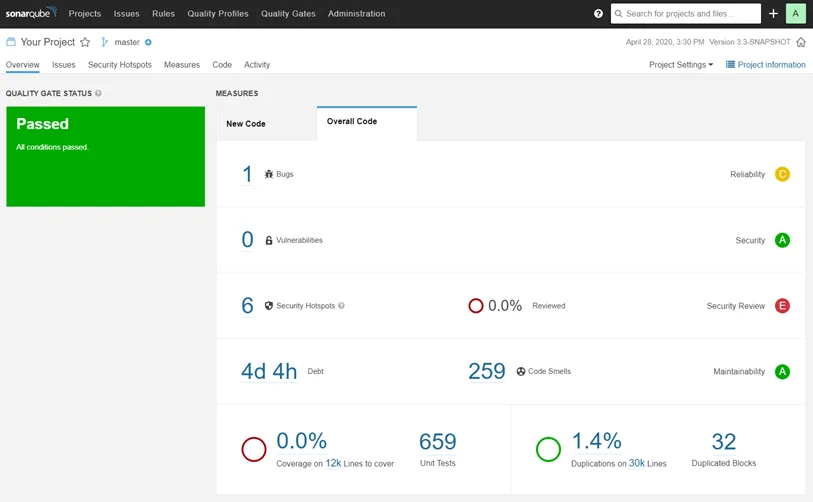
SonarQube performs continuous code quality measurement across three areas: code reliability (bugs), application security (vulnerabilities and security hotspots), and maintainability (code smells and technical debt).
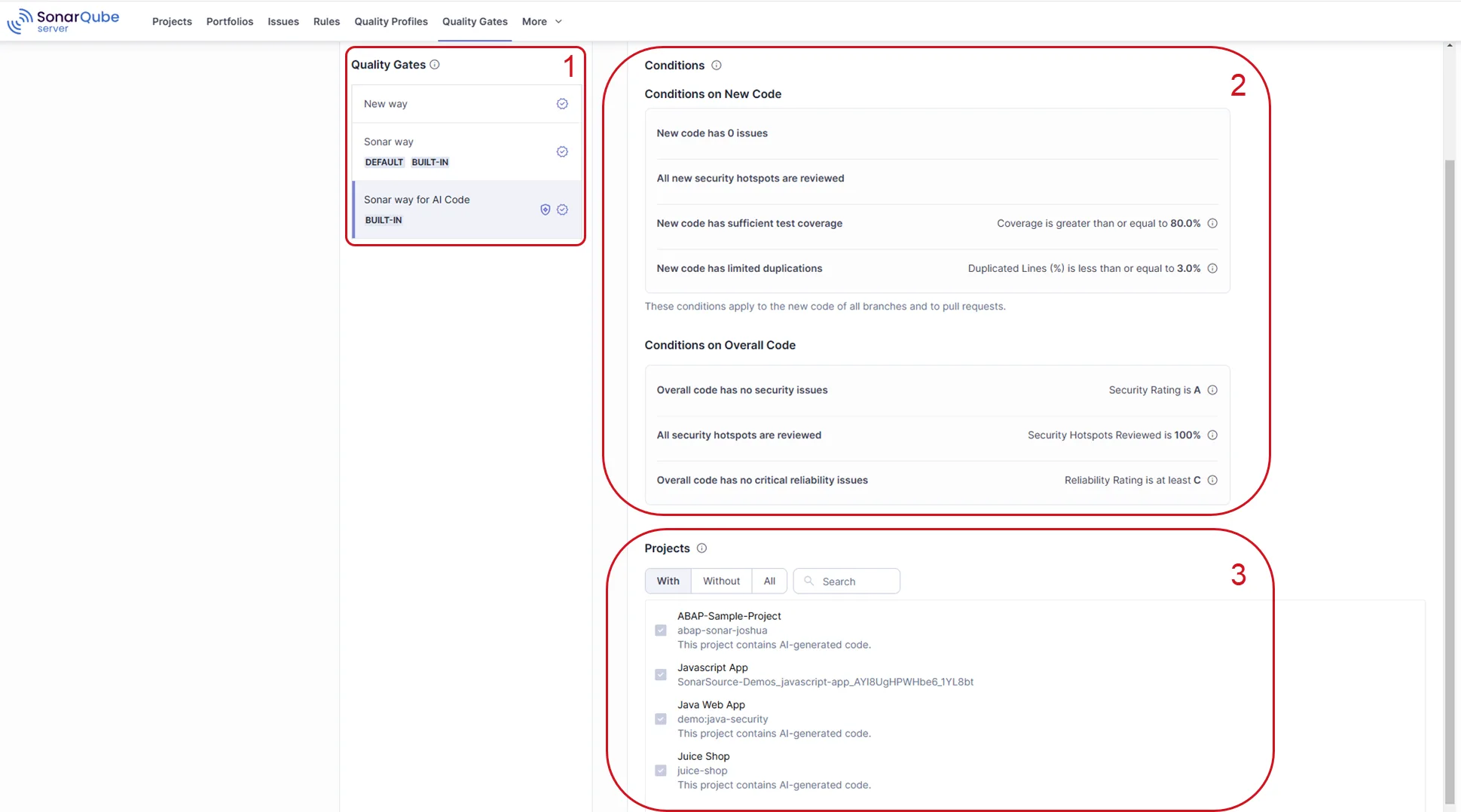
The platform provides quality gates that can block deployments when code doesn’t meet configured thresholds. PR decoration shows findings directly on pull requests in GitHub, GitLab, Bitbucket, and Azure DevOps.
Key features
Security analysis
SonarQube detects security vulnerabilities and security hotspots. According to OWASP’s Source Code Analysis Tools guide, static analysis tools like SonarQube are recommended as part of a defense-in-depth approach to application security. Paid tiers add taint analysis that traces data flow from user input to dangerous operations for injection detection. The security rules cover OWASP Top 10, CWE Top 25, and SANS Top 25.
Code quality
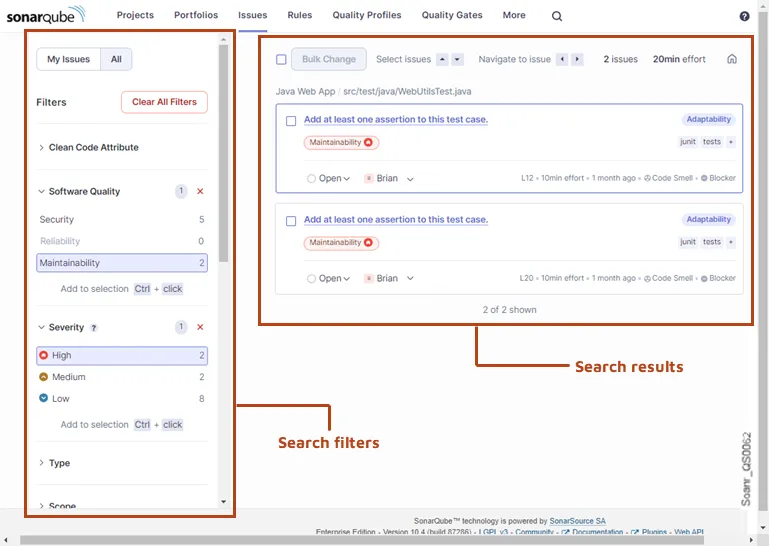
Beyond security, SonarQube tracks code reliability (bugs), maintainability (code smells), and test coverage. Technical debt is quantified as estimated remediation time. Duplication detection identifies copy-pasted code across the project.
CI/CD integration
SonarQube integrates with Jenkins, GitHub Actions, GitLab CI, Azure DevOps, and Bitbucket Pipelines. The SonarScanner CLI handles the analysis, while quality gates provide pass/fail decisions for CI/CD gates. PR decoration shows new findings directly on pull requests.
SonarCloud
SonarCloud is the SaaS version of SonarQube, hosted by SonarSource. It is free for public/open-source projects and requires a subscription for private projects. It provides the same analysis capabilities without self-hosting.
Getting started
docker run -p 9000:9000 sonarqube:community), or use SonarCloud for SaaS.sonar-project.properties with your project key and server URL.sonar-scanner in your project directory. Results appear in the SonarQube dashboard within seconds to minutes depending on project size.When to use SonarQube
SonarQube is a good fit for teams that want both code quality and security analysis in a single platform. The quality gate system is one of the most mature in the market, and the PR decoration makes findings visible without leaving the development workflow.
The free Community Edition works well for single-branch projects. Teams that need branch analysis, PR decoration, or advanced security features will need a paid tier.
For teams focused purely on security, dedicated SAST tools like Semgrep, Checkmarx, or Snyk Code may provide deeper vulnerability detection. SonarQube’s strength is its breadth — covering quality and security together. For a deeper comparison of testing approaches, see our guide on SAST vs DAST vs IAST.


