
SpotBugs is a free, open-source SAST tool that finds bugs in Java programs by analyzing compiled bytecode. With over 3,800 GitHub stars and 200+ contributors, it’s the community-driven successor to FindBugs.
SpotBugs detects over 400 bug patterns, and the Find Security Bugs plugin adds 144 security vulnerability types covering the OWASP Top 10. Since it analyzes bytecode rather than source code, it works with any JVM language: Java, Kotlin, Groovy, and Scala.
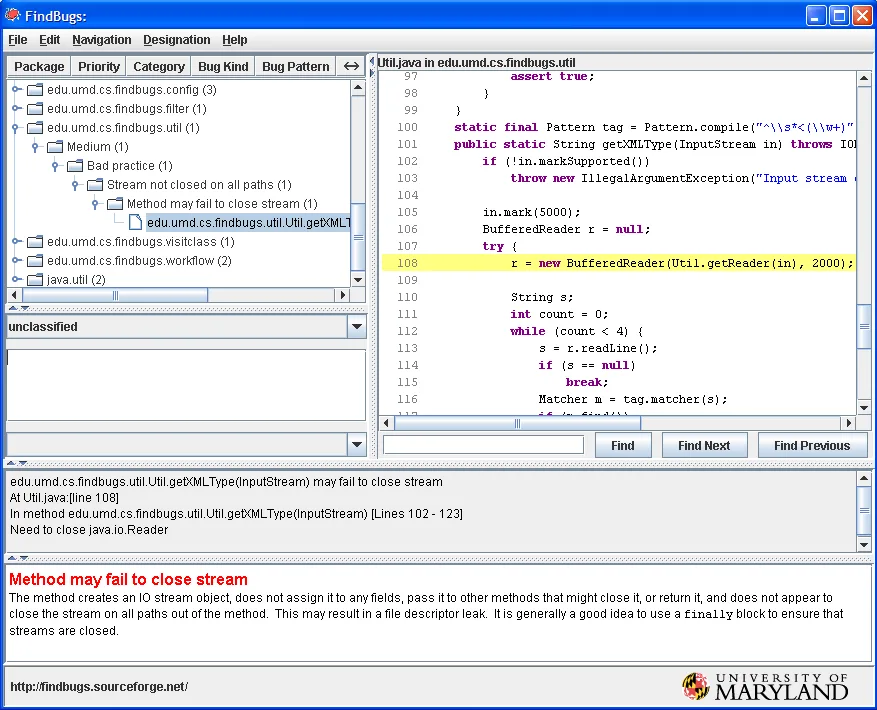
What is SpotBugs?
SpotBugs examines compiled Java bytecode to find instances of “bug patterns” — code that is likely to be incorrect.
According to research published by the University of Maryland (where the original FindBugs was developed), bytecode analysis catches a distinct class of defects that source-level tools miss.
Working with .class files means SpotBugs can analyze third-party libraries and catches issues related to type erasure and compiler optimizations.
The tool categorizes findings into correctness bugs, bad practices, performance issues, and security vulnerabilities. The current version is 4.9.8, released October 2025. JDK 21 support was added in version 4.8.0.
SpotBugs is used by GitLab’s built-in SAST analyzer for Java, Kotlin, Groovy, and Scala projects. GitLab pairs SpotBugs with the Find Security Bugs plugin for security analysis.
Key features
Find Security Bugs plugin
The Find Security Bugs plugin is what turns SpotBugs into a security scanner. It adds 144 vulnerability types and recognizes 826+ unique API signatures across popular Java frameworks.
| Category | Examples |
|---|---|
| Injection | SQL injection, command injection, LDAP injection, XPath injection |
| Data exposure | XSS, path traversal, information leakage |
| XML | XXE, XML injection |
| Crypto | Weak cryptography, insecure random, ECB mode |
| Deserialization | Insecure deserialization patterns |
| Framework-specific | Spring, Struts, JSF, Android-specific patterns |
The latest version is 1.14.0 (June 2025). Maven coordinates: com.h3xstream.findsecbugs:findsecbugs-plugin.
Build tool integration
SpotBugs integrates with Maven, Gradle, Ant, and SBT:
- Maven plugin:
com.github.spotbugs:spotbugs-maven-plugin(latest: 4.9.8.2) - Gradle plugin:
com.github.spotbugs(latest: 6.4.8)
Both plugins support fail-on-violation to break builds when issues are found. Reports can be generated in HTML, XML, or SARIF formats.
IDE support
- Eclipse: SpotBugs Eclipse plugin available on Eclipse Marketplace
- IntelliJ IDEA:
spotbugs-ideaplugin maintained by JetBrains themselves
Both plugins show findings directly in the editor with explanations and navigation to the bug location.
Getting started
spotbugs-maven-plugin to your POM. For Gradle, apply the com.github.spotbugs plugin. Include findsecbugs-plugin as a dependency for security scanning.mvn spotbugs:check or ./gradlew spotbugsMain. SpotBugs analyzes compiled bytecode and reports findings. Use -effort:max for the deepest analysis.When to use SpotBugs
SpotBugs belongs in every Java project’s quality toolchain. It catches bugs that unit tests miss and, with Find Security Bugs, provides OWASP Top 10 coverage tuned for Java web applications.
For source-level analysis and code style enforcement, pair SpotBugs with PMD or Checkstyle. For deeper security analysis across more languages, consider Semgrep or CodeQL.