Veracode SCA is an enterprise SCA tool that combines traditional vulnerability scanning with supply chain attack detection from the January 2025 Phylum acquisition. The platform claims 60% more accurate malicious package detection through ML-powered behavioral analysis that catches typosquatting, dependency confusion, and compromised maintainer accounts.
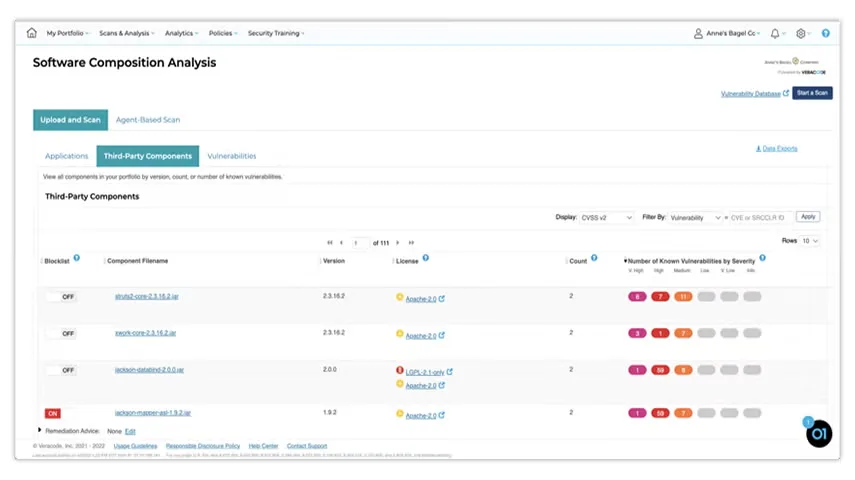
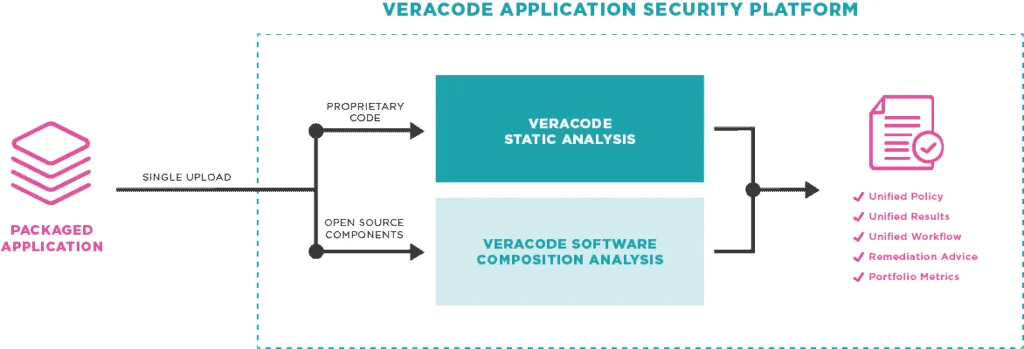
Veracode SCA integrates with the broader Veracode platform, correlating SCA findings with SAST and DAST results. A package registry firewall blocks malicious packages before developers can install them.
Veracode is a Gartner Magic Quadrant Leader for AST (2025).
What is Veracode SCA?
Veracode SCA scans dependencies for known vulnerabilities and uses Phylum’s technology to analyze package behavior and identify malicious code patterns. The registry firewall blocks compromised packages in real-time, and reachability analysis traces code paths to determine if vulnerable functions are actually called by your application.
Key features
| Feature | Details |
|---|---|
| Malicious package detection | 60% more accurate via Phylum ML; typosquatting, dependency confusion, compromised maintainers |
| Registry firewall | npm and PyPI proxy blocks malicious packages before installation |
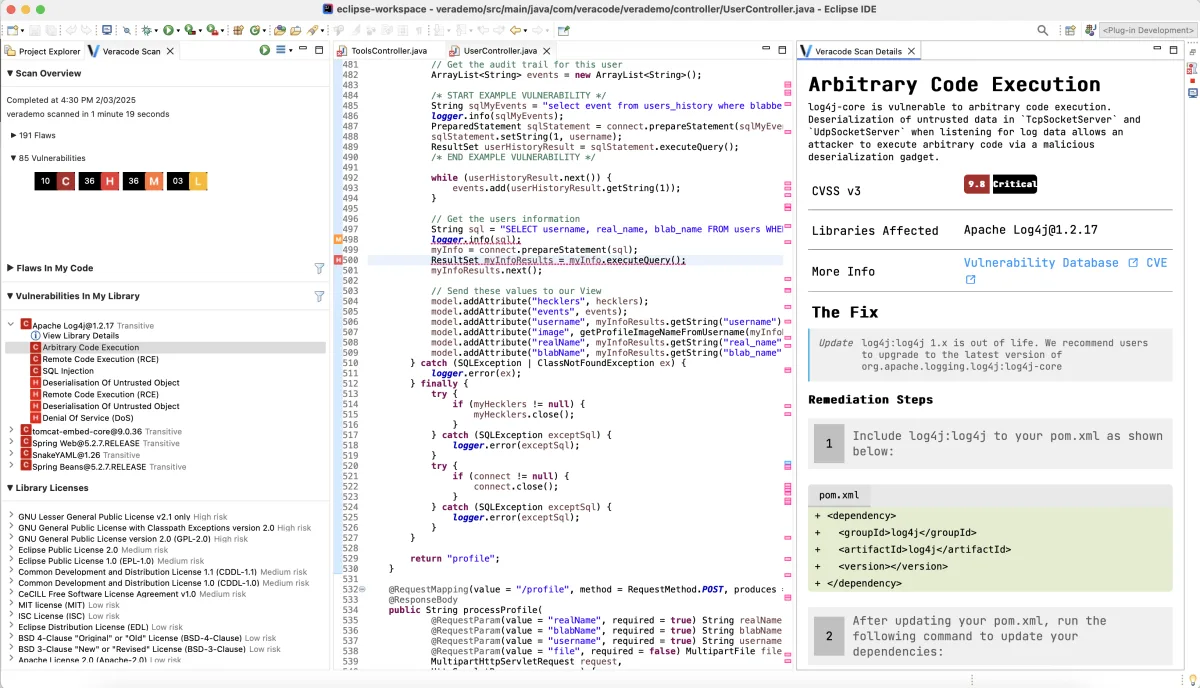
| Reachability analysis | Code path tracing to determine if vulnerable functions are called |
| Ecosystems | npm, yarn, pnpm, pip, Poetry, Maven, Gradle, Go, NuGet, Bundler, Composer, Cargo |
| Container scanning | Docker and OCI image analysis across all layers |
| License compliance | Policy enforcement with SPDX and CycloneDX SBOM generation |
| Remediation | Automated fix pull requests for vulnerable dependencies |
| Platform integration | Correlated findings with Veracode SAST and DAST |
Supply chain attack detection
Phylum’s technology monitors for malicious packages entering the supply chain: typosquatting (names similar to popular libraries), dependency confusion (public packages mimicking internal names), compromised maintainer accounts, and malicious code injection in legitimate packages.
Reachability analysis
Veracode SCA traces code paths to determine if vulnerable functions are actually called by your application. This cuts through alert noise and helps teams focus on the vulnerabilities that actually pose risk.
Package registry firewall
Configure npm or pip to use the Veracode proxy registry. Malicious packages get blocked before installation, preventing compromised dependencies from ever reaching your codebase.
Container scanning
Analyzes container images for vulnerabilities in OS packages and application dependencies across all layers, covering base images and added components.
License compliance and SBOM
License detection with policy enforcement and SBOM generation in SPDX and CycloneDX formats. Handles dual-licensing, license exceptions, and organizational policy rules.
Integrations
 GitHub Actions
 GitLab CI
 Azure DevOps
 Jenkins
 VS Code
 IntelliJ IDEA
 Visual Studio
 Eclipse
Getting started
brew install veracode-cli on macOS or download from the Veracode portal for Linux/Windows.veracode configure or set VERACODE_API_KEY_ID and VERACODE_API_KEY_SECRET environment variables.veracode scan --type sca in your project directory.When to use Veracode SCA
Veracode SCA fits organizations that need supply chain attack protection alongside traditional vulnerability scanning, especially those already using Veracode for SAST and DAST.
The Phylum acquisition brought ML-powered behavioral analysis that commercial competitors are still catching up to. The registry firewall is a concrete differentiator that blocks threats before they reach your codebase, though it is currently limited to npm and PyPI.
It is a commercial product with no free tier. The strongest value comes from using it alongside Veracode SAST and DAST for correlated findings.
How it compares:
| vs. | Key difference |
|---|---|
| Snyk Open Source | Snyk has a broader ecosystem and free tier. Veracode SCA has stronger supply chain detection via Phylum and a registry firewall. |
| Socket | Socket focuses on behavioral analysis for npm/PyPI with a free open-source tier. Veracode SCA adds the registry firewall and integrates with a full AppSec platform. |
| Checkmarx SCA | Both offer supply chain detection. Veracode has the registry firewall; Checkmarx ties into the broader Checkmarx One platform. |
For more context, see our guides on what is SCA and software supply chain security.
Note: Enhanced with Phylum acquisition (January 2025) for advanced supply chain security.